Troubleshooting
Problem
When attempting to start the integrated WebSphere Application Server v6.0 (WAS 6.0) in debug mode, from Rational Application Developer (RAD) or Rational Software Architect (RSA), you may encounter the error "Error received while starting the server".
Symptom
Here is a list of symptoms you might observe:
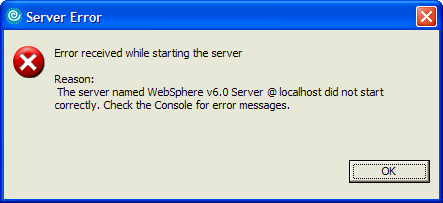
- You receive the following error dialog:
  Error received while starting the server
  Reason: The server named WebSphere v6.0 Server @ localhost did not start correctly. Check the Console for error messages.
- In the Servers view, the status of WAS 6.0 shows Debugging


but in the Debug view there is no debug target displayed.
- When you check the content of
{ProductInstallRoot}\runtimes\base_v6\profiles\default\logs\server1\native_stdout.log
<debugger port unavailable: 7777>
[{"Product":{"code":"SSRTLW","label":"Rational Application Developer for WebSphere Software"},"Business Unit":{"code":"BU048","label":"IBM Software"},"Component":"Integrated Test Environment","Platform":[{"code":"PF033","label":"Windows"}],"Version":"6.0;6.0.0.1;6.0.1;6.0.1.1;6.0.1.2;7.0;7.0.0.1;7.0.0.2;7.0.0.3;7.0.0.4","Edition":"","Line of Business":{"code":"LOB77","label":"Automation Platform"}},{"Product":{"code":"SSYK2S","label":"Rational Software Architect Designer"},"Business Unit":{"code":"BU048","label":"IBM Software"},"Component":"Integrated Test Environment","Platform":[{"code":"PF033","label":"Windows"}],"Version":"","Edition":"","Line of Business":{"code":"LOB77","label":"Automation Platform"}}]
Log InLog in to view more of this document
This document has the abstract of a technical article that is available to authorized users once you have logged on. Please use Log in button above to access the full document. After log in, if you do not have the right authorization for this document, there will be instructions on what to do next.
Was this topic helpful?
Document Information
Modified date:
10 September 2020
UID
swg21287348