Troubleshooting
Problem
When opening a Rational® RequisitePro® project in Microsoft® Windows Explorer, an error "The specified Path does not exist" displays and the project is not opened.
Cause
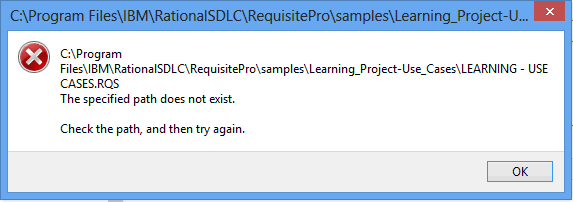
The cause is due to Microsoft Windows User Account Control permissions not being set for RQS file types.
Environment
Windows Vista, Windows 7, Windows 8, Windows Server 2008, Windows Server 2008R2
Resolving The Problem
This problem can be fixed by updating the program to be run for RQS file types to the RequisitePro application.
- Right click the RQS file.
- Select the Open with ... option.
- Select the Choose a specific exe file option.
- Go to the RequisitePro bin directory.
- Choose requisitepro.exe.
- Select Ok.
[{"Product":{"code":"SSSHCT","label":"Rational RequisitePro"},"Business Unit":{"code":"BU053","label":"Cloud & Data Platform"},"Component":"Open Project","Platform":[{"code":"PF033","label":"Windows"}],"Version":"7.1.2;7.1.2.1;7.1.2.2;7.1.2.3;7.1.2.4;7.1.2.5;7.1.2.6;7.1.2.7;7.1.2.8;7.1.2.9;7.1.3;7.1.3.1;7.1.3.2;7.1.3.3;7.1.3.4;7.1.3.5","Edition":"","Line of Business":{"code":"LOB45","label":"Automation"}}]
Was this topic helpful?
Document Information
Modified date:
16 June 2018
UID
swg21614408