How To
Summary
Encrypt all outgoing messages
Steps
MaaS360 adds support for S/MIME on Exchange ActiveSync with options to individually enable or disable signing and encryption on all outgoing messages by default. In the previous releases, all the messages were automatically encrypted and signed on pushing down the signing and encryption certificates to the devices.
To encrypt all outgoing messages,
- Navigate to Security> Policies.
- Open an iOS MDM policy
- Navigate to Device Settings> ActiveSync.
- In the Enable S/MIME message encryptionfield, select Yes.
To sign all outgoing messages,
- Navigate to Security > Policies.
- Open an iOS MDM policy
- Navigate to Device Settings > ActiveSync.
- In the Enable S/MIME message signingfield, select Yes.
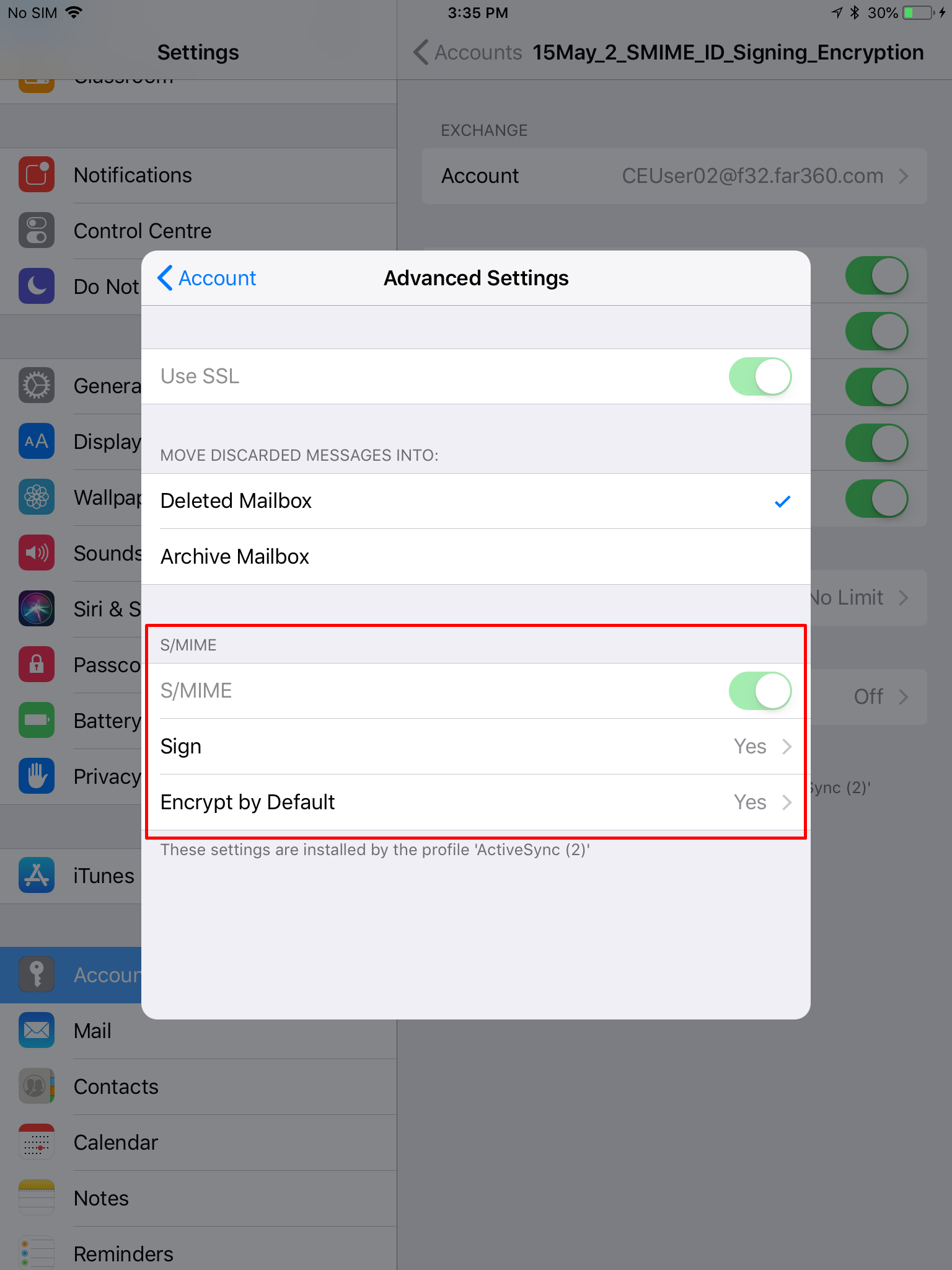
When the ActiveSync policy reaches the device, users can view the S/MIME settings that are applied on the Exchange ActiveSync account.
To view the encryption and signing settings,
- Navigate to device Settings > Accounts and Passwords.
- Tap Exchange account.
- In the Advanced Settings window, users can verify that the Sign and Encrypt by Default are enabled.
Encrypt a single message
MaaS360 also allows the administratorsto disable default encryption on all outgoing messages and leave the option to encrypt outgoing messages to the discretion of the users.
To allow encryption at a message level,
- Navigate to Device Settings> ActiveSync.
- In the Enable per message S/MIMEfield, select Yes.
Encrypt all messages by default vs encrypt a single message
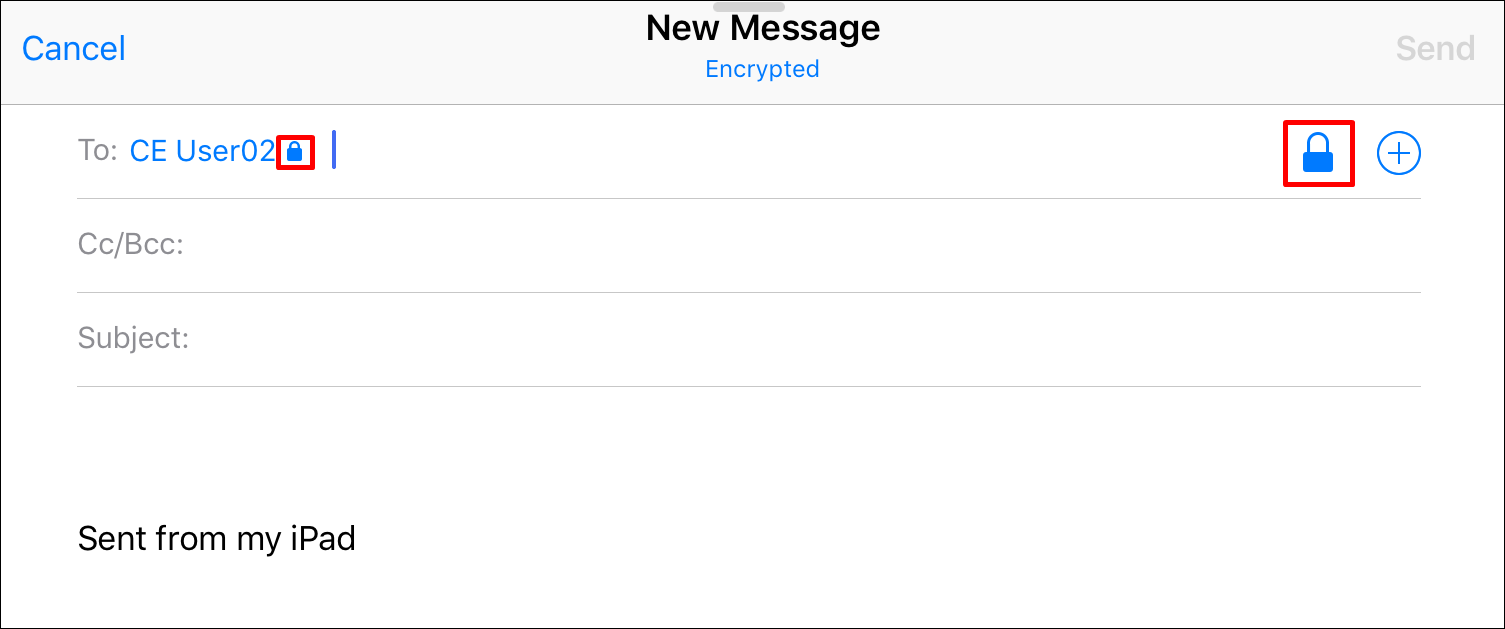
When all the outgoing messages are encrypted by the administrator, users see a lock icon by default in the New Message screen.
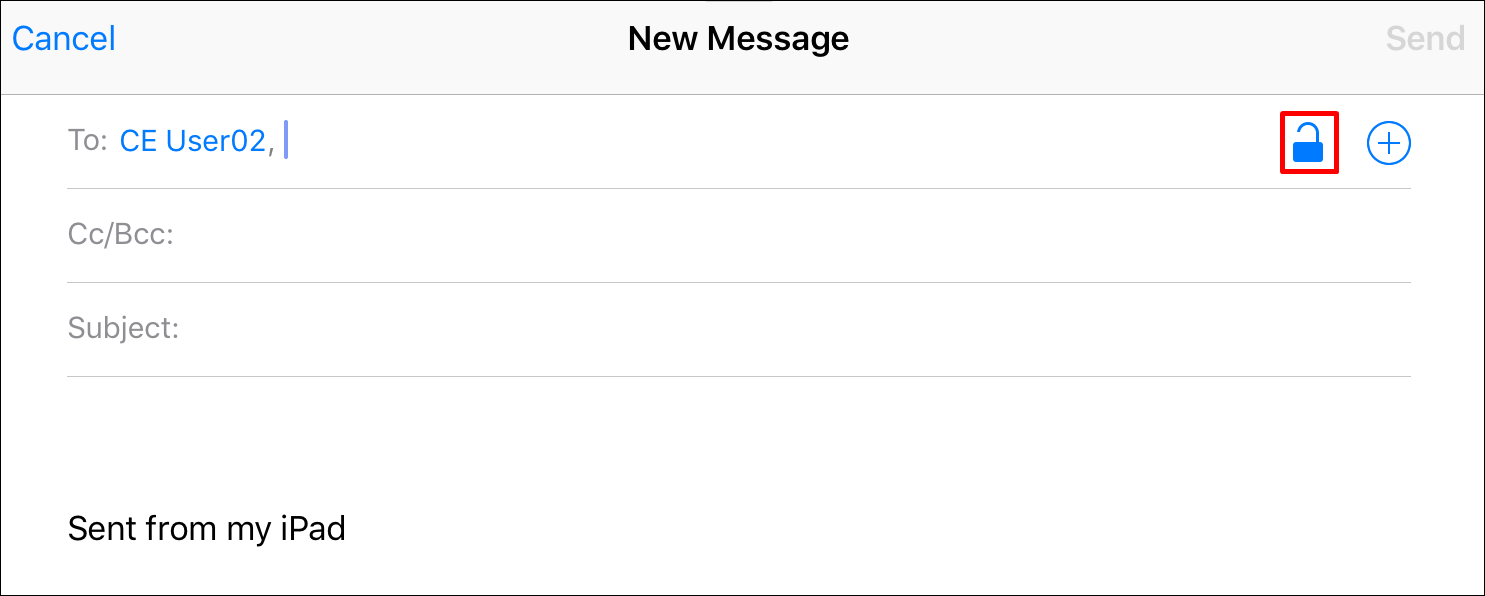
When default encryption on all outgoing messages is disabled and per-message encryption is enabled, users see an unlock icon in the New Message screen. Users can tap the unlock icon to encrypt the message.
Was this topic helpful?
Document Information
Modified date:
29 November 2018
UID
ibm10739381