IBM Support

Creating and Configuring Separate Queue in YARN Capacity Scheduler for running Spark Jobs - Hadoop Dev

Technical Blog Post


Abstract

Creating and Configuring Separate Queue in YARN Capacity Scheduler for running Spark Jobs - Hadoop Dev

Body

This blog talks on – How to create and configure separate queue in YARN Capacity Scheduler Queues for running the Spark jobs.

Environment : BigInsights 4.2

1) Create a queue for Spark from Yarn Queue Manager

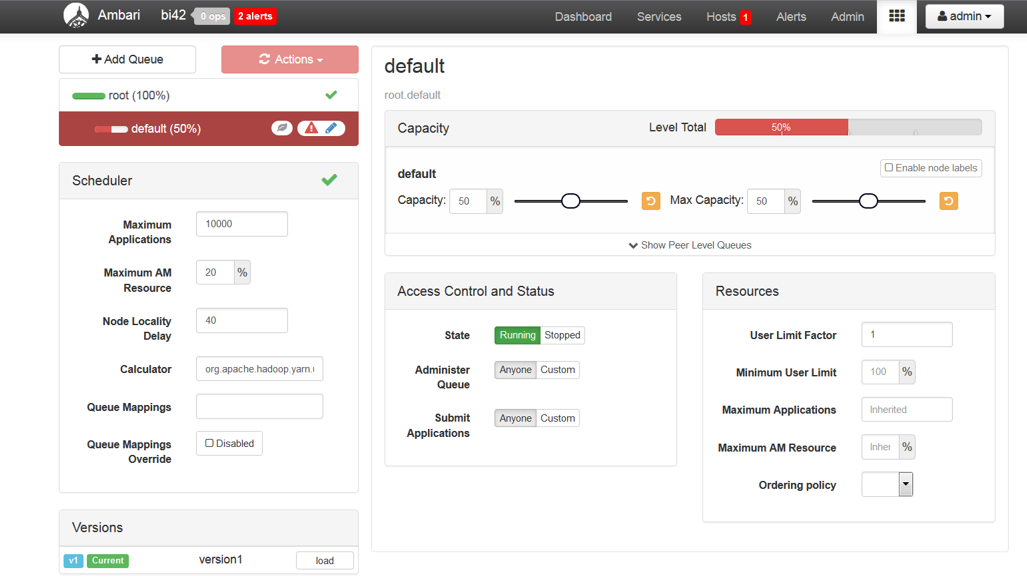
Here I am allocating 50% of resources to default queue and rest 50% to Spark Jobs. You can configure the queues based on your use case. You can also create hierarchial queues based on your need.

Login to Ambari UI and go to Yarn Queue Manager


 The default queue is configured to use 100% resources. You need to modify the Capacity and Max Capacity to 50%.



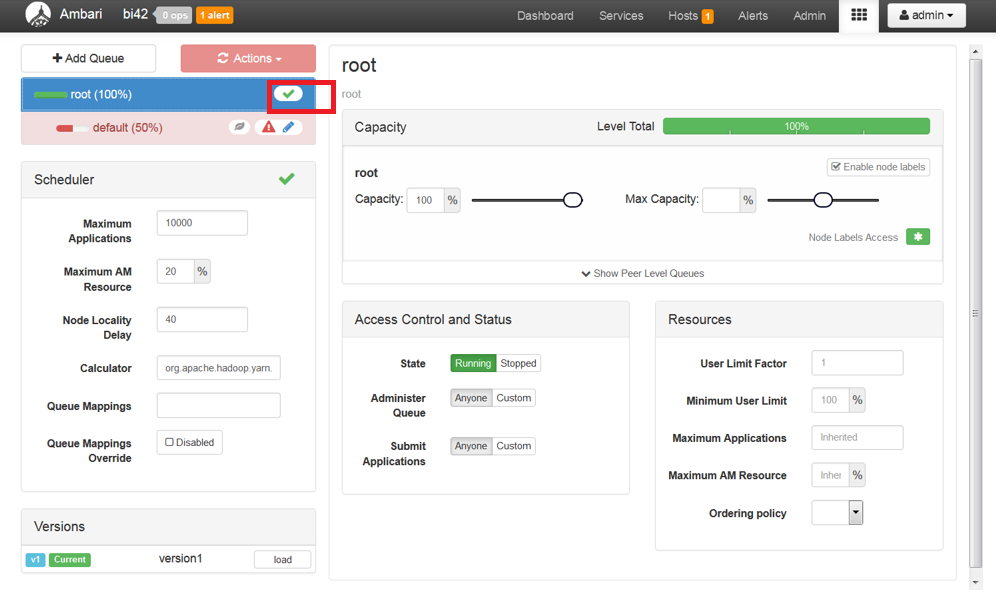
Save the changes by clicking the tick button as shown bellow.
  
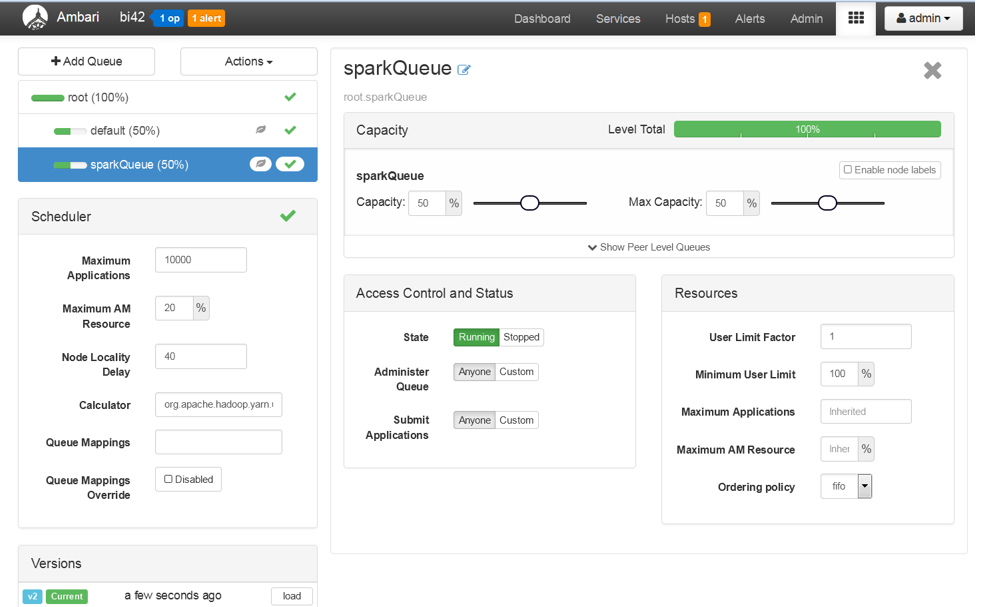
Now, click on +Add Queue button and create a new queue for Spark Jobs.
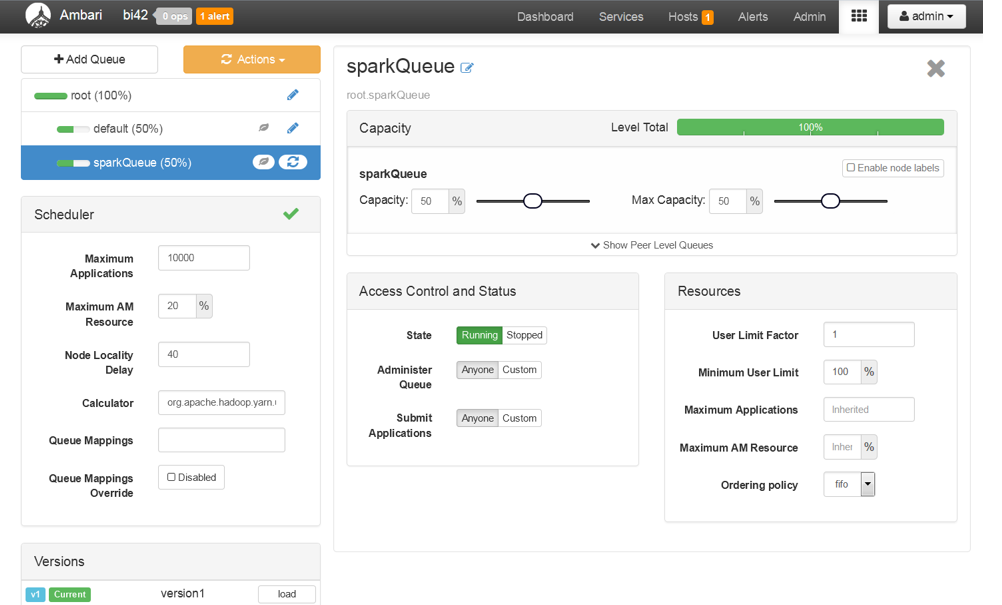
  
 
Save and refresh the queues.


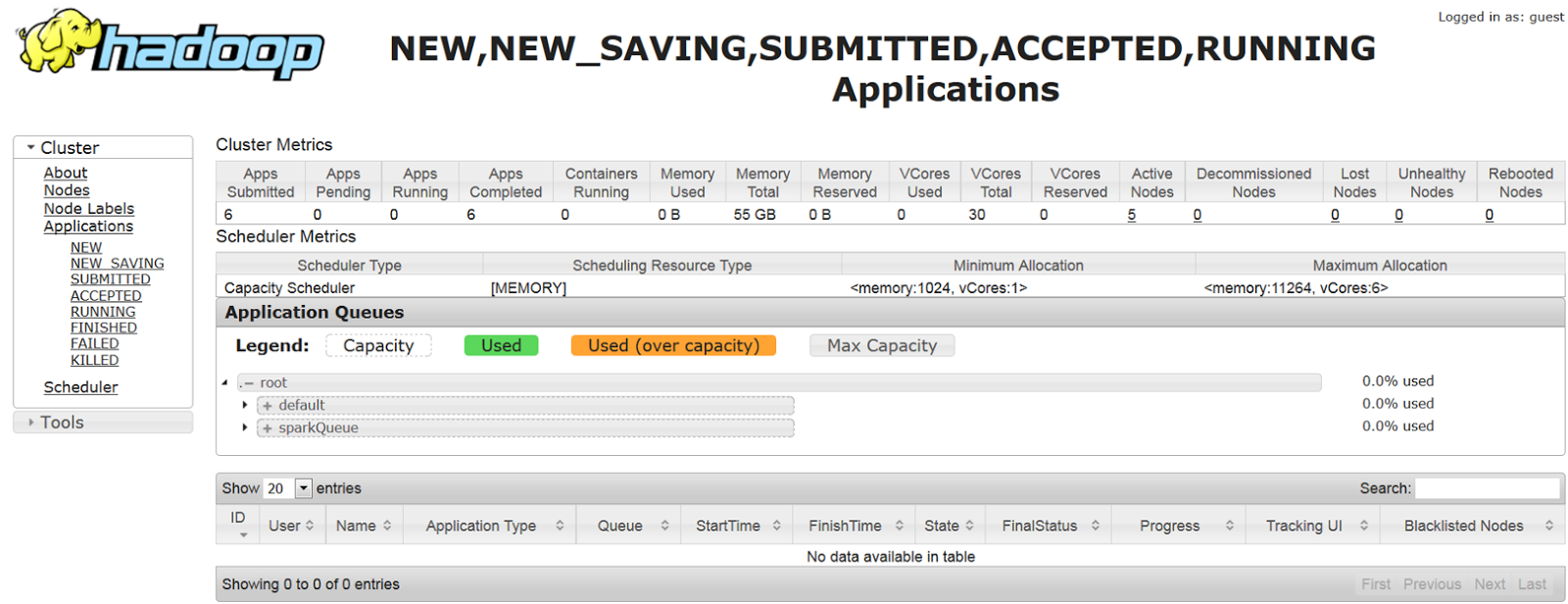
Open the Resource Manager UI and confirm the Queues configured.


2)Submit a Spark job to the queue


Login to the cluster and submit the job to the spark Queue.

[root@cluster ~]# su hdfs [hdfs@cluster root]$ cd /usr/iop/current/spark-client [hdfs@cluster spark-client]$ ./bin/spark-submit –class org.apache.spark.examples.SparkPi –master yarn-cluster –num-executors 3 –driver-memory 4g –executor-memory 2g –executor-cores 1 –queue sparkQueue  lib/spark-examples.jar 10


In the Yarn Resource Manager UI, you can see the job is running in the new queue
 

In the logs, you can see the output from the spark job.


Thus, you are able to run the Spark Jobs in different Queue.

[{"Business Unit":{"code":"BU059","label":"IBM Software w\/o TPS"},"Product":{"code":"SSCRJT","label":"IBM Db2 Big SQL"},"Component":"","Platform":[{"code":"PF025","label":"Platform Independent"}],"Version":"","Edition":"","Line of Business":{"code":"LOB10","label":"Data and AI"}}]

UID

ibm16260023