Technical Blog Post
Abstract
Copy Service Catalog Attribute to Service Request
Body
Problem Description
Copy an offering field to the Service Request (SR) field.
Quite often, when requests are created, there are follow up tickets to be generated from these, like say for example, Incident from SR or Work Order from SR. While doing these, fields like say Configuration Item (CI) name or other specifications also needs to be part of the child tickets. To enable this, we need to copy Catalog Attributes to Service Request Ticket attributes.
Example:
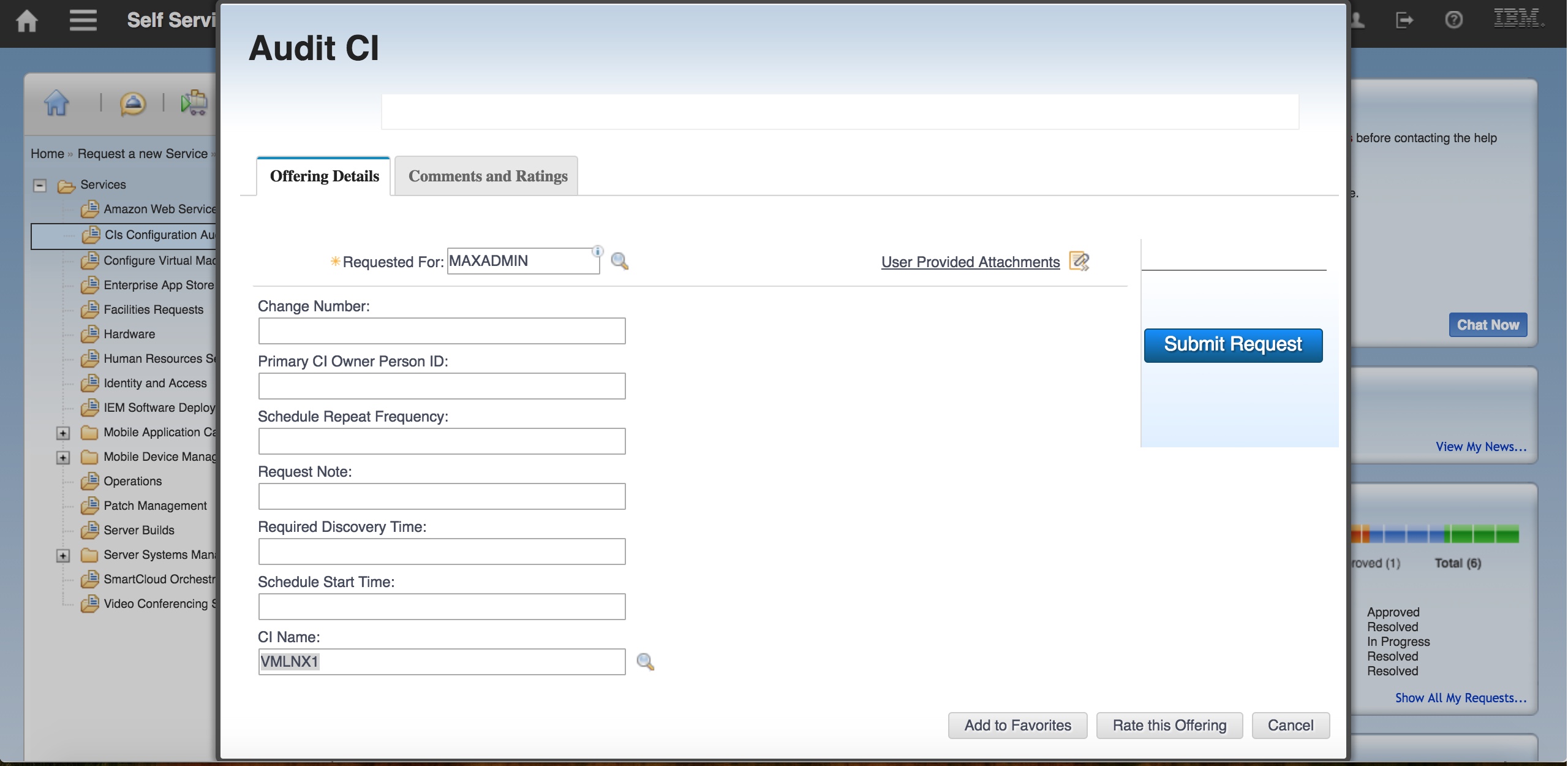
Let's take the example of CI used in an Audit CI offering. Here user submitting the request has to select the CI that needs to be audited as shown below and submit the request.
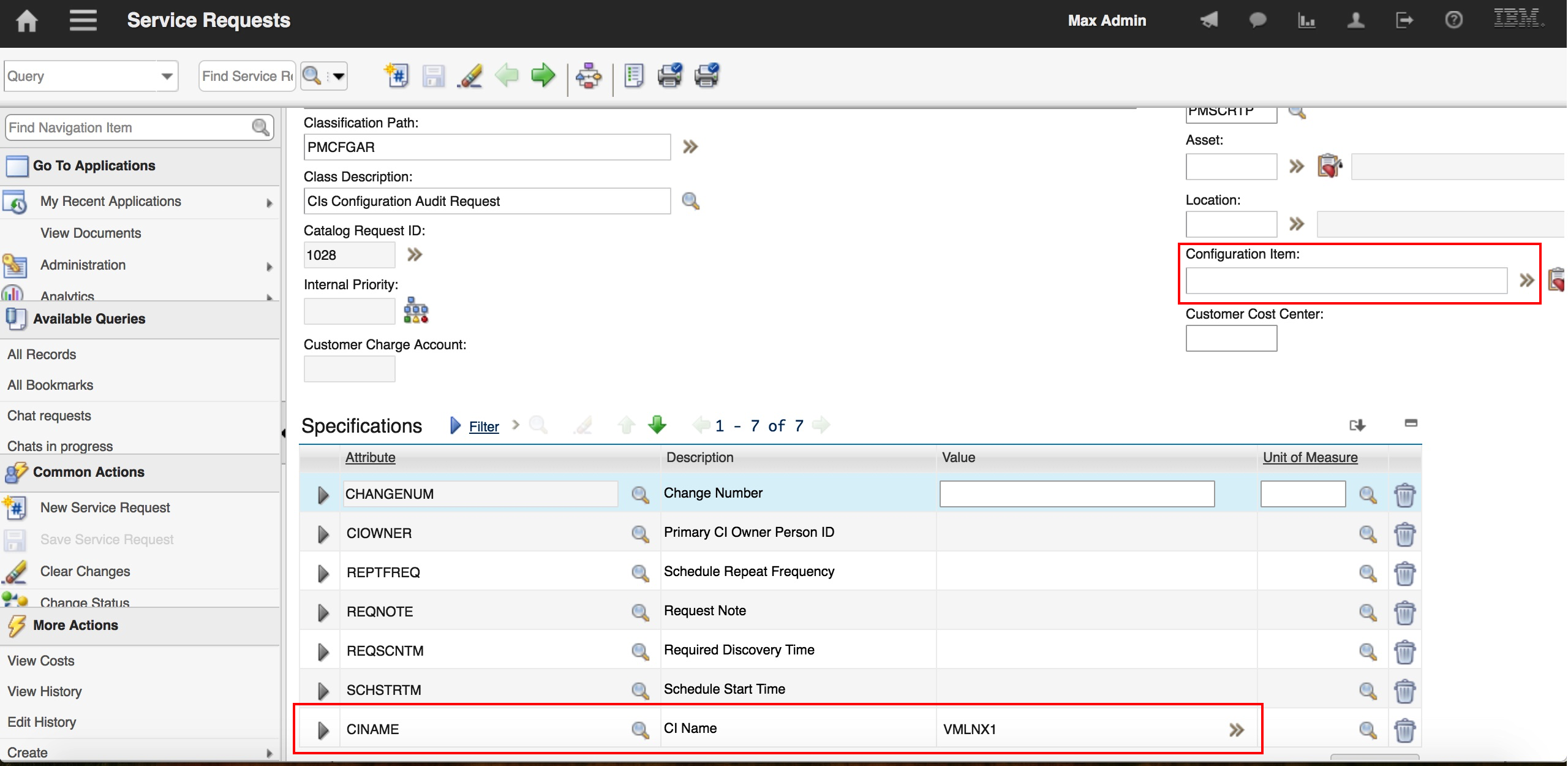
Once submitted, this field is available in SR as a specification only as shown in the SR ticket details
We will use an automation script in the offering to copy this field to the SR attribute.
Solution
Associate an Automation script to the offering.
Configuration Steps
In 'System Configuration -> Platform Configuration-> Automation Scripts', click on action Create -> Script from ‘More Actions’.
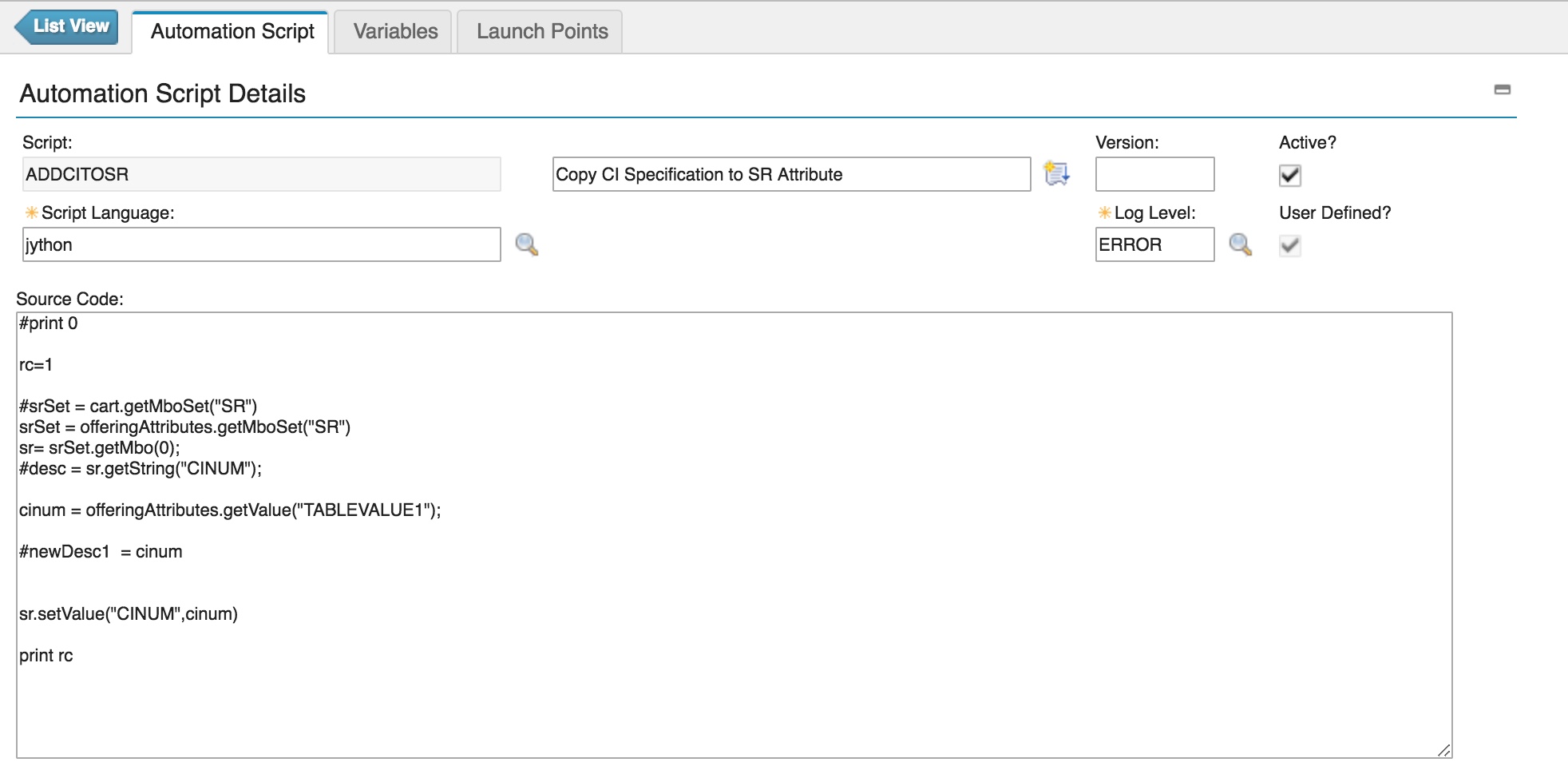
The script is created with the following details:
- Script: ADDCITOSR
- Description: Copy CI Specification to SR Attribute
- Log Level: ERROR
- Active: Selected
- Script Language: jython
- Source Code:
#print 0
rc=1
#srSet = cart.getMboSet("SR")
srSet = offeringAttributes.getMboSet("SR")
sr= srSet.getMbo(0);
#desc = sr.getString("CINUM");
cinum = offeringAttributes.getValue("TABLEVALUE1");
#newDesc1 = cinum
sr.setValue("CINUM",cinum)
print rc
The automation script is created as shown below:
Now attach this automation script to the offering as shown below:

Now submit a new request after attaching the CI as shown below:
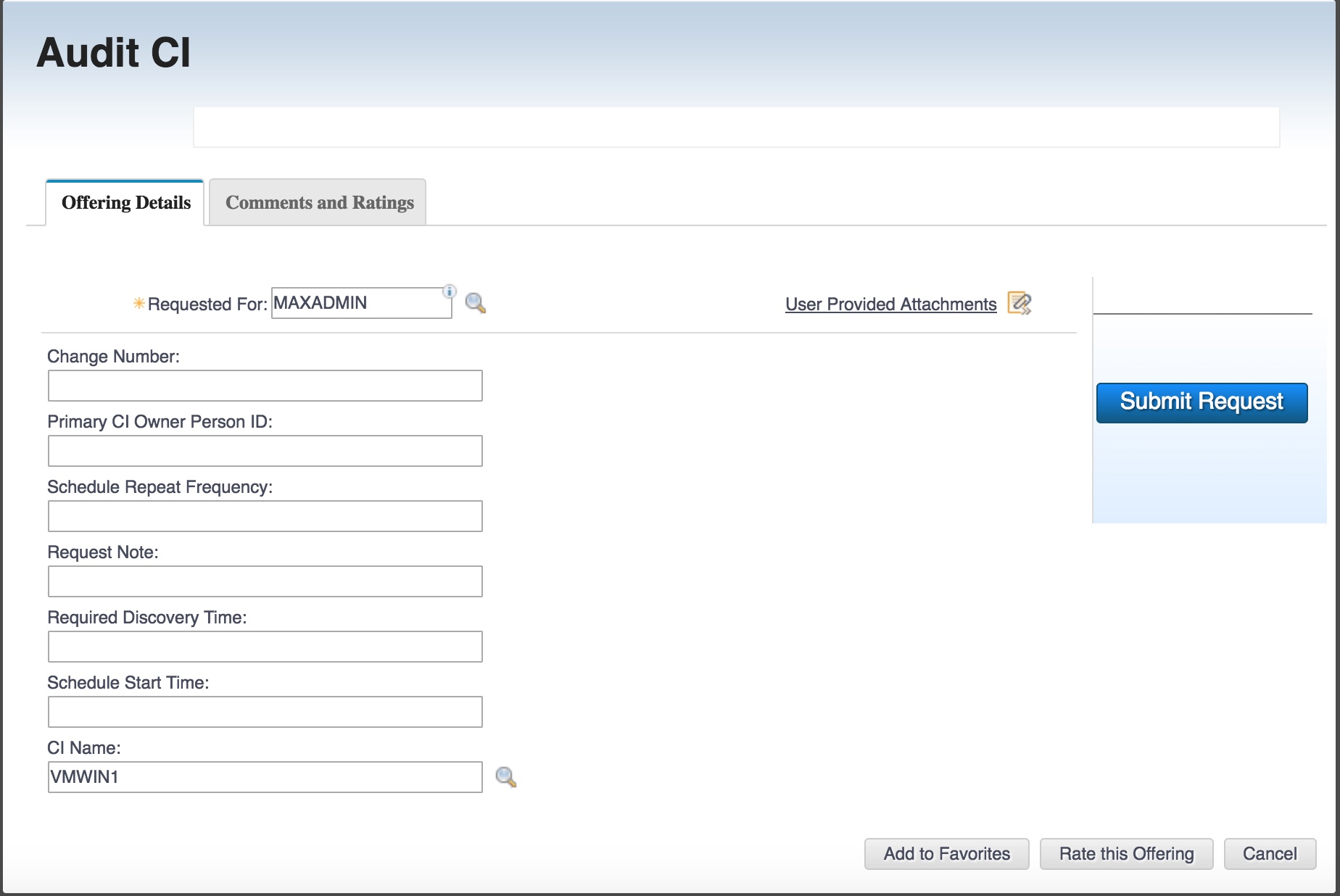
On submission of the request, the automation script copies the CINUM value from Offering attribute named TABLEVALUE1 to the SR attribute called CINUM as shown below:

UID
ibm11129533