Education
Abstract
In Cognos Analytics 11.x there is a combination of legacy requests and new requests. The new services do not use the dispatcher component for load balancing purposes. This can result in the issue where a dispatcher that is dedicated to load balance only the legacy services. Some new requests (for example, uploading files) may fail unless the report service and query service are also enabled on those installations.
Content
Cognos Analytics Load Balancing
In the Cognos 8 and / Cognos 10 versions there is a configuration where a dispatcher that is dedicated to load balance requests. This installation is typically configured to have all the services disabled except the dispatcher service. This is the dispatcher that communicates directly with the gateway. Its only function is to load balance requests.
In Cognos Analytics 11 there is a combination of legacy requests and new requests. The new services do not use the dispatcher component for load balancing purposes. This can result in the issue where a dispatcher that is dedicated to load balance only the legacy services. Some new requests (for example, uploading files) may fail unless the report service or query service are also enabled on those installations.
What is the best approach for load balancing in my environment?
Dispatcher Load Balancer:
While dispatcher load balancing is possible, web server load-balancing is always for Cognos Analytics 11. Dispatcher Load Balancing can be configured for the following two conditions.
- Using SSO at the webserver level
AND
- The environment has many users only using the legacy components such as Query Studio, Analysis, Studio, Powerplay Studio, Event Studio.
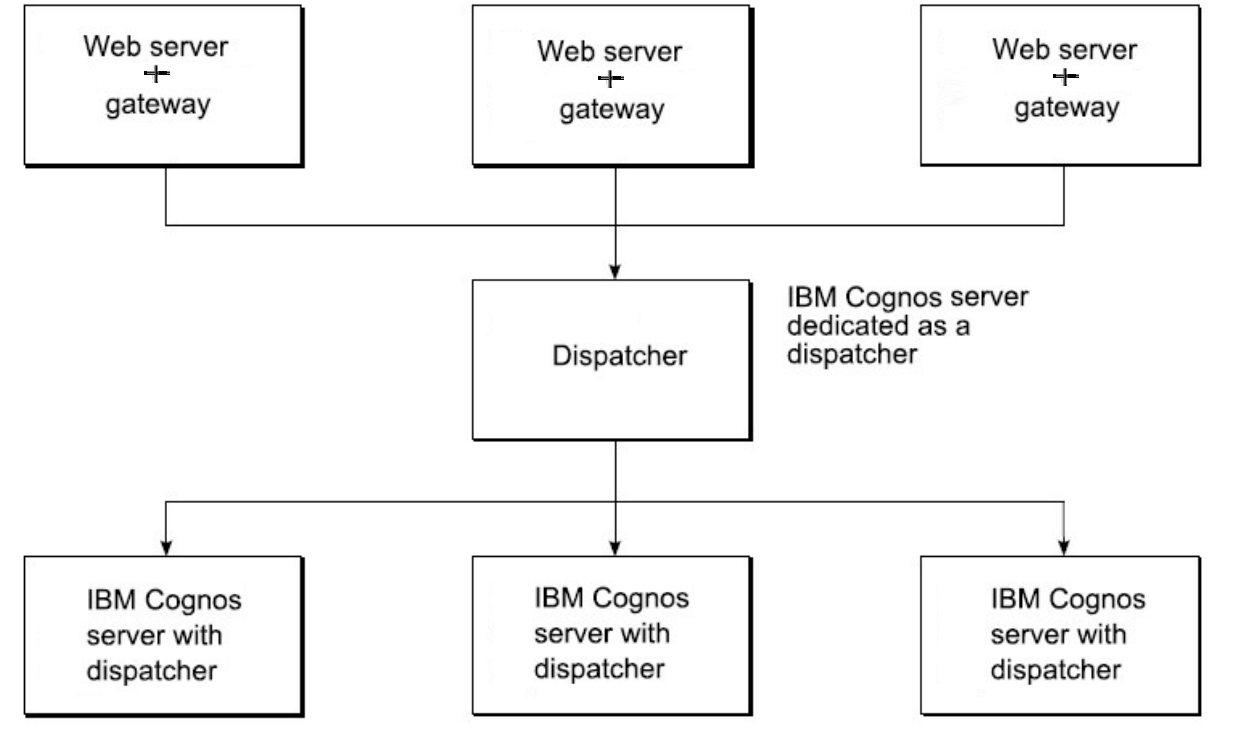
This is due to all browser requests for the legacy components going through the web server, but it will use the component for load balancing.
New requests (uploading files) may fail unless the report service and query service are also enabled in those installs.
Web Server Load Balancer:
If one of those conditions is not in use then it is preferred to load balance on the Gateway:
- Add the application tier dispatchers to the web server's server list (server farm). All of these dispatchers should have the Query Service enabled. If they do not, do not add them to the server farm.
- Do not include special dispatchers (like PowerPlay) in the server farm.
When done in this way, load balancing of Cognos Analytics requests is done outside of Cognos Analytics. It is initially done by the web server , which includes a reverse proxy configuration similar to IBM provided templates and setup scripts for IIS, Apache and IHS. The web server routes requests to the dispatchers with the Query Service enabled in a round robin fashion.
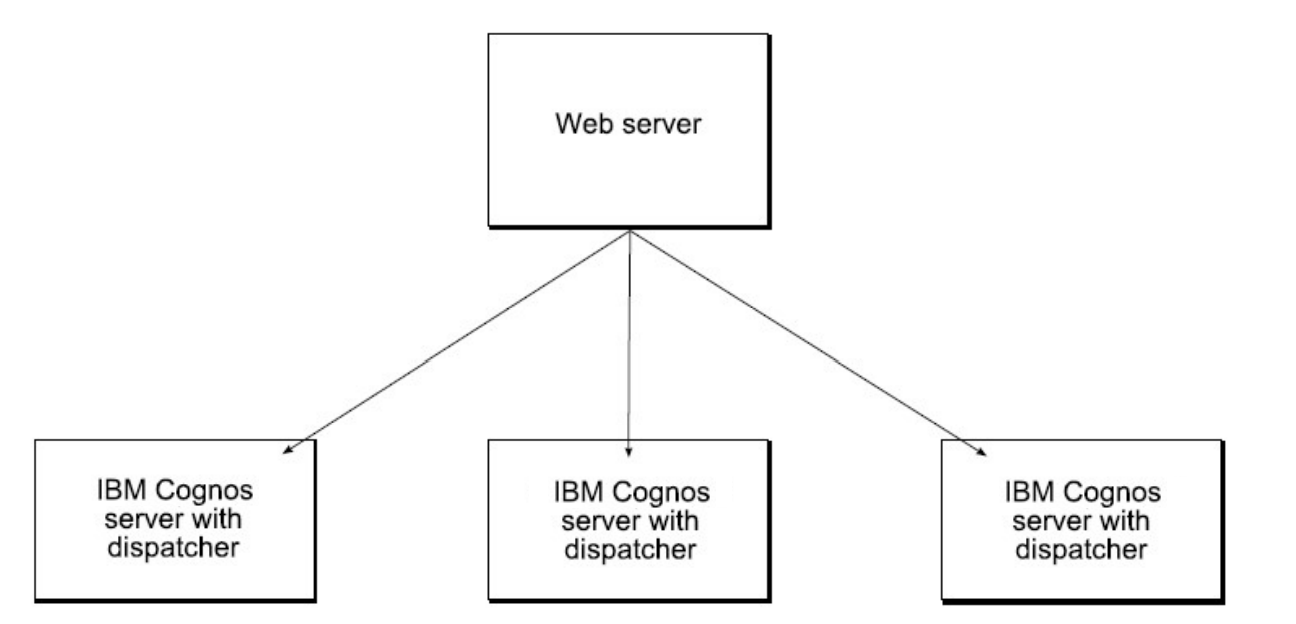
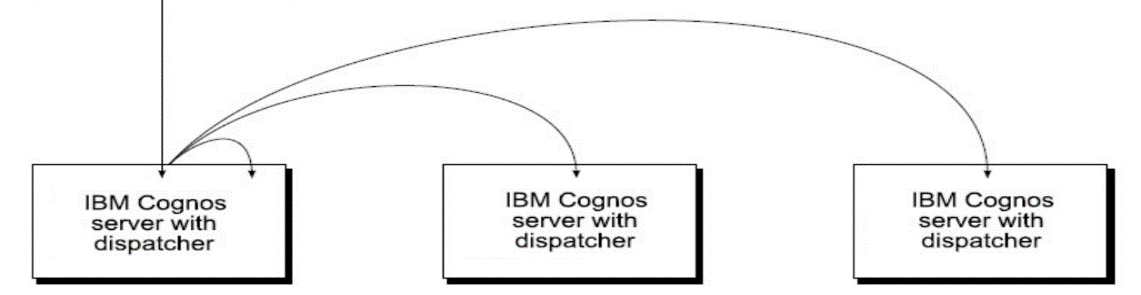
When the requests have reached the dispatcher, advanced routing and high/absolute affinity routing will come into play in order to assure quicker and more efficient processing.
By default, Cognos Analytics services that call other Cognos Analytics services are executed on the same server unless advanced routing is configured.
Cognos Analytics services that call Cognos 10 services (content manager, report service), may be load-balanced or routed to other servers in the install, by the p2pd dispatcher. High, absolute affinity routing will come into play in order to assure quicker and more efficient processing.
Was this topic helpful?
Document Information
Modified date:
03 November 2021
UID
ibm11079517