Troubleshooting
Problem
In Watson Studio Local, the SSHD service has been set up correctly following these instructions.
Attempts to connect to WSL from a third party app like Winscp using public key fail
Symptom
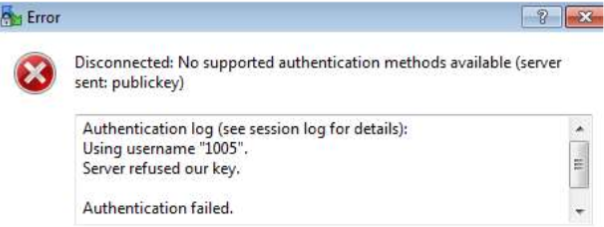
This same process works successfully in other environments
Cause
The file system permissions to /user-home/<uid>/.ssh were incorrect.
Environment
Watson Studio Local 1.2.3.x
Linux
Diagnosing The Problem
Review ssh log. Depending on syslog configuration it will be in either
/var/log/auth.log or
/var/log/secure
/var/log/auth.log or
/var/log/secure
The log showed the connection attempted to be established using password and not using a public key.
Next steps is to veriy the file system permissions to /user-home/<uid>/.ssh
Good permissions are 700 or 755 but 775 is NO GOOD.
Essentially, the .ssh/authorized_keys file should be writable only by the user and not the group.
Good permissions are 700 or 755 but 775 is NO GOOD.
Essentially, the .ssh/authorized_keys file should be writable only by the user and not the group.
Resolving The Problem
Change permission of <ID> to 755, under user-home
Document Location
Worldwide
[{"Business Unit":{"code":"BU059","label":"IBM Software w\/o TPS"},"Product":{"code":"SSHGWL","label":"IBM Watson Studio Local"},"Component":"","Platform":[{"code":"PF016","label":"Linux"}],"Version":"All Versions","Edition":"","Line of Business":{"code":"LOB10","label":"Data and AI"}}]
Was this topic helpful?
Document Information
Modified date:
30 December 2019
UID
ibm10967661