Question & Answer
Question
How do you find the total number of links between 2 persons and an IP Address across multiple IP Addresses? How do you list IP addresses in terms of the frequency for each person? How do you display which IP addresses have the most connections in total for BOTH persons, and then a list of the number of connections for each IP address to both of the individual persons. 3 sets of data needed: 1. List of IP addresses in order of highest frequency to lowest frequency for person1 2. List of IP addresses in order of highest frequency to lowest frequency for person2 3. List of IP addresses in order of highest frequency to lowest frequency for the sum of the IP address connection to both persons
Cause
Need to focus on and analyze the IP Addresses with the highest number of occurrences.
Answer
Here is the chart data...
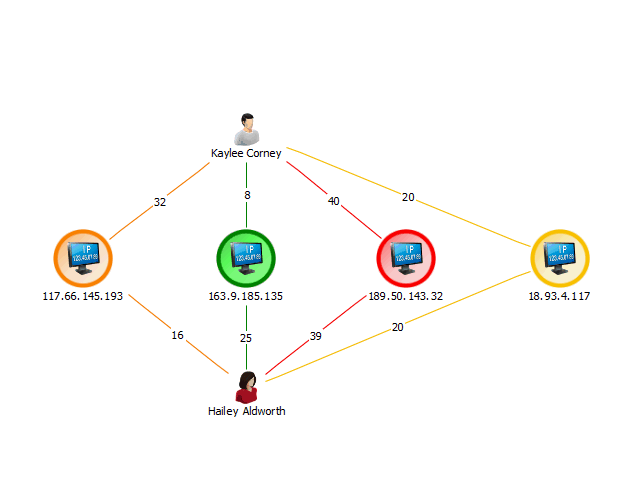
For #1 and #2:
Analyze->List Items->Links
You will need to add a "Connection Sum Links" column from the Links tab, then toggle/sort on that column, and then toggle/sort by the person entity (Entity A)
( You can drag drop the columns to order them.)

For #3:
You can try a couple of things to get this information:
Analyze->List Most Connected-> Values->Total value of links
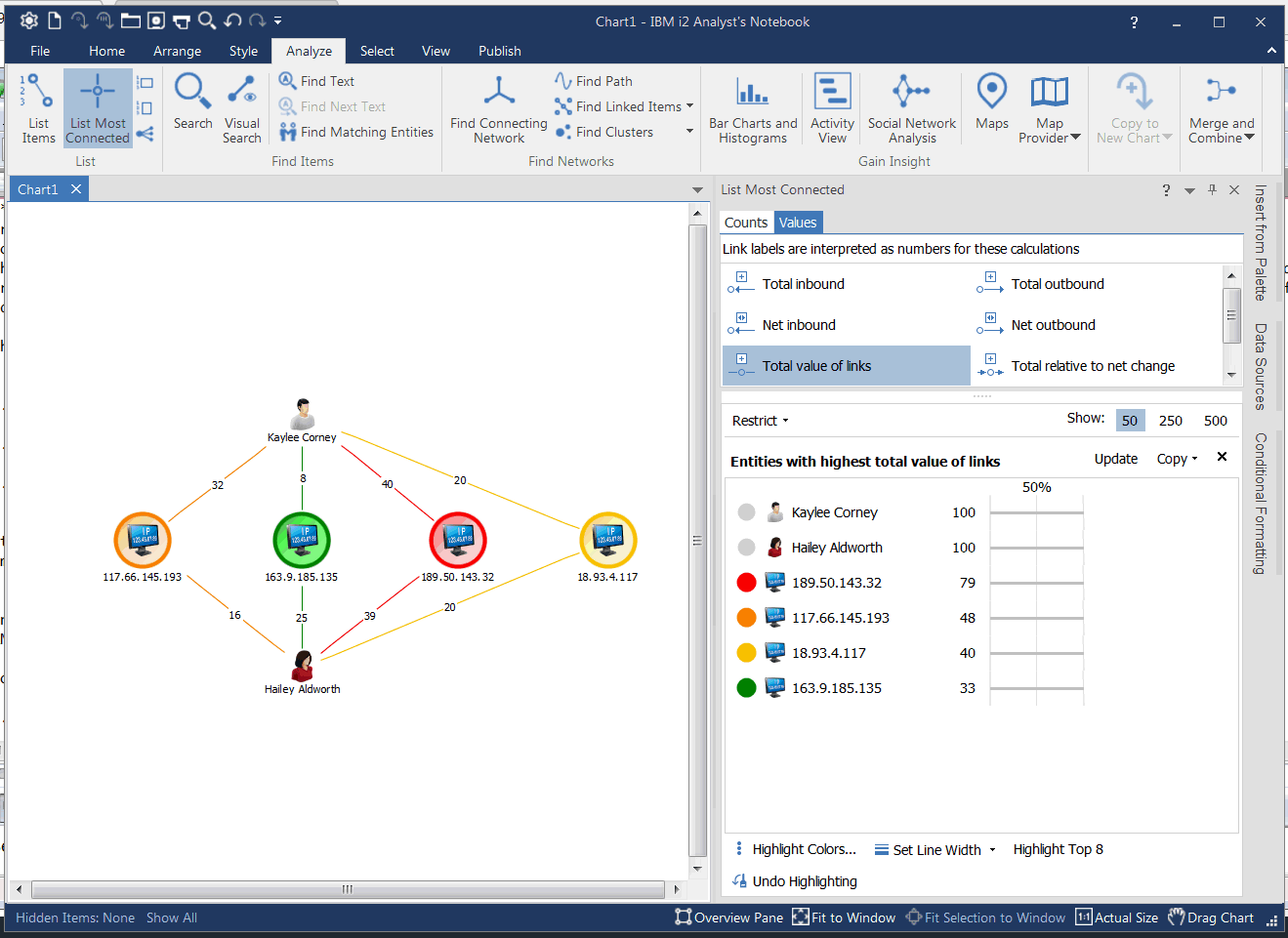
... or use Analyze->List Items->Entities. Add a Column for Entity Sum links. You can toggle the Column arrow to sort by value.

Was this topic helpful?
Document Information
Modified date:
16 June 2018
UID
swg22013489