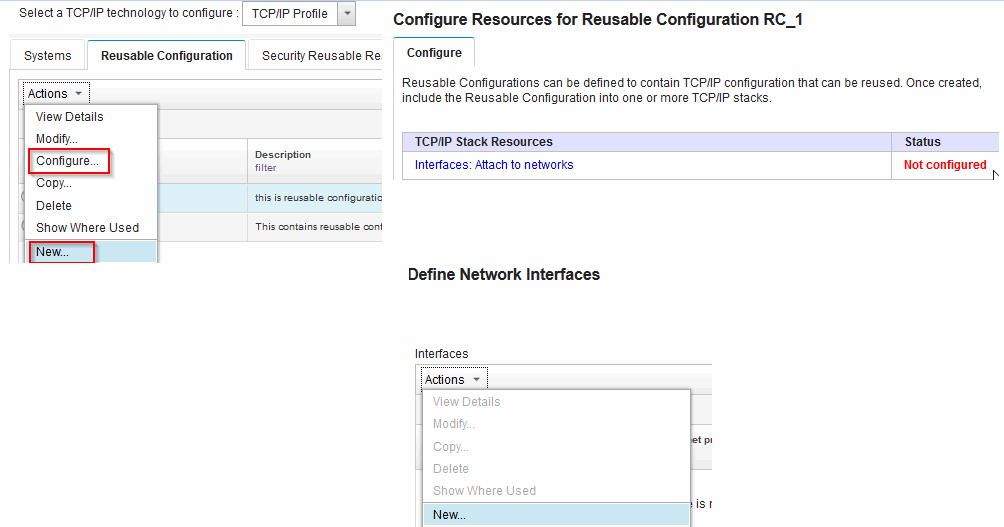
How to configure interfaces?
page 1 of 3
An interface can be defined on a stack or reusable configuration. The following type of
interfaces can be defined:
- IPv4 or IPv6 Ethernet LAN (OSA CHPID type OSD)
- IPv4 or IPv6 HiperSockets™
- IPv4 or IPv6 Static Virtual IP Address (VIPA)
- IPv4 or IPv6 Intra-Ensemble Data Network (OSA CHPID type OSX)
- IPv4 or IPv6 MPCPTP - High Performance Data Transfer (HPDT)
- IPv4 Channel-to-Channel (CTC)
- IPv4 LAN Channel Station (LCS)
Reusable configuration interface
Network interfaces that are defined in a reusable configuration have the following special consideration.
The IP address is required to be or contain a Network Configuration Assistant system symbol. The Network Configuration Assistant can generate a default symbol for the IP address, or you can create a symbol ( for example, &IPADDR1.) or an IP address that contains a symbol (for example, 9.67.101.&HOST.)
Interface symbols
After the reusable configuration is included in a stack, set the symbol values for each stack.
Network Configuration Assistant system symbols are supported in the following fields for TCP/IP
interfaces defined in reusable configuration:
- Interface name
- IP address (must be or contain a symbol)
- PORTNAME (for OSA-Express interfaces)
- VLAN ID