When you add a switch step, you specify a property. Then, you add two or more outgoing connections from the step, each with a possible value for that property. At run time, the process follows the connection with the matching property value. The process also follows any connections with fail or both conditional flags.
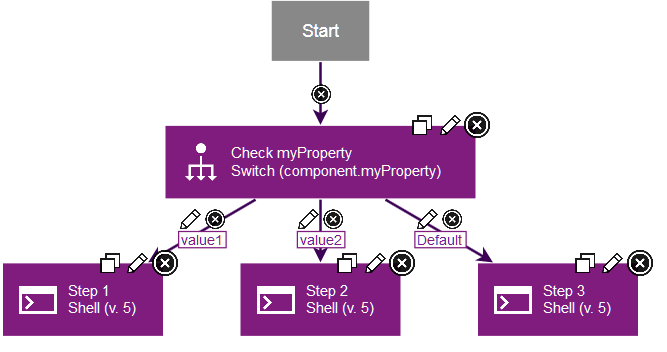
For example, the following figure shows a switch step for the myProperty component property. Two outgoing connections have different values for that property, including value1 and value2. The third connection has the value default, which means that the process follows this connection if no other values are matched.
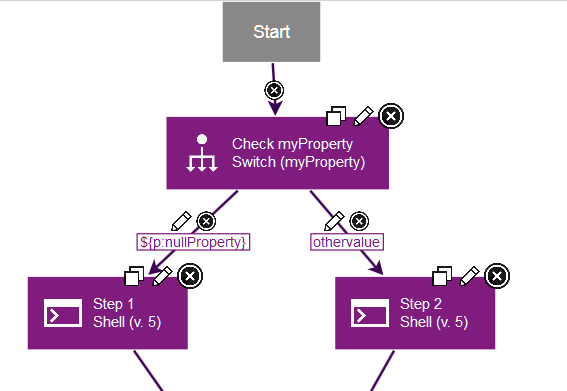
To check if a property is defined, create a second property and give that property a null value. Then you can compare other properties to that property to see if they are defined. For example, the following process contains a property that is named nullProperty; this property is not defined. In the process, the switch step compares a property that is named myProperty to this null property. If the property is not defined, step 1 runs. If the property has the value othervalue, step 2 runs.