The twinaxial console uses a basic command-line interface to access IBM® i on logical partitions. It does not require the use of a PC to act as a console.
You can connect a twinaxial console to a serial port that is owned by the IBM i logical partition and use the twinaxial console to access the IBM i operating system on the IBM i logical partition.
The following figure shows a partitioned IBM System i® model with a Hardware Management Console (HMC) connected to the server firmware and twinaxial consoles connected to each IBM i logical partition. Use the HMC to create and manage logical partitions. Use the twinaxial console to access i on your i logical partitions.

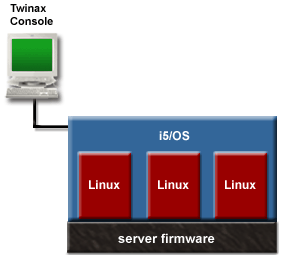
The following figure shows a partitioned System i model with a twinaxial console connected to i on your i logical partition. Use the twinaxial console to access the Virtual Partition Manager and create and manage the logical partitions on your managed system.
 Subscribe to this information
