 使用 Selenium IDE Script 進行瀏覽器測試
使用 Selenium IDE Script (也稱為側邊 Script) 來模擬使用者與 Web 應用程式的互動。
Selenium IDE Script 測試是 Instana 虛構瀏覽器 Script 測試的一種類型。
建議您從簡式 Selenium IDE Script 開始,如 記錄 Selenium IDE Script 小節中所述。
然後,您可以使用 Instana Synthetic 所提供的進階功能,如 擴充 Selenium IDE Script 中的測試功能 小節中所述。
記錄 Selenium IDE Script
在 Firefox 或 Chrome 瀏覽器中下載並安裝 Selenium IDE Firefox 附加程式 或 Chrome 延伸規格 。 然後,重新啟動瀏覽器。
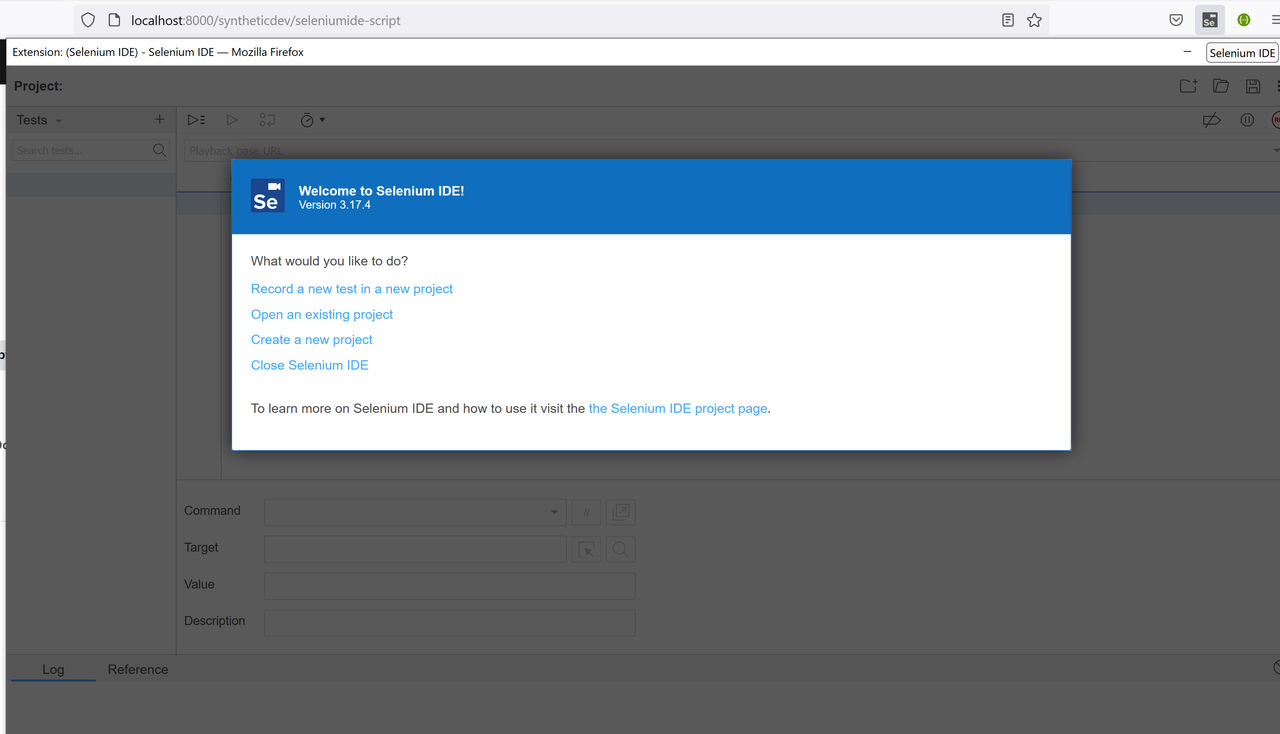
從功能表列開啟 Selenium IDE。 按一下
Record a new test in a new project鏈結,並遵循指示來記錄 Script。Selenium IDE 正在記錄時,它會為 Script 中的每一個使用者動作產生一條指令。
記錄之後,將 Script 儲存至
.side檔。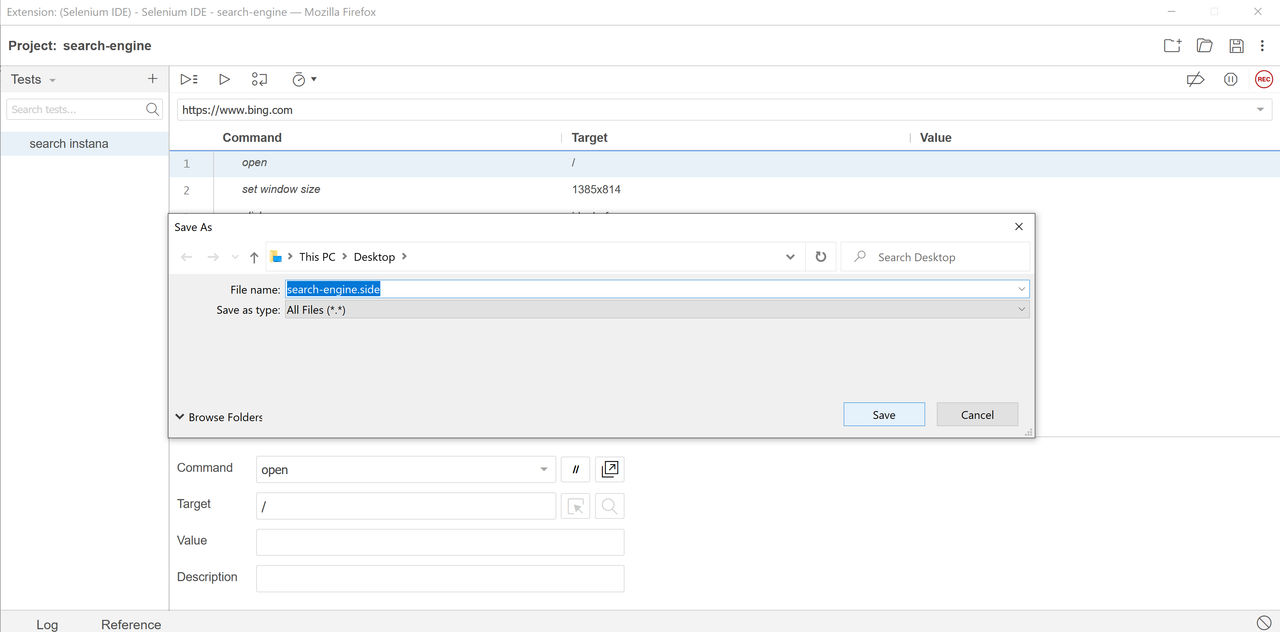
您可以新增類似
assert title的指令,或使用 執行 按鈕來測試 Script。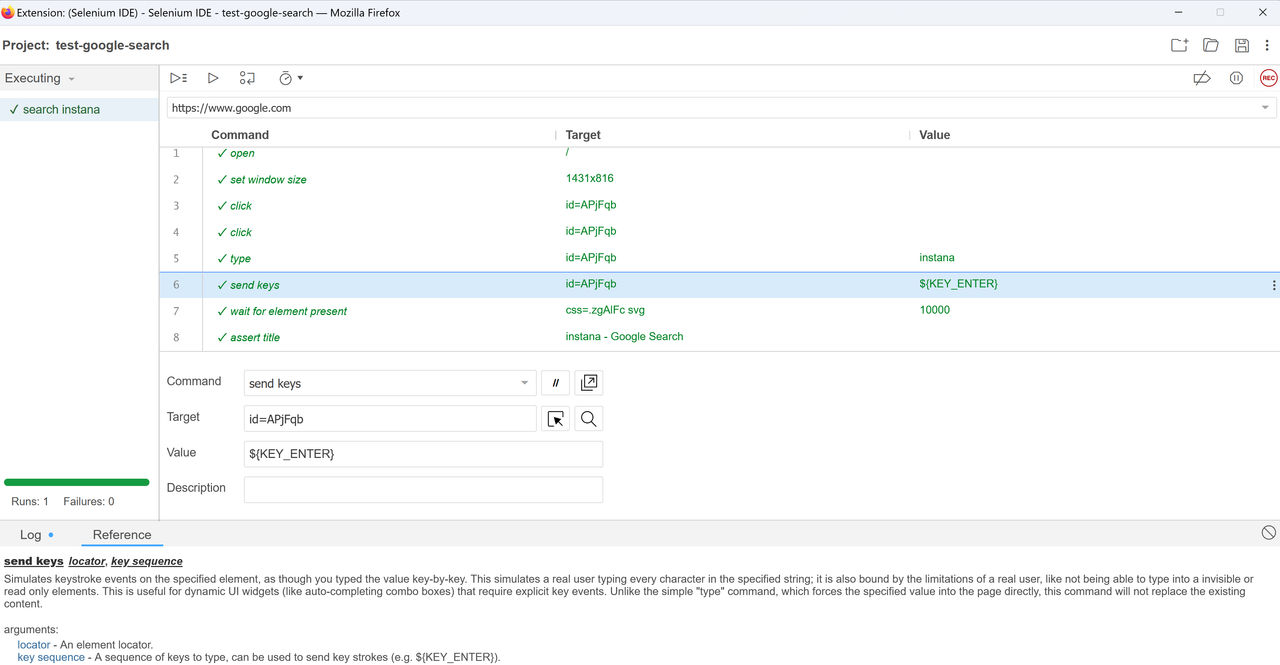
如需相關資訊,請參閱 Selenium IDE 入門。
您也可以使用 Selenium IDE Firefox 附加程式或 Chrome 延伸規格,來測試或除錯所記錄的 Script。
附註:
您可以在 Selenium IDE 中自訂逾時值。 如果未提供逾時值,則會使用預設值:
Instana 僅支援序列化測試,因此 Instana 瀏覽器播放引擎會改寫 Selenium IDE Script 中的下列內容:
- "persistSession": false
- "parallel": false
範例
在下列範例中, Selenium IDE Script 用來在搜尋引擎中搜尋 Instana 關鍵字:
{
"id": "9ed7eb47-bf16-42aa-a486-0c7d99182726",
"version": "2.0",
"name": "Search-Instana",
"url": "https://www.google.com",
"tests": [{
    "id": "d968da10-6c9f-467f-ba5c-dbe5135dab17",
    "name": "search instana",
    "commands": [{
    "id": "c6ccc11f-aab7-49b4-af71-6315647370da",
    "comment": "",
    "command": "open",
    "target": "/",
    "targets": [],
    "value": ""
    }, {
    "id": "99075bf4-411e-4351-804d-e78f5d83824e",
    "comment": "",
    "command": "type",
    "target": "name=q",
    "targets": [
        ["name=q", "name"],
        ["css=.gLFyf", "css:finder"],
        ["xpath=//input[@name='q']", "xpath:attributes"],
        ["xpath=//input", "xpath:position"]
    ],
    "value": "instana"
    }, {
    "id": "9f1b06f4-1cfb-4381-9566-2399742a46c2",
    "comment": "",
    "command": "sendKeys",
    "target": "name=q",
    "targets": [
        ["name=q", "name"],
        ["css=.gLFyf", "css:finder"],
        ["xpath=//input[@name='q']", "xpath:attributes"],
        ["xpath=//input", "xpath:position"]
    ],
    "value": "${KEY_ENTER}"
    }, {
    "id": "d13e50bd-f698-4a04-9420-701a21dcde8d",
    "comment": "",
    "command": "waitForElementVisible",
    "target": "id=result-stats",
    "targets": [
        ["id=result-stats", "id"],
        ["css=#result-stats", "css:finder"],
        ["xpath=//div[@id='result-stats']", "xpath:attributes"],
        ["xpath=//div[@id='slim_appbar']/div/div", "xpath:idRelative"],
        ["xpath=//div[7]/div/div/div/div/div", "xpath:position"]
    ],
    "value": "5000"
    }]
}],
"suites": [{
    "id": "76395644-9101-473c-ad42-bda5c37e8de2",
    "name": "Search Instana",
    "persistSession": false,
    "parallel": false,
    "timeout": 300,
    "tests": ["d968da10-6c9f-467f-ba5c-dbe5135dab17"]
}],
"urls": ["https://www.google.com/"],
"plugins": []
}
擴充 Selenium IDE Script 中的測試功能
Instana Synthetic 瀏覽器測試提供比 Selenium IDE 更多的功能:
Instana Synthetic 提供豐富的測試結果,其中包括 HTTP 保存格式 (HAR) 檔案、擷取畫面、記錄、瀏覽器日誌及主控台日誌。
Instana Synthetic 提供更進階的瀏覽器測試 API 和廣域變數。
如果您想要使用進階瀏覽器測試 API 及 Instana Synthetic 所提供的廣域變數來修改 Selenium IDE Script ,請參閱下列範例:
在測試中使用廣域環境變數。
您可以使用
$synthetic.xxxx、$secure.xxx或$env.xxx來存取廣域變數,如下列範例所示。若要在 範本字串 中使用變數 (例如
echo指令) ,請使用標準 Node.js 語法,並將變數放置在${}中。{ "id": "da853ea2-7253-4938-ad2d-9272f4c6d3e2", "comment": "", "command": "echo", "target": "tag1's value is ${$synthetic.tag1}", "targets": [], "value": "" }, { "id": "9540edee-f041-42b1-aeb3-e2142a7fcbd7", "comment": "", "command": "assert", "target": "$synthetic.tag1", "targets": [], "value": "value1" }使用 Selenium 指令
runScript和executeScript來呼叫進階瀏覽器測試 API。您可以使用 Selenium 指令
runScript及executeScript,在 Instana 瀏覽器測試中呼叫預先定義的 瀏覽器測試 API 及 廣域變數 。executeScript與runScript之間的差異在於executeScript支援將回覆值儲存在變數中。 然後,您可以使用${xxx}assert或echo變數。 若要儲存回覆值,請使用return關鍵字,並在值輸入欄位中提供變數名稱。{ "id": "9cd35362-8d78-4bd2-a32b-f81d40362af2", "comment": "browser_script_api_authentication_executeScript", "command": "executeScript", "target": "return $browser.setAuthentication(\"user1\", \"pass1\")", "targets": [], "value": "authentication_result" }, { "id": "1401608a-3892-4be0-9b4c-63c0fb0a1b87", "comment": "echo authentication result", "command": "echo", "target": "This is my authentication result: ${authentication_result}", "targets": [], "value": "" }定義環境變數,並在瀏覽器測試 API 中使用它。
{
    "id": "10d09a25-d101-43b0-84df-f22265b7cec6",
    "comment": "proxy_store_json",
    "command": "storeJson",
    "target": "{\"proxy\": \"<proxy_server>:8080\", \"noproxy\": \"localhost,google.com,192.168.1.0/24\"}",
    "targets": [],
    "value": "proxyConfig"
},
{
    "id": "237bd334-d963-4a73-b9bb-4c31f1dce051",
    "comment": "browser_script_api_proxy_runScript",
    "command": "runScript",
    "target": "await $browser.clearProxy(); await $browser.setProxy(${proxyConfig.proxy}, ${proxyConfig.noproxy});",
    "targets": [],
    "value": ""
}
使用
$networkAPI 來設定 Proxy。{ "id": "a418460e-a0a9-4c68-bbd0-fb78d6495e92", "comment": "browser_script_api_$network", "command": "runScript", "target": "await $network.clearProxy(); await $network.setProxy(${proxyConfig.proxy}, ${proxyConfig.noproxy});", "targets": [], "value": "" }使用
$attributesAPI 來自訂屬性。{ "id": "26438c58-868d-4d6d-9e6f-dbe9d8f373fd", "comment": "browser_script_api_$attributes", "command": "executeScript", "target": "$attributes.set(\"name\", \"user1\"); return $attributes.get(\"name\")", "targets": [], "value": "user_name" }, { "id": "1d760093-15a2-44ed-ac41-00a08f67ed8b", "comment": "echo user insights result", "command": "echo", "target": "This is my user name: ${user_name}", "targets": [], "value": "" }
範例
在下列範例中, Selenium 指令會呼叫 Instana 瀏覽器測試 API 和廣域變數。
附註: 將變數 <proxy_server> 取代為實際的 Proxy 伺服器。
{
"id": "04e7ae01-927d-4937-acbd-f35f5f8de715",
"version": "2.0",
"name": "search-engine",
"url": "https://www.google.com",
"tests": [{
    "id": "868fa683-e289-47bb-82de-c347c99d9ba8",
    "name": "search instana",
    "commands": [{
    "id": "10d09a25-d101-43b0-84df-f22265b7cec6",
    "comment": "proxy_store_json",
    "command": "storeJson",
    "target": "{\"proxy\": \"<proxy_server>:8080\", \"noproxy\": \"localhost,192.168.1.0/24\"}",
    "targets": [],
    "value": "proxyConfig"
    }, {
    "id": "a418460e-a0a9-4c68-bbd0-fb78d6495e92",
    "comment": "browser_script_api_$network",
    "command": "runScript",
    "target": "await $network.clearProxy(); await $network.setProxy(${proxyConfig.proxy}, ${proxyConfig.noproxy});",
    "targets": [],
    "value": ""
    },{
    "id": "71ac6b1c-fbeb-48d1-80d1-3960862fc577",
    "comment": "",
    "command": "open",
    "target": "/",
    "targets": [],
    "value": ""
    }, {
    "id": "99075bf4-411e-4351-804d-e78f5d83824e",
    "comment": "",
    "command": "type",
    "target": "name=q",
    "targets": [],
    "value": "instana"
    }, {
    "id": "9f1b06f4-1cfb-4381-9566-2399742a46c2",
    "comment": "",
    "command": "sendKeys",
    "target": "name=q",
    "targets": [],
    "value": "${KEY_ENTER}"
    }, {
    "id": "d13e50bd-f698-4a04-9420-701a21dcde8d",
    "comment": "",
    "command": "waitForElementVisible",
    "target": "id=result-stats",
    "targets": [],
    "value": "5000"
    },{
    "id": "46eb59c2-5fd6-4481-b3e8-eaaddab79a69",
    "comment": "",
    "command": "assertTitle",
    "target": "instana - Google Search",
    "targets": [],
    "value": ""
    }]
}],
"suites": [{
    "id": "a4b81281-f8cf-4870-b802-668af4ee5f04",
    "name": "Advanced APIs",
    "persistSession": false,
    "parallel": false,
    "timeout": 300,
    "tests": ["868fa683-e289-47bb-82de-c347c99d9ba8"]
}],
"urls": ["https://www.google.com/"],
"plugins": []
}