Monitoring Google App Engine
Google App Engine (GAE) 是完全受管理無伺服器平台上的高度可調式應用程式系統。
我們需要在主要應用程式執行所在的相同儲存器中執行 Instana 代理程式。
GAE 自訂執行時期
「自訂執行時期」可讓您將其他元件 (例如語言直譯器、應用程式伺服器或其他應用程式) 併入環境中。
建置儲存器
Instana 代理程式 Dockerfile 在 GitHub 上提供,是在 GAE 內監視應用程式的絕佳起點。
複製儲存庫
git clone 'https://github.com/instana/instana-agent-docker.git'
cd instana-agent-docker
修改以支援 Java
若要支援執行 Java 型應用程式,必須修改 Dockerfile ,且它必須包含:
- Instana 代理程式所需的所有變數,例如 代理程式金鑰 或 主機代理程式端點。
- Instana 代理程式儲存庫配置
- Java 安裝
- Instana 代理程式配置檔
- 將
java_app_name.jar取代為您的應用程式 - 更新
main-processScript 以執行 Java 應用程式
FROM alpine:3.7

ENV LANG=C.UTF-8 \
    INSTANA_AGENT_KEY="" \
    INSTANA_AGENT_ENDPOINT="" \
    INSTANA_AGENT_ENDPOINT_PORT="" \
    INSTANA_AGENT_ZONE="" \
    INSTANA_AGENT_TAGS="" \
    INSTANA_AGENT_HTTP_LISTEN="" \
    INSTANA_AGENT_PROXY_HOST="" \
    INSTANA_AGENT_PROXY_PORT="" \
    INSTANA_AGENT_PROXY_PROTOCOL="" \
    INSTANA_AGENT_PROXY_USER="" \
    INSTANA_AGENT_PROXY_PASSWORD="" \
    INSTANA_AGENT_PROXY_USE_DNS=""

RUN echo "@edge http://dl-cdn.alpinelinux.org/alpine/edge/community" >> /etc/apk/repositories && \
    apk update && \
    apk upgrade && \
    apk add --update-cache --update gomplate@edge bash ca-certificates curl docker@edge inotify-tools && \
    curl -sSL https://packages.instana.io/Instana.rsa -o /etc/apk/keys/instana.rsa.pub && \
    echo "https://_:YOUR_INSTANA_AGENT_HERE@packages.instana.io/agent/apk/generic" >> /etc/apk/repositories && \
    apk update && \
    apk add instana-agent-dynamic && \
    ( /usr/glibc-compat/bin/localedef --force --inputfile POSIX --charmap UTF-8 C.UTF-8 || true ) && \
    echo "export LANG=C.UTF-8" > /etc/profile.d/locale.sh && \
    sed -i '$d' /etc/apk/repositories && \
    rm -rf /tmp/* /var/cache/apk/*

# Install OpenJDK-8
RUN apk update && \
    apk --update add openjdk8-jre

ADD org.ops4j.pax.logging.cfg /root/
ADD org.ops4j.pax.url.mvn.cfg /root/
ADD configuration.yaml /root/
ADD com.instana.agent.main.sender.Backend.cfg.tmpl /root/
ADD mvn-settings.xml.tmpl /root/

# This is the run.sh from the repository renamed to instana-agent
ADD instana-agent /root

# Add the jar file and main-process
ADD java_app_name.jar /root
ADD main-process /root

# The wrapper is used to run both processes in the same container
COPY wrapper.sh /root

WORKDIR /root

ENTRYPOINT ["./wrapper.sh"]
將 run.sh 重新命名為 instana-agent。
建立稱為 main-process 的新檔案,並將此內容新增至其中:
java -jar /root/java_app_name.jar &
建立 wrapper.sh 檔案:
#!/bin/bash

# Start the first process

./main-process -D
status=$?
if [ $status -ne 0 ]; then
  echo "Failed to start main-process: $status"
  exit $status
fi

# Start the second process
./instana-agent -D
status=$?
if [ $status -ne 0 ]; then
  echo "Failed to start instana-agent: $status"
  exit $status
fi

while sleep 60; do
  ps aux |grep main-process |grep -q -v grep
  PROCESS_1_STATUS=$?
  ps aux |grep instana-agent |grep -q -v grep
  PROCESS_2_STATUS=$?
  # If the greps above find anything, they exit with 0 status
  # If they are not both 0, then something is wrong
  if [ $PROCESS_1_STATUS -ne 0 -o $PROCESS_2_STATUS -ne 0 ]; then
    echo "One of the processes has already exited."
    exit 1
  fi
done
修改以支援 NodeJS
此處理程序類似於 Java 應用程式。 除了 Java ,請安裝 NodeJS 及 npm 套件 @instana/collector:
ADD package.json /root
ADD app.js /root/
# Install NodeJS
RUN apk update && \
    apk --update add nodejs nodejs-npm
RUN npm install --save @instana/collector
main-process 檔案需要指示如何執行 NodeJS 應用程式:
node app.js &
您的應用程式也需要要求並起始設定 @instana/collector 套件,如需詳細資料,請參閱我們的 Node.js文件。
摘要
- Instana 代理程式金鑰 必須放置在 Dockerfile 中,才能安裝主機代理程式
main-process用來啟動 Java 程序instana-agent用來啟動 Instana 代理程式程序 (從 run.sh重新命名)- 封套用來啟動兩個處理程序
GAE 資訊清單檔
在先前步驟中新增及修改所有必要檔案之後,我們可以新增說明 GAE 實例的 GAE 資訊清單檔。
runtime: custom
env: flex

service: gae-java-app

manual_scaling:
  instances: 1

env_variables:
  INSTANA_AGENT_KEY: 'YOUR_INSTANA_AGENT_KEY'
  INSTANA_AGENT_ENDPOINT: 'YOUR_INSTANA_HOST_AGENT_ENDPOINT'
  INSTANA_AGENT_ENDPOINT_PORT: '443'
  INSTANA_AGENT_ZONE: 'gae-java-app'

resources:
  cpu: 4
  memory_gb: 4

health_check:
  enable_health_check: False

skip_files:
- ^\.git/.*$
對於 NodeJS、 Python 及 Go 型應用程式,需要其他環境變數:
INSTANA_AGENT_HTTP_LISTEN: "*"
以啟用追蹤。 請注意,您的原始碼必須針對您所監視的語言 (Java 除外) 包含感應器 。
部署
最後,我們可以執行下列指令來部署此檔案:
gcloud app deploy gae-java-app.yaml
確認之後,您可以執行下列指令,從指令行查看整個處理程序或串流日誌的輸出:
gcloud app logs tail -s gae-java-app
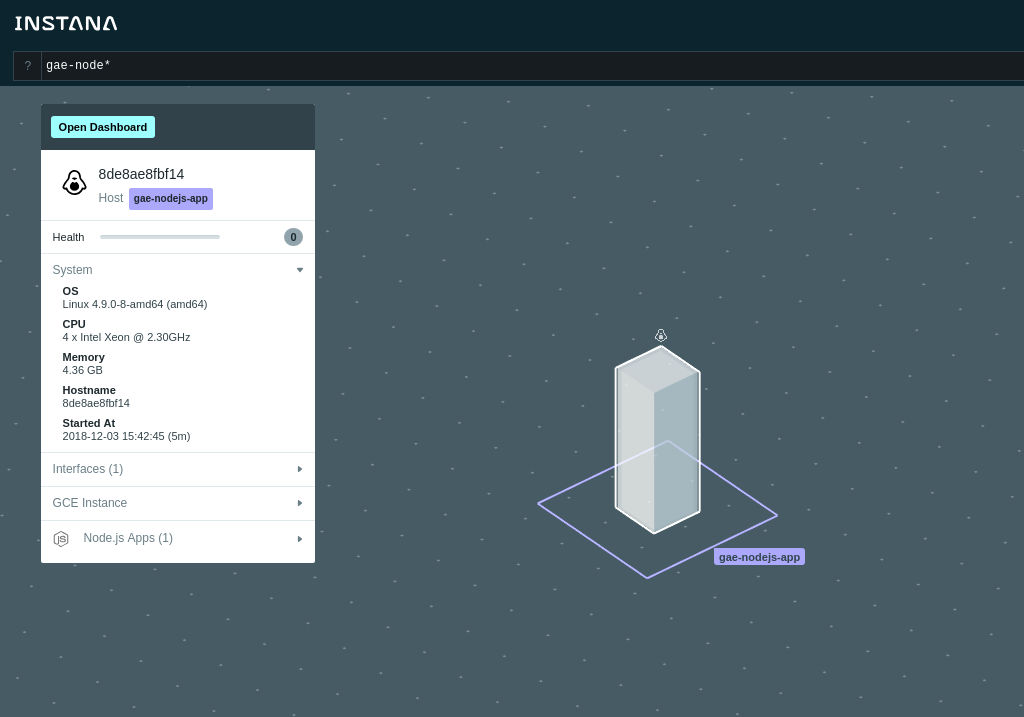
Instana 代理程式將在地圖上探索 Google App Engine Flex  上每個已部署應用程式/實例的新實例。