SAS cabling for the 5887 disk drive enclosure
Learn about the different serial-attached SCSI (SAS) cabling configurations that are available for the 5887 disk drive enclosure.
For more information about connecting the 5887 disk drive enclosure to the system, see Connecting the 5887 disk drive enclosure to your system.
SAS adapter to the 5887
There are seven supported configurations to connect SAS adapters to the 5887.
Notes:
- No solid-state drives (SSDs) supported with SAS adapters.
- No cascading of 5887 enclosures.
- No support for IBM® i.
- The long end (0.5 m) of the YO cable must be connected to the left side of the enclosure (as viewed from the rear). The short end (0.25 m) of the YO cable must be connected to the right side of the enclosure (as viewed from the rear).
The following list describes the supported configurations for connecting SAS adapters to a 5887:
- Single SAS adapter to one 5887 enclosure by
using a mode 1 connection.
- 5887 enclosure with one set of 24 hard disk drives (HDDs).
- Connection using SAS YO cables to connect to the 5887 enclosure.
Figure 1. Mode 1 connection of a 5887 enclosure by using a YO cable to a single SAS adapter 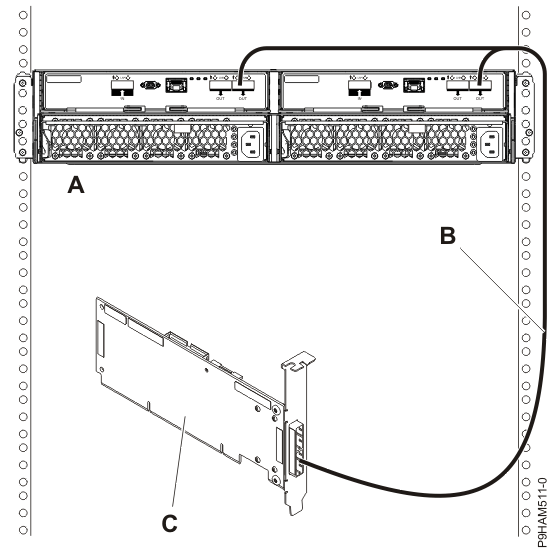
- Single SAS adapter to two 5887 enclosures by
using a mode 1 connection.
- 5887 enclosures with two sets of 24 hard disk drives (HDDs).
- Connection using SAS YO cables to connect to the 5887 enclosures.
Figure 2. Mode 1 connection of two 5887 enclosures by using YO cables to a single SAS adapter 
- Dual SAS adapters to one 5887 enclosure by
using a mode 1 connection.
- 5887 enclosure with one set of 24 hard disk drives (HDDs).
- Connection using dual SAS YO cables to connect to the 5887 enclosure.
Figure 3. Mode 1 connection of one 5887 enclosure by using YO cables to a SAS adapter pair 
- Dual SAS adapters to two 5887 enclosures by
using a mode 1 connection.
- 5887 enclosures with two sets of 24 hard disk drives (HDDs).
- Connection using dual SAS YO cables to connect to the 5887 enclosure.
Figure 4. Mode 1 connection of two 5887 enclosures by using YO cables to a SAS adapter pair 
- Two SAS adapters to one 5887 enclosure by
using a mode 2 connection.
- 5887 enclosure with two sets of 12 hard disk drives (HDDs).
- Connection using two SAS YO cables to connect to the 5887 enclosure.
- Each pair of SAS adapters controls half of the 5887 enclosure.
Figure 5. Mode 2 connection of one 5887 enclosure by using YO cables to two independent SAS adapters 
- Two SAS adapter pairs to one 5887 enclosure by
using a mode 2 connection.
- 5887 enclosure with two sets of 12 hard disk drives (HDDs).
- Connection using dual SAS X cables to connect to the 5887 enclosure.
- Each pair of SAS adapters controls half of the 5887 enclosure.
Figure 6. Mode 2 connection of a 5887 enclosure by using X cables to two SAS adapter pairs 
- Four independent SAS adapters to one 5887
enclosure by using a mode 4 connection.
- 5887 enclosure with four sets of six hard disk drives (HDDs).
- Connection using dual SAS X cables to connect to the 5887 enclosure.
Figure 7. Mode 4 connection of one 5887 enclosure by using X cables to four independent SAS adapters 