 Subscribe to this information
POWER7 information
Removing an expansion riser from the 8202-E4B, 8202-E4C, 8202-E4D, 8205-E6B, 8205-E6C, or 8205-E6D with the power off
You can remove the optional expansion riser that provides four more PCI adapter slots to your system.
If your system is managed by a HMC, use the HMC to complete the steps for removing a part from the system. For instructions, see Removing a part by using the HMC.
Note: Check the display
on your control panel to see if your system is managed by the HMC. If you do not see HMC displayed,
your system has never been connected to the HMC. A display of HMC=0 indicates
that your system does not currently have the HMC. If the HMC display equals a number
greater than 0, your system has the HMC.
If you do not have an HMC, complete the following steps to remove an expansion riser with the system power off:
- Reach behind
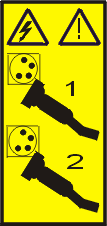
the system and disconnect all power cords from the unit you are servicing. Figure 1. Disconnecting the power cords
 Note: An optional power supply is available in the 8202-E4B, 8202-E4C, or 8202-E4D system. The 8205-E6B, 8205-E6C, or 8205-E6D system is equipped with a mandatory second power supply. Before continuing with this procedure, ensure that the power source to the system has been disconnected.
(L003)
or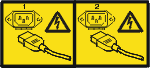
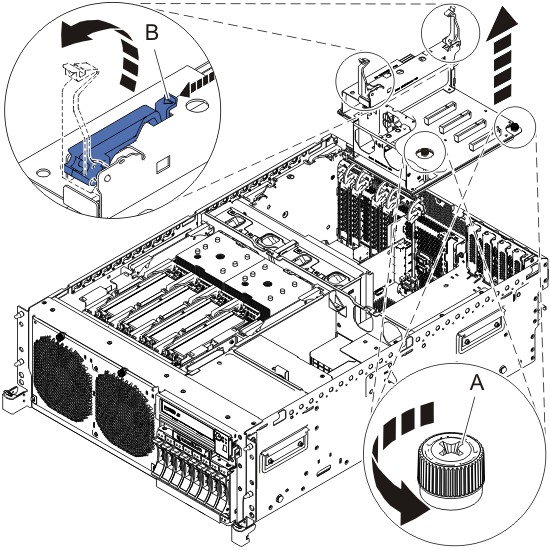
- Loosen the securing knobs (A) on
the expansion riser by turning them counterclockwise. Figure 2. Removing an expansion riser in a rack-mounted system unit
- If you do not plan to install another expansion riser into
the vacated slot, insert a black plastic air baffle as shown in Figure 3. Figure 3. Installing an expansion riser air baffle in a rack-mounted system unit

