Configuring the IBM WebSphere Application Server security custom property forceSoftwareJCEProviderForLTPA
This property was introduced with IBM® APAR PK45677.
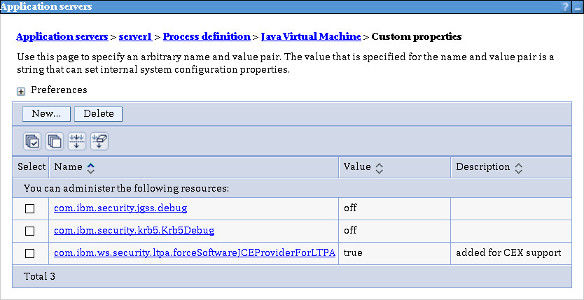
Add this IBM WebSphere Application Server (WAS) security custom property and set it to true. This prevents an "invalid library name" error when using a PKCS#11 type keystore.
To add the property using the WAS administration console, go to:
For further details about this custom property, see:
WAS Version 8 online information center under Security custom properties
https://www.ibm.com/docs/en/was/8.5.5?topic=855-websphere-application-server-overview