Task 5: Creating composite types
A decision diagram can contain many nodes. When it becomes too dense, it is harder to read and maintain. One way to simplify it is to group nodes that share the same direct predecessors and direct successors into a single node.
- They are input data nodes, so they have no incoming dependency links.
- They each have a single outgoing dependency link to the camera decision node.
Because these nodes have the same direct predecessors and successors, they can be replaced with a single node without changing the dependency structure.
For example, the input data nodes for weight limit and tilt screen can be replaced by a single node named requirement. The value of this new node is a composite value that is made up of two components:
- A weight limit, which can be one of
250 g,500 g, or1000 g. - A Boolean value that indicates whether a tilt screen is required.
To represent this value in Decision Designer,
you define a composite type. A composite type contains one or more attributes that describe the
components of the composite value, and each attribute has its own type. For this example, you can
define a composite type that is named requirement with the two following
attributes:
weight limitof typeweight limitequipped with tilt screenof typeBoolean
The requirement node then has an output value of type
requirement and replaces the two original nodes, weight
limit and tilt screen, without losing any information.
This makes the diagram more compact and easier to read. It also makes the model easier to extend.
If you add new camera requirements later, you do not need to create more input data nodes. Instead,
you can add new attributes to the requirement type.
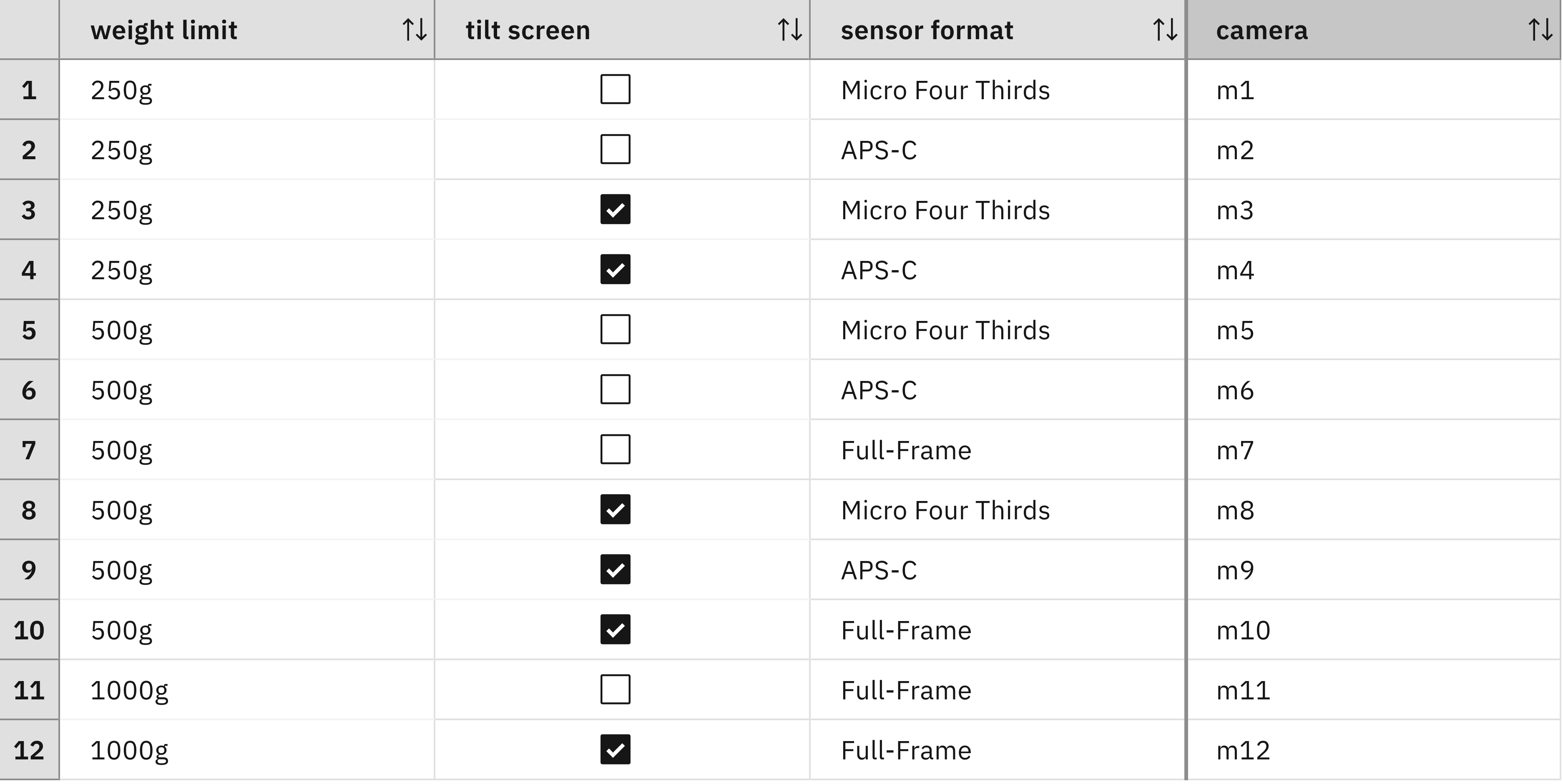
What changes is the way that the values are accessed. Previously, the decision table referred directly to input data nodes by using the following expressions in the condition column headers:
'weight limit' is <a weight limit>
'tilt screen' is <a Boolean>
After the refactoring, these values are attributes of the requirement
input data node. In a decision table, attribute values are accessed with the form
<attribute> of <variable>. The updated expressions are:
the weight limit of 'requirement' is <a weight limit>
'requirement' is equipped with tilt screen is <a Boolean>
You can use the same form in rules. For example, the following rule selects camera model
m1 when the requirement specifies a weight limit of 250 g,
requires a tilt screen, and the sensor format is Micro Four Thirds:
if
    the weight limit of 'requirement' is 250 g
    and 'requirement' is equipped with tilt screen
    and 'sensor format' is Micro Four Thirds
then
    set decision to "m1" ;
Exercise: Grouping input data nodes
You refactor the decision model by regrouping the input data nodes weight limit and tilt screen:
- Go to the data model and define a composite type
requirementwith two attributesweight limitandequipped with tilt. - Open the decision model:
- Add an input data node requirement of output type
requirement. - Delete the weight limit and tilt screen input data nodes.
- Make sure that the camera node depends on
requirement, as shown in the following screenshot:

- Add an input data node requirement of output type
- Adapt the decision table for the camera decision node:
- Change the definition of the weight limit column into the weight limit of
'requirement'
is <a weight limit>
. - Change the definition of the tilt screen column into
'requirement' is equipped with tilt
screen is <a Boolean>
.
- Change the definition of the weight limit column into the weight limit of
Lessons learned
You can build sophisticated decision models in Decision Intelligence by using only primitive types. In this context, composite types are useful for grouping nodes that have the same direct predecessors and successors. As a result, these composite types are often introduced while refining the diagram, rather than being defined at the start.
This example grouped input data nodes, but the same idea can also be applied to decision nodes. However, this is only effective when the grouped decision nodes use similar decision logic and cover similar families of cases. Otherwise, those case families must be split into smaller subfamilies, which increases their number and can make the logic complex.
Limitations
In this example, you grouped multiple values such as weight limit and tilt screen into a single composite value. That composite value has two components, each described by an attribute of the composite type. Because a composite type has a fixed set of attributes, the number of components in its values is fixed as well.
Some problems require values with an arbitrary number of components. A common example is discount calculation for a shopping cart that contains any number of items. To compute the total cart price, a discount may need to be applied to each item first.
The next task introduces techniques for handling problems in which the number of components is not known in advance.