Task Mining Agent plugins
⚠ Important:
- This section is intended for developers working on the user-end.
- This feature is currently offered as a Technology Preview and may be subjected to changes.
Plugins in Task Mining Agent are custom codes that enables you to customize the recording process by intercepting and modifying TM Agent events or creating new events. You can create custom plugins, attach them to processes, and run during project recordings.
Creating and deploying plugins for TM Agent involves the following steps:
- Meeting the prerequisite
- Enabling plugins in Task Mining
- Creating plugins
- Testing and deploying plugins
Meeting the prerequisites
To create and deploy TM Agent plugins, you must meet the following conditions:
- C# (C-Sharp) environment installed on your machine.
This is mandatory because TM Agent Plugins are made in C#, using .NET 7. If you do not have the environment set up, download and install the following packages: - Task Mining Agent installed on your machine. For more information, see the Installing TM Agent topic.
Enabling plugins in Task Mining
Plugins are an optional feature in IBM Task Mining. You can enable or disable plugins by modifying the configuration parameters file.
To enable plugins in IBM Task Mining, complete the following steps:
-
Open the configuration parameters file (
<TM_HOME>/conf/application.properties). -
Enter the following command:
agent.plugins.enabled=trueTo disable plugins, set the value of
agent.plugins.enabledattribute tofalse. -
Save and close the file.
-
Restart the web container using the following command:
<TM_HOME>/bin/tm-web.sh restart
After you enable plugins in IBM Task Mining, you must also enable plugins for individual projects. Plugins are applied only to the projects that have the plugins feature enabled.
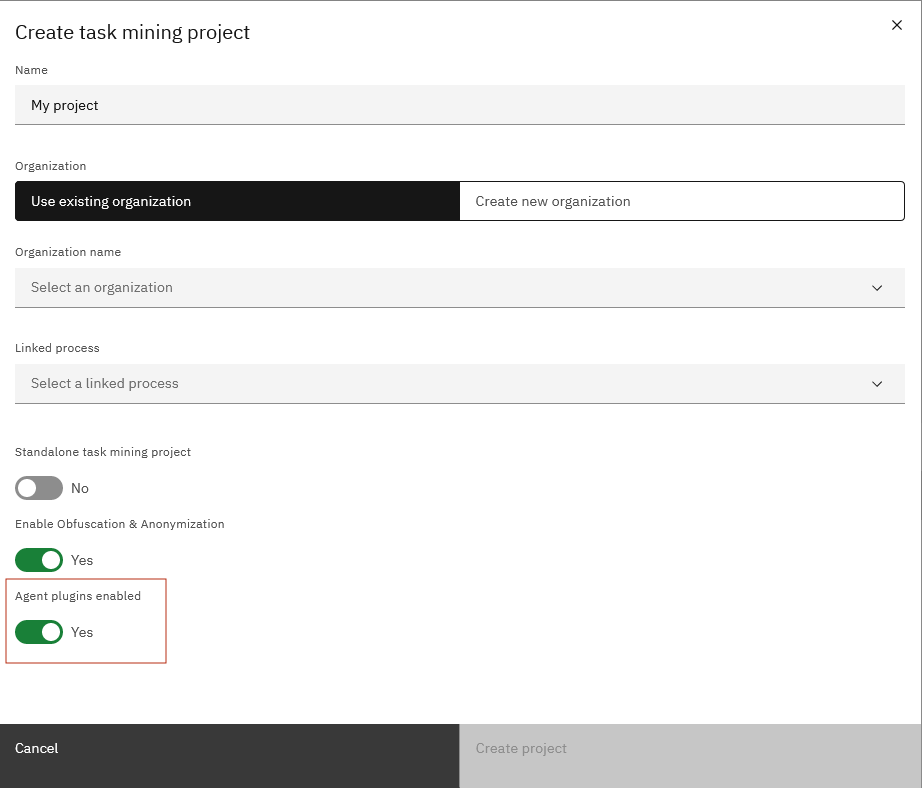
To enable plugins for individual projects during project creation, set Agent plugins enabled to Yes in the Create task mining project window.
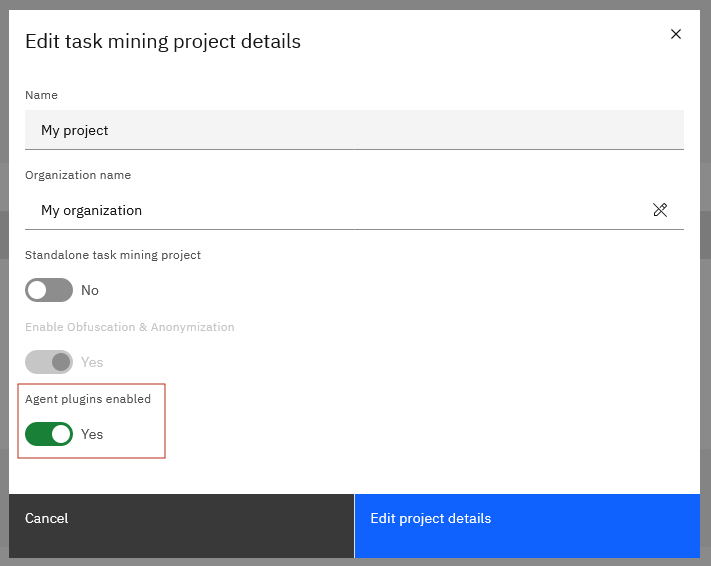
To enable plugins for existing projects, complete the following steps:
-
Open the task mining project and then click the Project configuration tab.
-
Click Edit
 .
. -
Set Agent plugins enabled to On.
After enabling the plugins in IBM Task Mining, you can start to create and configure the plugins.