Tagging DNS zones in Amazon Route 53
You tag zones in Amazon Route 53 with the NS1CloudSync key to indicate that the zone data can be synchronized from Amazon Route 53 to IBM® NS1 Connect® by using IBM Cloud Sync.
Before you begin
About this task
Tagging zones is a manual process in Amazon Route 53. You tag zones that you want to synchronize from Amazon Route 53 to NS1 Connect in the following situations:
- When you first configure the inbound data flow, you must tag each zone.
- Each time that you create a new zone in Amazon Route 53 that you want to synchronize with NS1 Connect.
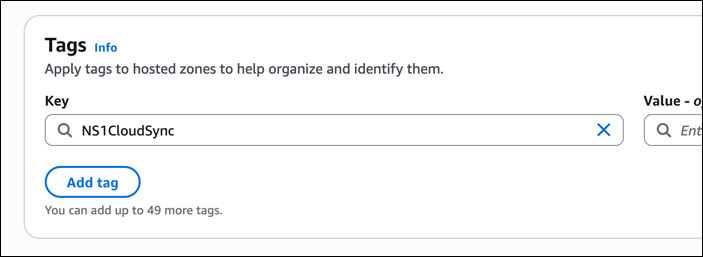
The key value of the tag is NS1CloudSync, which is the key value of the ZONE_SYNC_TAG parameter in the CloudFormation template.
Procedure
-
In Key, enter NS1CloudSync.
Results
The zone and its records are tagged as NS1CloudSync in Amazon Route 53. The zone and its records are synchronized from Amazon Route 53 to NS1 Connect, where they are labeled as originating from Amazon Route 53.
What to do next
In Amazon Route 53, tag other zones that you want to synchronize from Amazon Route 53 to NS1 Connect.
In the domain registar, update nameservers to include NS1 Connect and Amazon Route 53.