Building hybrid storage topologies
As mentioned before, software-defined storage combines multiple storage units to a single coherent logical storage infrastructure even across platforms and architectures. Let us look at deployment patterns for adding software-defined storage to IBM Z and IBM® LinuxONE.
Deploy storage entirely within IBM Z and IBM® LinuxONE
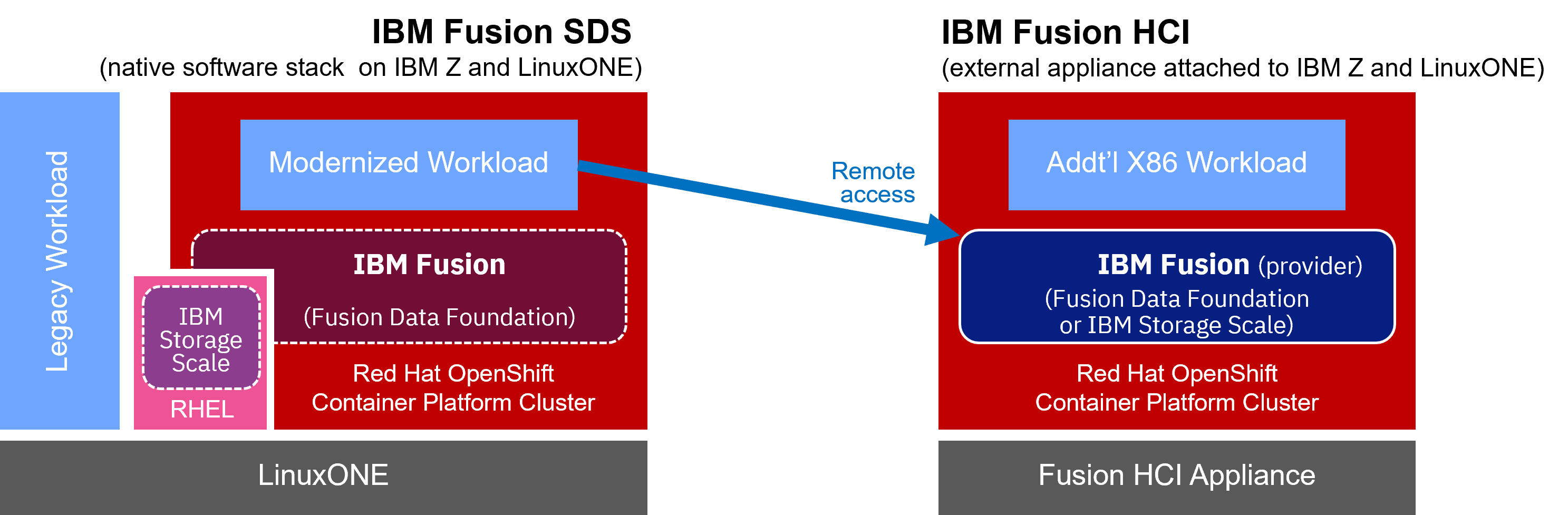
You can deploy the fully functional IBM Fusion Data Foundation software stack within a single Red Hat OpenShift Container Platform on one or more IBM Z and IBM® LinuxONE hardware units. The defined (logical) storage is available to all containerized workloads within the Red Hat OpenShift cluster. Physical storage is typically provided as an attached DS8K or Flashsystem. Virtualization capabilities of IBM Z and IBM® LinuxONE and Red Hat Advance Cluster Management allow to grow the deployment into resilient multi-datacenter environments, which comprise multiple redundant clusters of Red Hat OpenShift and IBM Fusion. This option has a significant advantage, that there is only one stack to administer and all advantages of a native IBM Z and IBM® LinuxONE environment can be applied. IBM Fusion has an outstanding positive reputation in terms on ease-of-use and simplicity of installation and administration.
This internal mode provides highly scalable, enterprise-grade storage, which is fully integrated into the Red Hat OpenShift lifecycle, monitoring, and management.
- In a simplified internal mode, application compute pods and IBM Fusion Data Foundation pods can be scheduled on the same nodes. In this case, compute and storage infrastructure scale together within the same cluster. This setup is optimized for simplicity of management.
- Alternatively, a more balanced mode allows the deployment of application pods and IBM Fusion Data Foundation pods on different nodes. This implies that compute hosts and storage hosts scale independently within the same cluster. With this, a more balanced deployment can be achieved.
Leverage external storage options
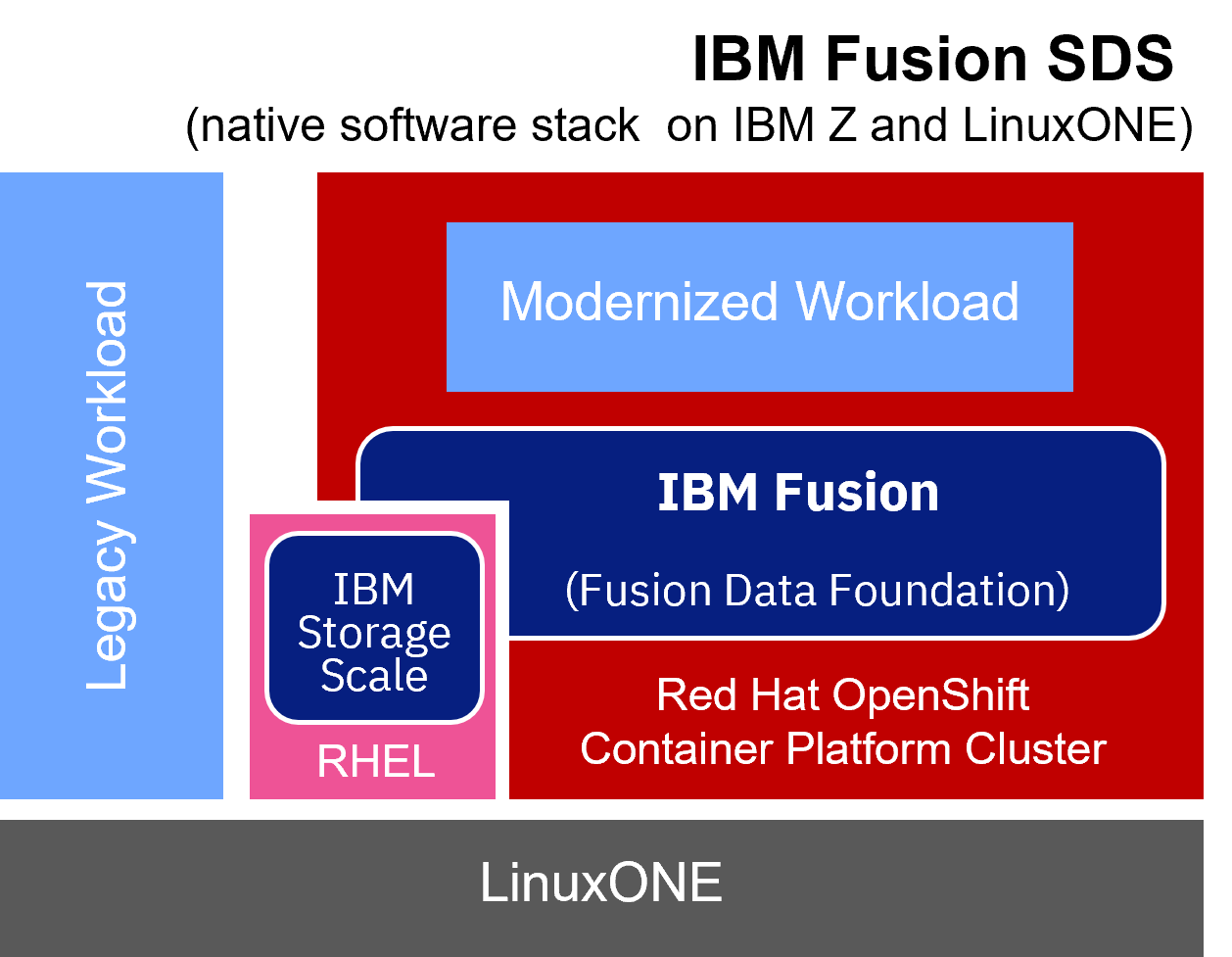
Another deployment option is the external mode. IBM Fusion Data Foundation pods run on one or more Red Hat OpenShift clusters, while the actual storage is provided from an external Ceph cluster (IBM Storage Ceph). This implies that lifecycle, monitoring, and management of OpenShift Container Platform and the storage are decoupled. Workload in the Red Hat OpenShift cluster and the external Ceph storage cluster infrastructure scale independently. This approach is optimized for scale and performance: the centralized Ceph storage is highly efficient in terms of resource consumption. The consuming runtimes only need a lightweight software stack to access the Ceph Storage.
This approach is also suitable for creating a centralized storage infrastructure and provide storage services to multiple storage consumers. Consumers can be based on Red Hat OpenShift workload, but they can include non-containerized workload too. Consumers can also be deployed on different hardware architectures. This makes the external mode also an interesting topology in the context of multi-architecture deployments.
The usage of external mode results in a flexible overall topology, which can grow over time.
But even without external mode, there is another interesting option to connect IBM Fusion Data Foundation deployment to external storage:
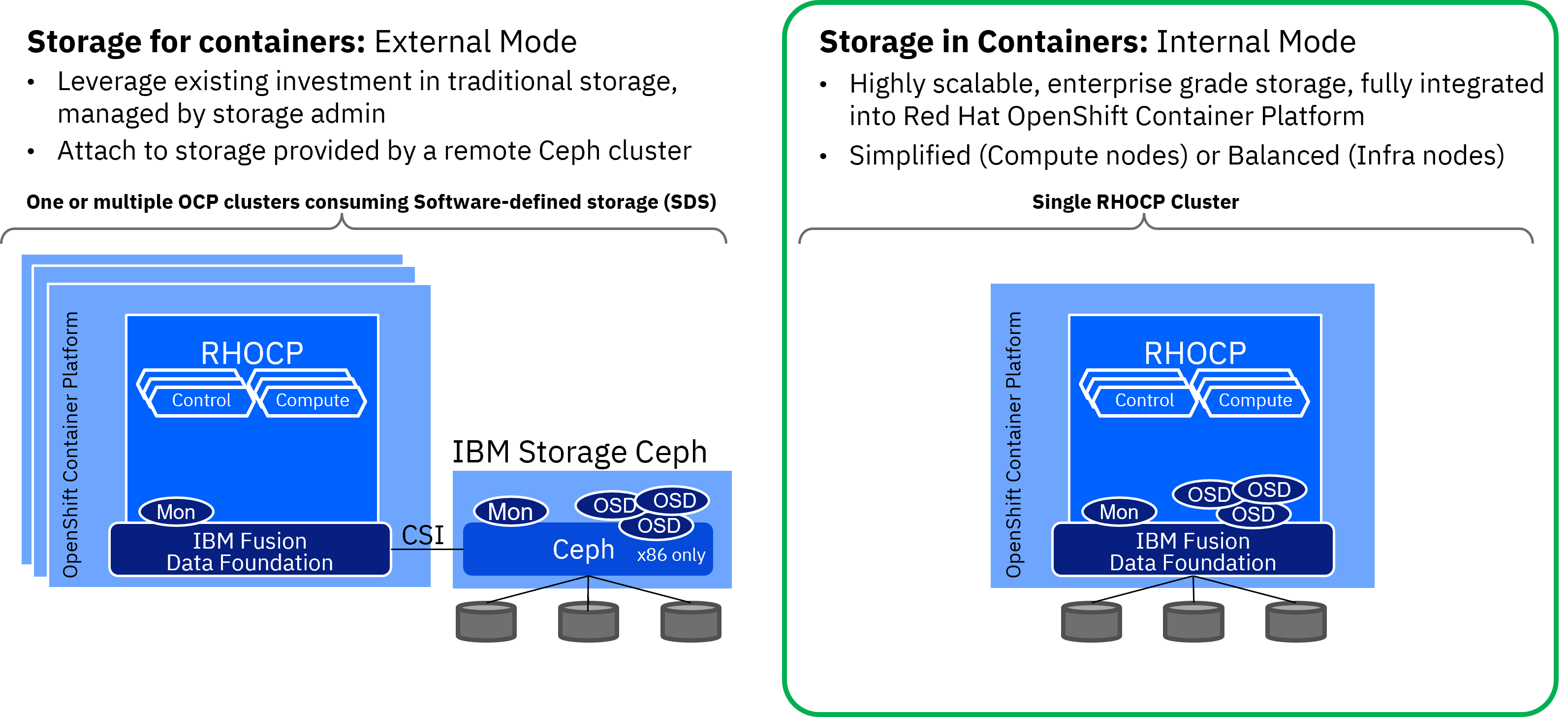
NooBaa Multi Cloud Gateway allows the inclusion of 3rd-party object storage. This object storage can be provided by a cloud and on-premises solution. It needs to adhere to the popular S3 API. For a developer, it is transparent where the object storage comes from, where and how it got deployed. NooBaa facilitate the magic behind the developer’s object storage class PVCs and that storage class can be use just the same as any local attached storage.
Regardless if external in the cloud or in a local deployment, object storage is in particular relevant for securing backup archives, but also AI workload needs object storage. This option takes advantage of the simplicity of cloud storage when building distributed storage architectures and creating a truly hybrid storage topology.
Leverage an external storage appliance
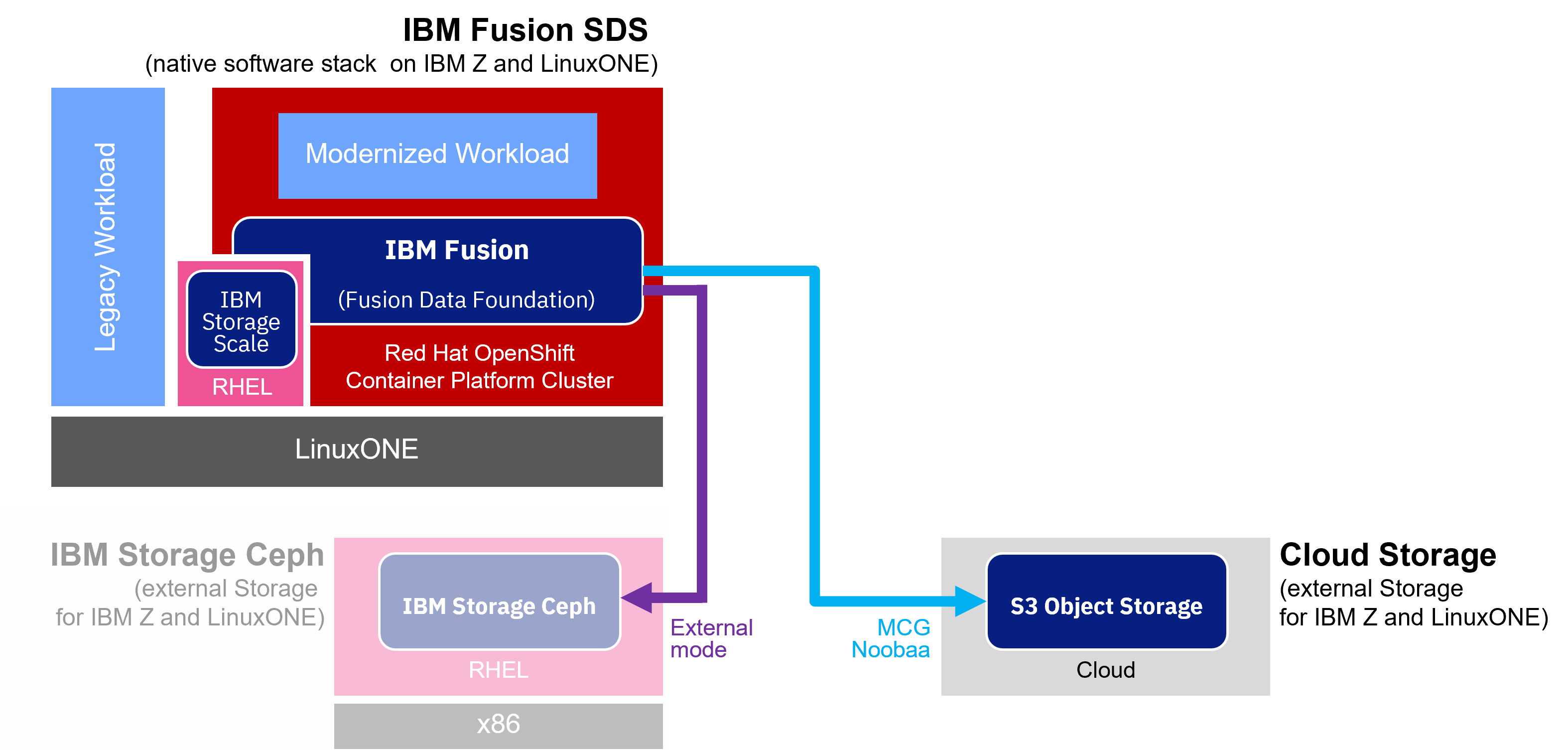
One more option is to leverage IBM Fusion HCI appliance (HCI = hyperconverged infrastructure) as a container-native storage provider and consume that storage from Red Hat OpenShift workload on IBM Z and IBM® LinuxONE. The external appliance runs Red Hat OpenShift Container Platform with IBM Fusion and Fusion Data Foundation. It also allows to run x86 workload. As the IBM Fusion HCI appliance features GPUs, it is suitable for extensive AI workload and offers interesting scenarios for colocation next to IBM Z and IBM® LinuxONE.