Adding validation rules for editable data grid columns
In IBM® Incentive Compensation Management (ICM), you can create a rule that validates the data that web users submit through an editable column in a data grid or row form.
About this task
Validation rules are used to validate an aggregation of data for the whole data grid, such as a maximum or minimum, average, or sum of all the data. If a web user enters data that does not follow the validation rule, a user-defined error message displays when the user tries to submit the data.
For example, a regional sales manager might have a discretionary bonus of $1000 that he can distribute among the members of his team as a reward for high performance. You can create a computed row in the data grid to calculate the total amount of the bonuses that he distributes. Then, you can add a validation rule to ensure that the total amount does not exceed $1000 before the regional sales manager can submit the data.
The validation feature does not validate individual rows of data that a user enters into the data grid.
Procedure
- In Presenter, click the data grid in the layout table.
- In the data grid, place your cursor over the header of column that you want to add validation rules for and click the arrow to select the column.
- Expand the Column section in the left pane.
-
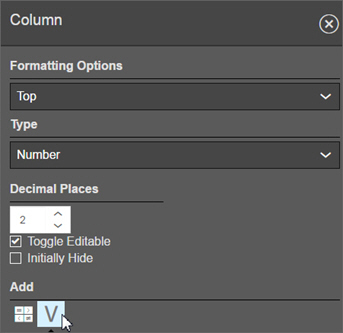
Under the Add heading, click the Validation Rules
icon.
- Click Add a Validation Rule.
- In the Error Message field, type the message that you want web users to receive if they try to submit invalid data.
-
Create a formula for the validation
rule using the available sources.

- Click Save.
- Add any additional validation rules.
- Click Save.
What to do next
You must add a submit button to reports with editable data grid columns.