Dynamic configuration of coach view properties
Typically, you would use data binding and variables to configure data in a coach. To configure a BPM UI coach view, you can use references to the coach view instance data and public methods to dynamically change the coach view configuration.
References to coach view instance data
When you create coach views, it is a good practice to update the default Control Id to reflect the purpose of the coach view. In the following example, the default value for Control Id is updated from Text1 to UserName.

- Option 1: ${Your Control Id}.method()
- Option 2: page.ui.get("Your Control Id").method();
- ${UserName}.method(), or
- page.ui.get("UserName").method();
Based on the coach view type, you can use different methods to retrieve different types of data, from the bound data to the values of different configuration options. For more information about the methods that are available for each coach view, see the corresponding JavaScript documentation.
Dynamic text changes using ${ControlId}.method();

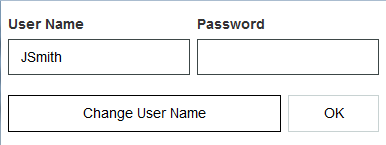
When you run the coach, click Change User Name to obtain the following result:
Dynamic text changes using page.ui.get("ControlId").method();
For debugging purposes, you can use this option if you need to change data in the JavaScript logic in the console. The following example uses JavaScript logic to change the text when the page loads.
To retrieve information from the Text coach view by using page.ui.get("UserName"), you can set the expression to a changeUserName variable.

To call the function described earlier whenever the page loads, place the text-changing logic in the On load event, as follows:

Self references
When a coach view must refer to itself, use the me syntax. For example, me.setText("Hello World");${ControlId}.method() is primarily used for communication between coach views. Use the me syntax when you make self-contained changes within one coach view.

This is the result when the coach runs:
