Create business objects
In this lesson, you create custom business objects to organize your process-specific data for the Standard HR Open New Position business process definition (BPD).
About this task
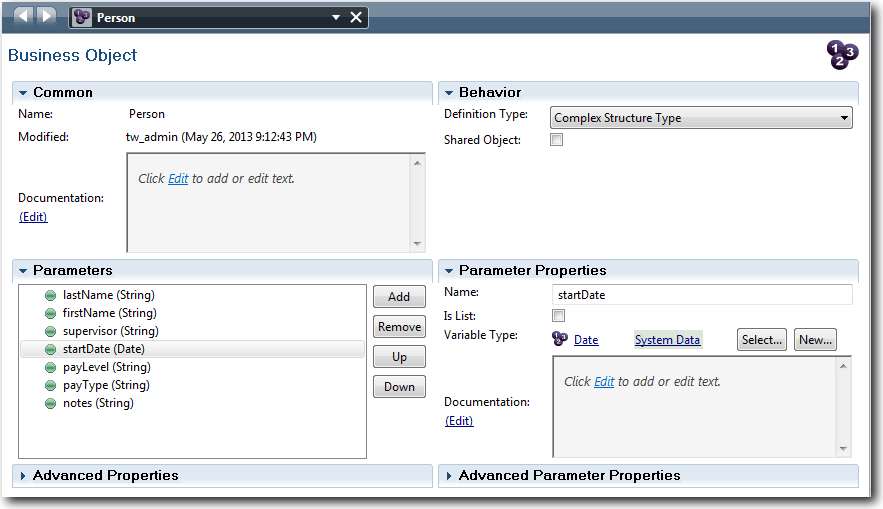
- Person
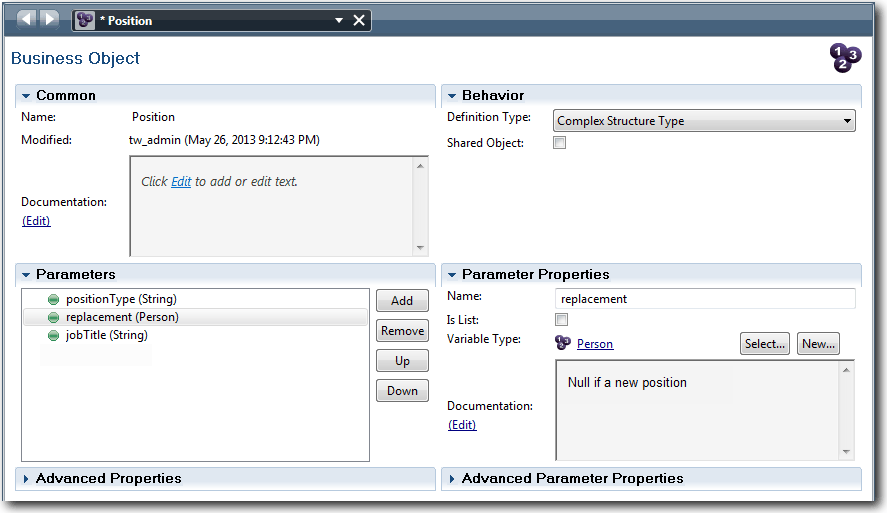
- Position
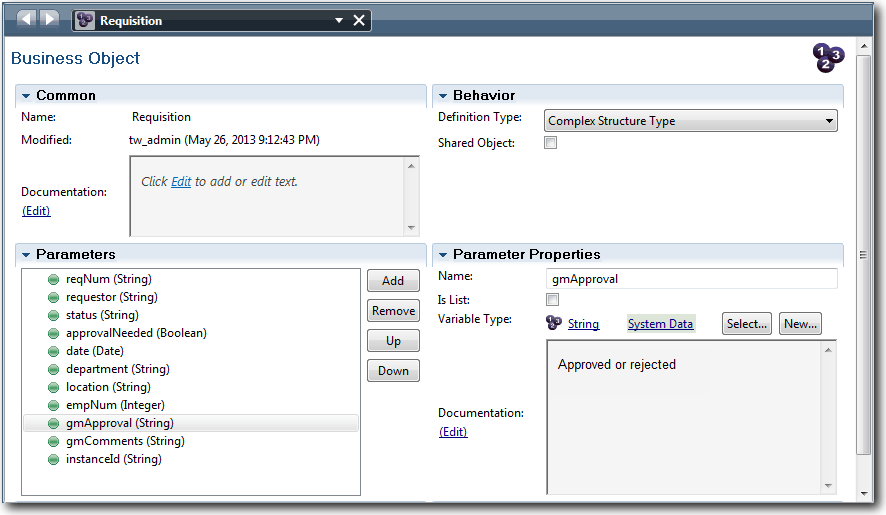
- Requisition
For each business object, you define parameters to specify the data structure. A parameter is assigned a variable type that can be a simple type or a business object. In this lesson, you create the business objects that are required for this model. When you create the user interface, you bind elements of the user interface to these business objects.
- Start business object names with an uppercase letter.
- If the name of the business object consists of more than one word, capitalize the first letter of each word, for example NewPerson.
- Remember that the names of business objects are case sensitive.
- Add documentation details to business objects and parameters to clarify their use to other users. These details display in the context-sensitive help windows when someone selects the business objects for use with variables.
| Concept | Description |
|---|---|
| business objects | A variable that represents business data that is relevant in the context of a BPD. |
Procedure
Create the business objects:
- Create a Person business object:
- In the Designer library, click the plus sign next to Data and
select Business Object.

- Continue to add the following parameters:
- firstName (String)
- supervisor (String)
- startDate (Date)
- payLevel (String)
- payType (String)
- notes (String)
- In the Designer library, click the plus sign next to Data and
select Business Object.
- Create a Position business object:
- Continue to add the following parameters:
- replacement (Person), Documentation: Null if a new position
- jobTitle (String)
- Continue to add the following parameters:
- Create a Requisition business object:
- Continue to add the following parameters:
- requestor (String)
- status (String)
- approvalNeeded (Boolean)
- date (Date)
- department (String)
- location (String)
- empNum (Integer)
- gmApproval (String), Documentation: Approved or rejected
- gmComments (String)
- instanceId (String)
- Continue to add the following parameters:
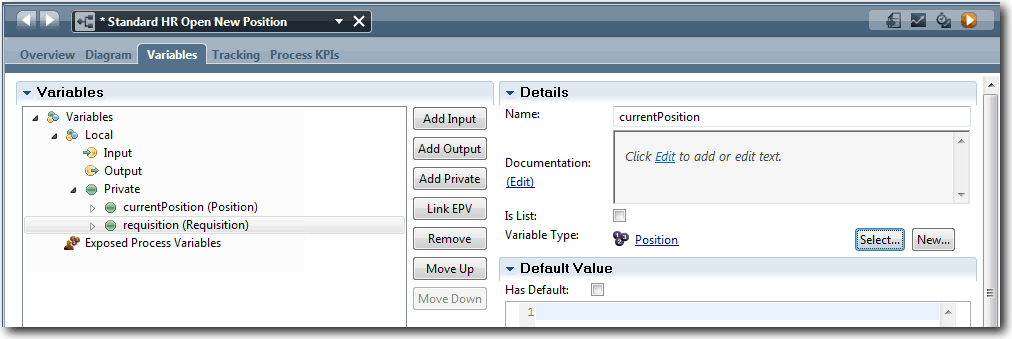
- Change the variable type of the requisition private
variable from Placeholder to Requisition by
clicking Select and then Requisition.
Your private variables match the following image:
Lesson checkpoint
You created business objects and replaced the placeholder variables with the business objects.
- How to add business objects
- How to set a variable's type to a particular business object
In the next lesson, you implement the timer intermediate event.