View Swagger documentation for IBM MQ REST API
Follow these instructions to view the Swagger documentation for the IBM® MQ REST APIs.
This documentation is presented in Swagger formatting, and can be viewed either through the Swagger UI or by retrieving the Swagger 2 documentation in a JSON format.
| View Type | URL |
|---|---|
| Swagger UI | https://web-{qm-hostname}/ibm/api/explorer |
| Swagger JSON | https://web-{qm-hostname}/ibm/api/docs |
Accessing the Swagger UI
To access the Swagger UI you need to retrieve your admin user credentials (username and password).
-
Go to your IBM MQ as a Service service instance, and open the queue manager details page.
-
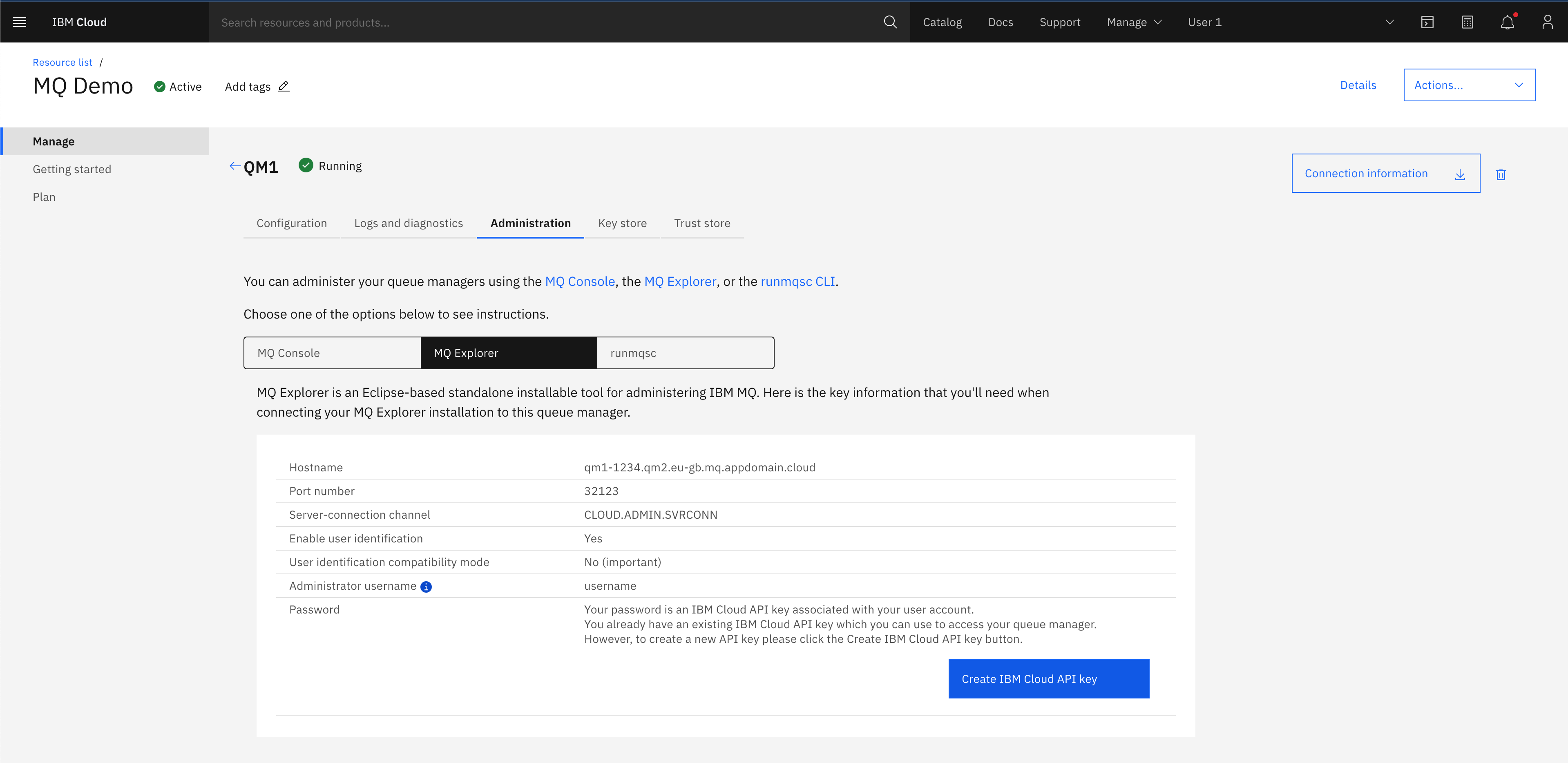
Go to the administration tab and click on IBM MQ Explorer tab.
-
Now click on the Create/Reset IBM Cloud API key button. This action generates or regenerates an admin user API key to login to your queue manager.
-
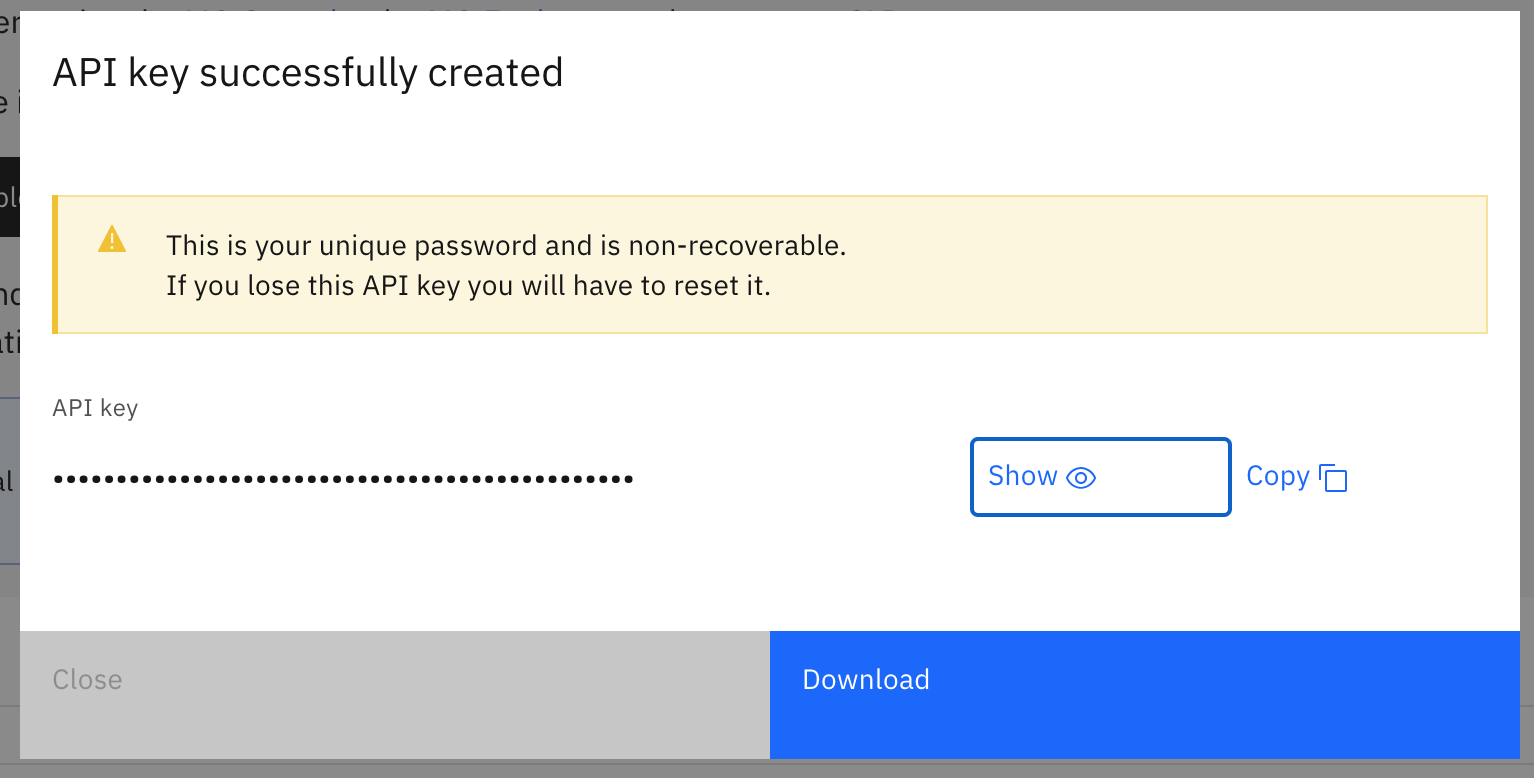
In the API key successfully created window, you can show or copy the key. Click Download to retrieve a copy of the username and API key in a json format.
- Go back to the Configuration tab in the queue manager details view, and take note of the queue manager hostname. This can be found under Endpoints, Hostname. Click the copy button to put on your clipboard.
- Next open a new browser tab and go to
https://web-{your-qmgr-hostname}/ibm/api/explorer - You are presented with a login dialog box. Input the admin username you retrieved earlier and paste the API key as the password, and press Enter.
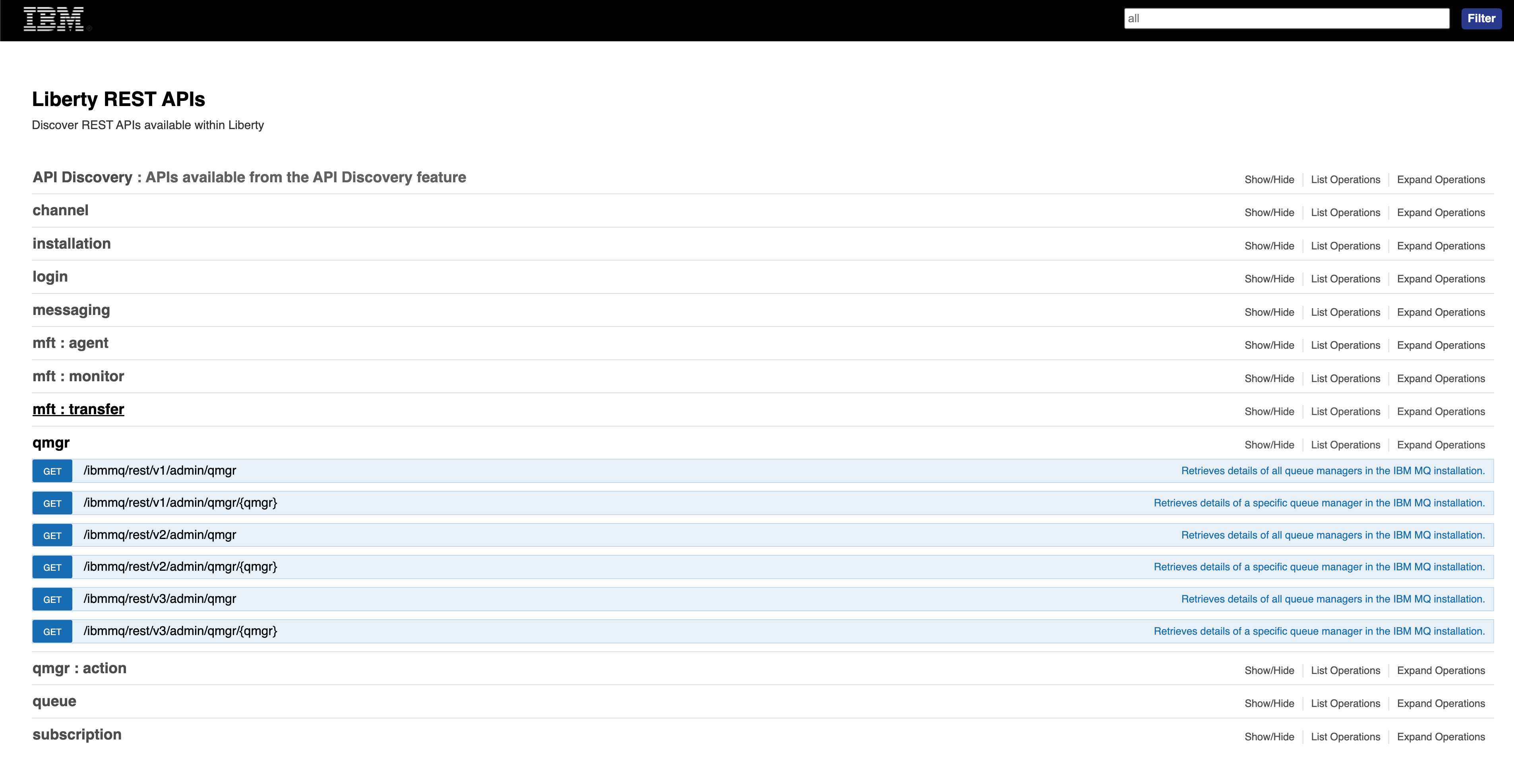
- You should now see the Swagger UI documentation for IBM MQ REST APIs.
Downloading Swagger documentation in JSON format
To retrieve the Swagger documentation in a JSON format, visit the/ibm/api/docs
endpoint. To access this endpoint via a web browser you must first login to
/ibm/api/explorer first and then visit /ibm/api/docs to retrieve
the JSON documentation.
To do this by using CURL, follow these instructions:
- Retrieve the cookie from the
/ibm/api/explorerendpoint:curl -k https://web-{your-qmgr-hostname}/ibm/api/explorer/ -c cookiejar.txt - Then send a request to the
/ibm/api/docsendpoint supplying the cookie:curl -k https://web-{your-qmgr-hostname}/ibm/api/docs -b cookiejar.txt > api-docs.json
Congratulations, you have successfully viewed and retrieved the REST API documentation for your IBM MQ as a Service queue manager.