Configuring logging for AWS CloudWatch
How to configure IBM® MQ as a Service to send application logs to AWS CloudWatch.
About this task
You configure logging by using the External logging tab of the IBM MQ as a Service AWS console.
You also need to use the AWS IAM console to configure a role for external logging to AWS CloudWatch. The External logging tab gives you the information that you need for configuring the role.
You then configure and test the actual connection before saving the configuration and beginning to use the external logging feature.
Procedure
-
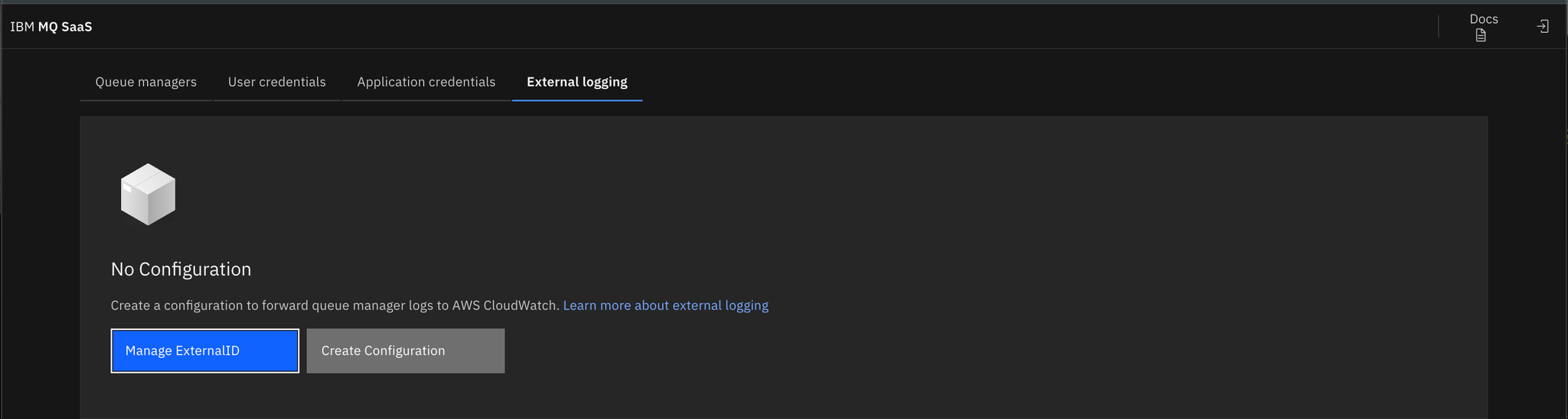
Go to the External logging tab of the IBM MQ as a Service AWS console. The tab shows that logging is not yet
configured, click Manage ExternalID.
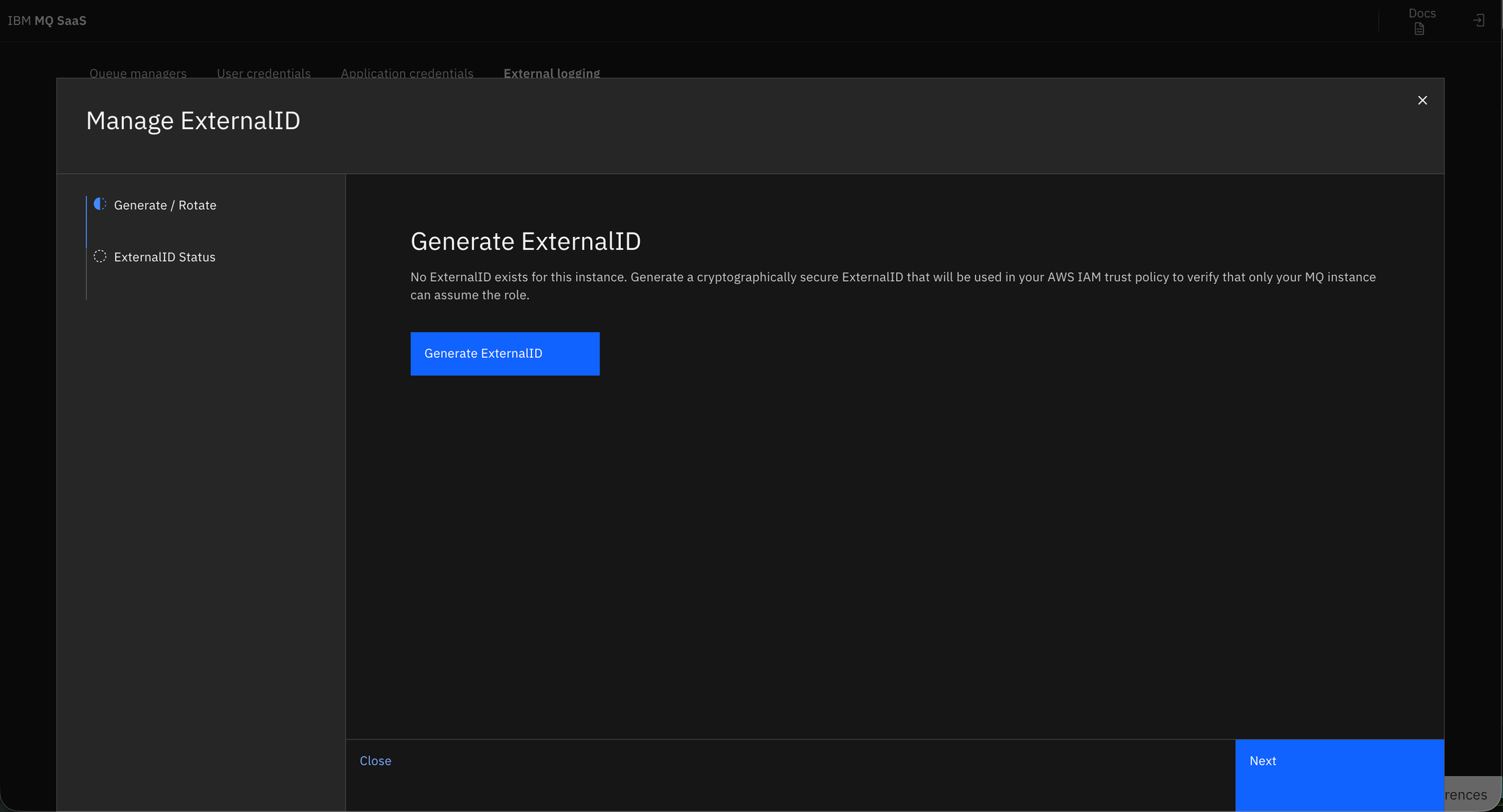
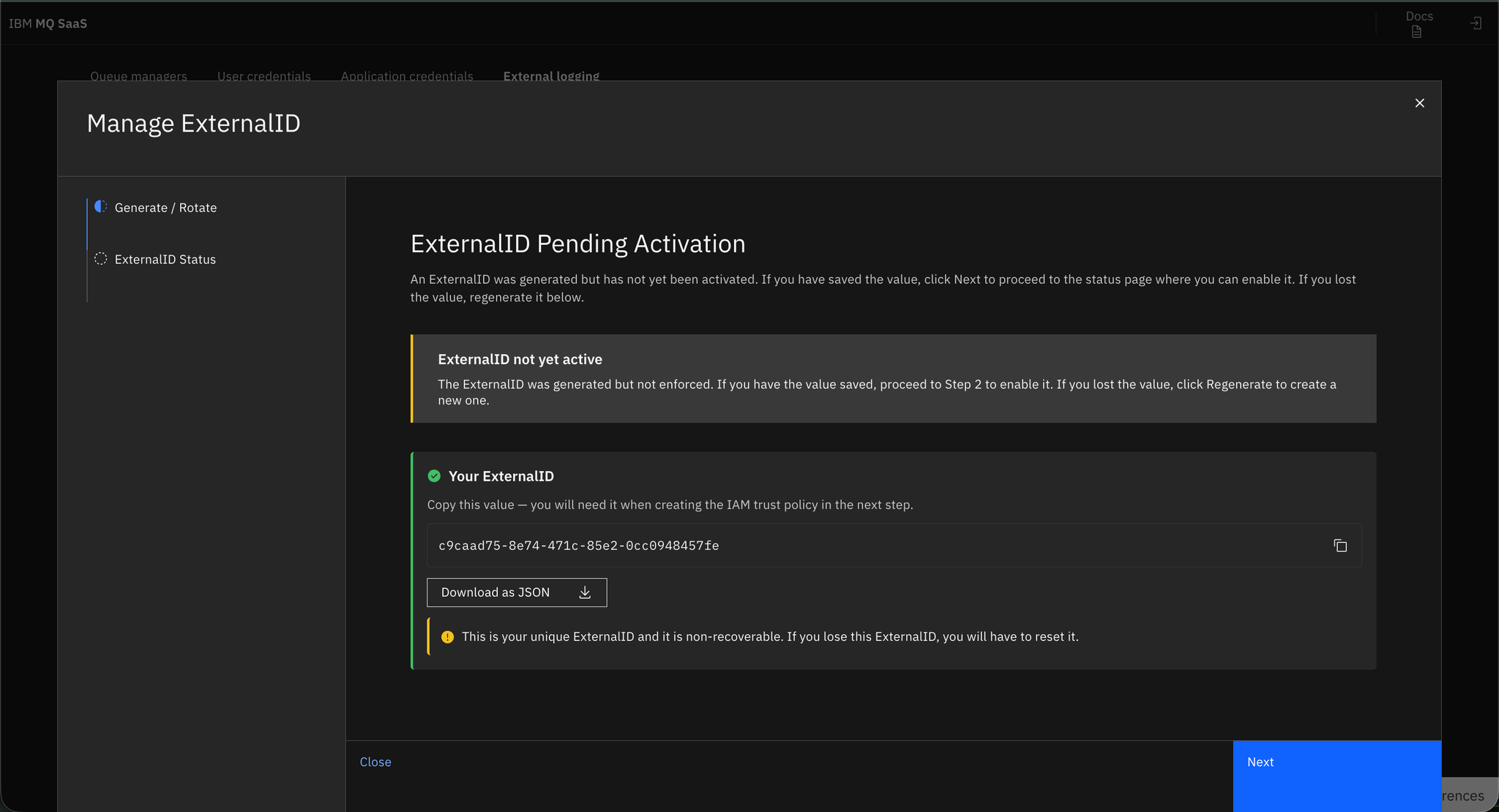
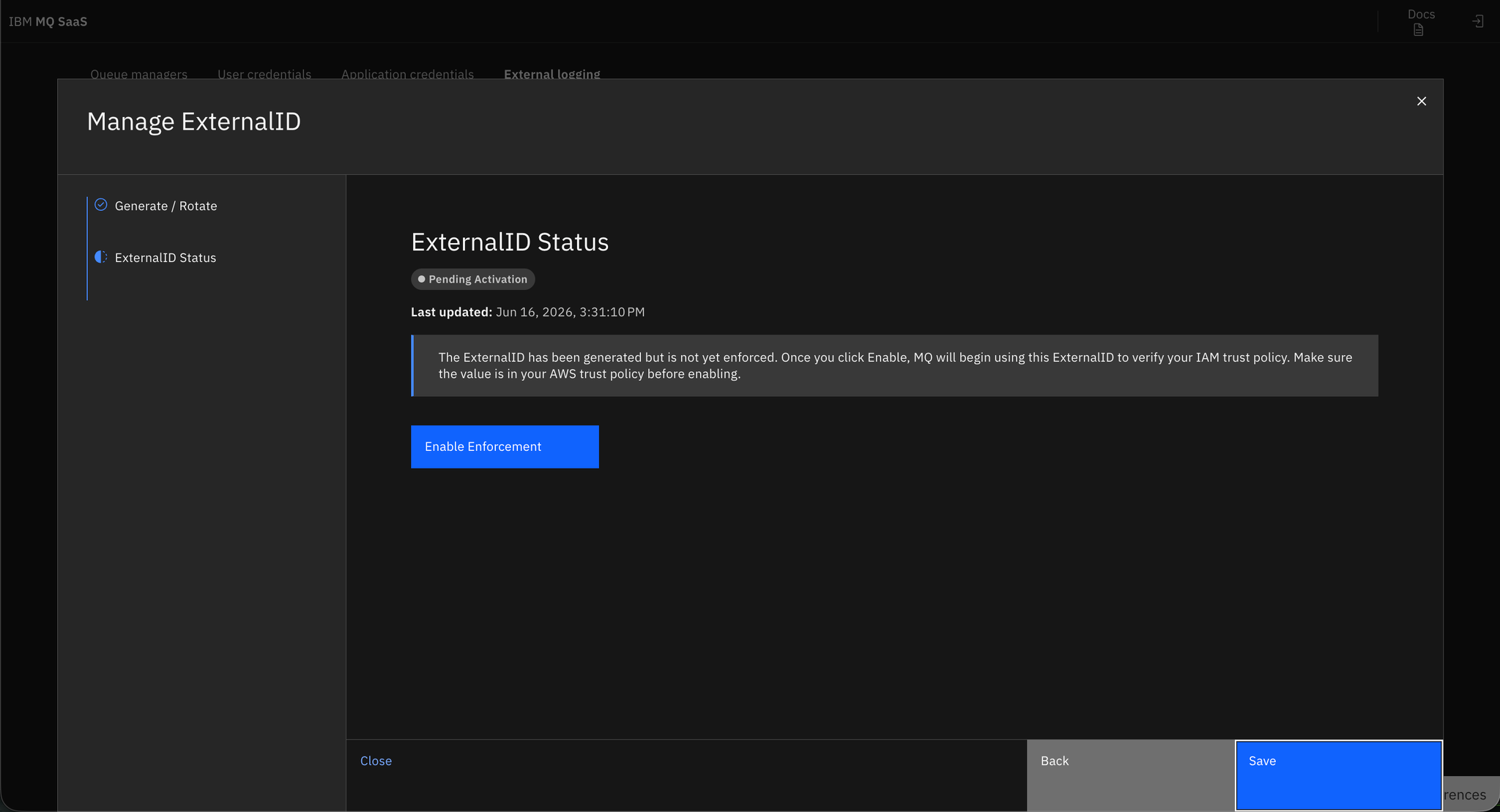
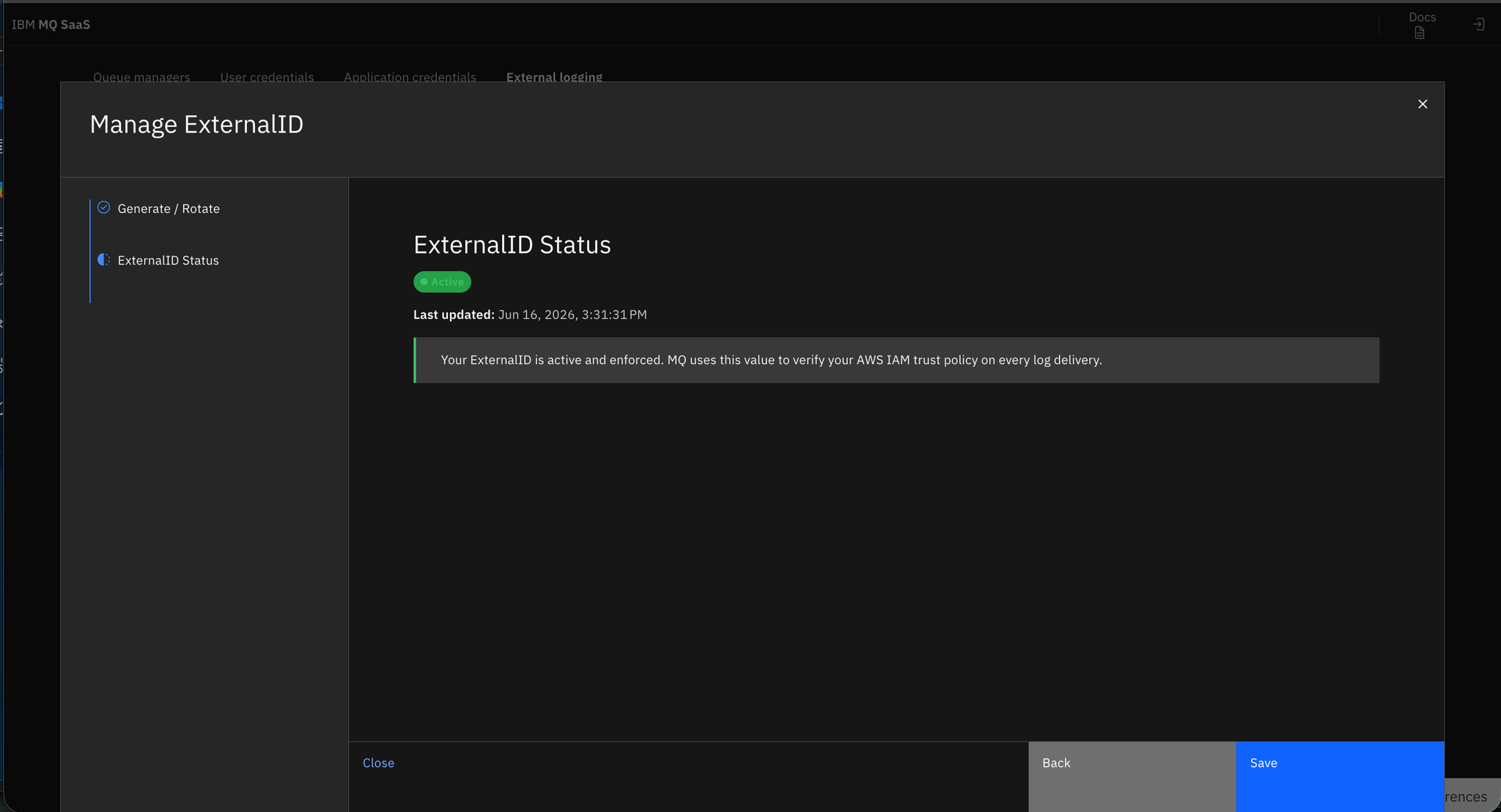
- In the Manage External ID window, you can create an ID if none yet exists, or rotate an
existing ID. After the External ID has been created or rotated, click Next
and then activate the External ID by clicking Enable Enforcement. When you
see the active status confirmation, click Close. This takes you back to the
External logging window.
- In the External logging window, click Create Configuration.
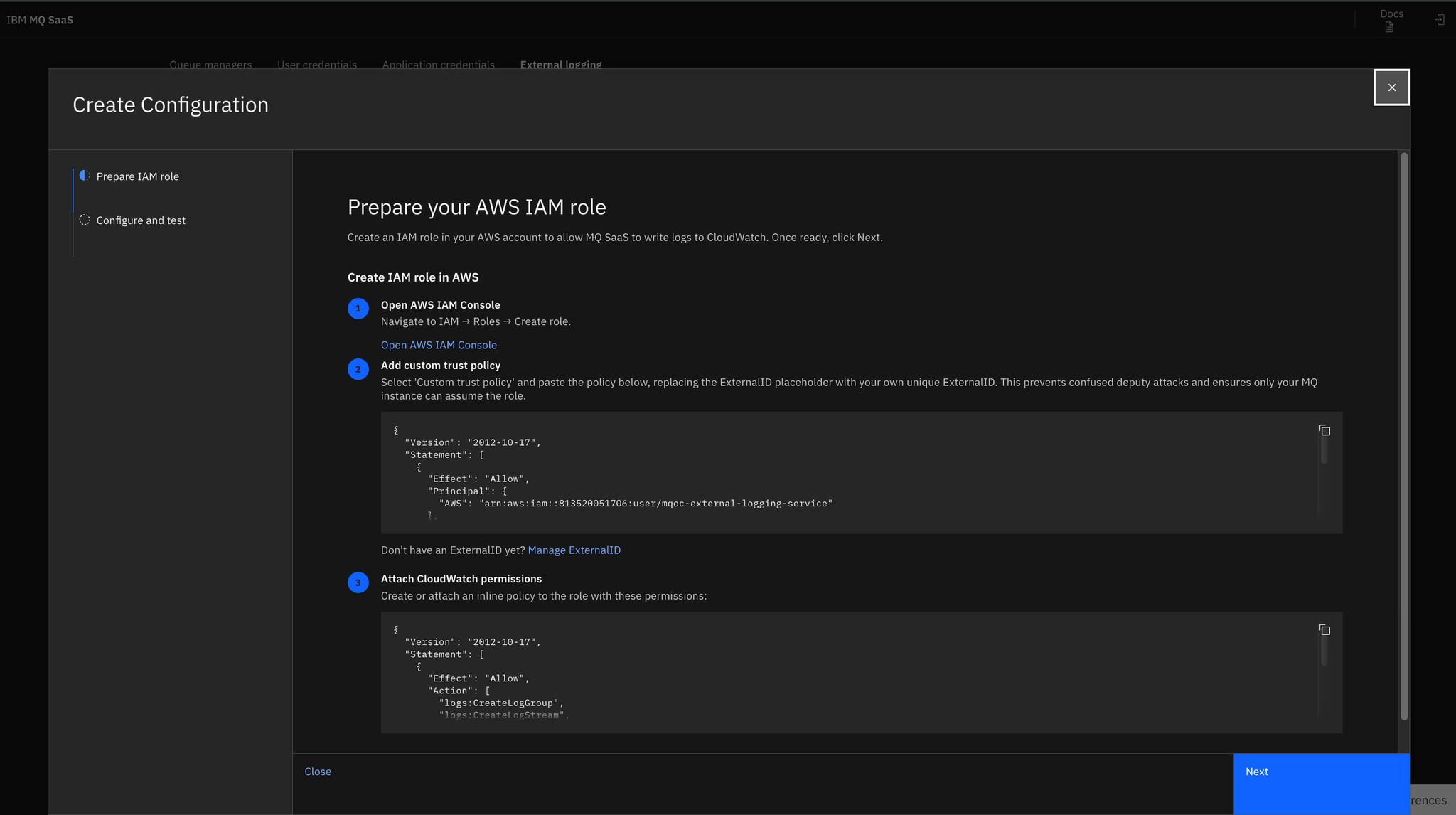
- The Prepare IAM role section of the Create Configuration window
displays the information that you need to set up an AWS IAM role for external logging. Open the AWS
IAM console and set up your role by copying and pasting the information:
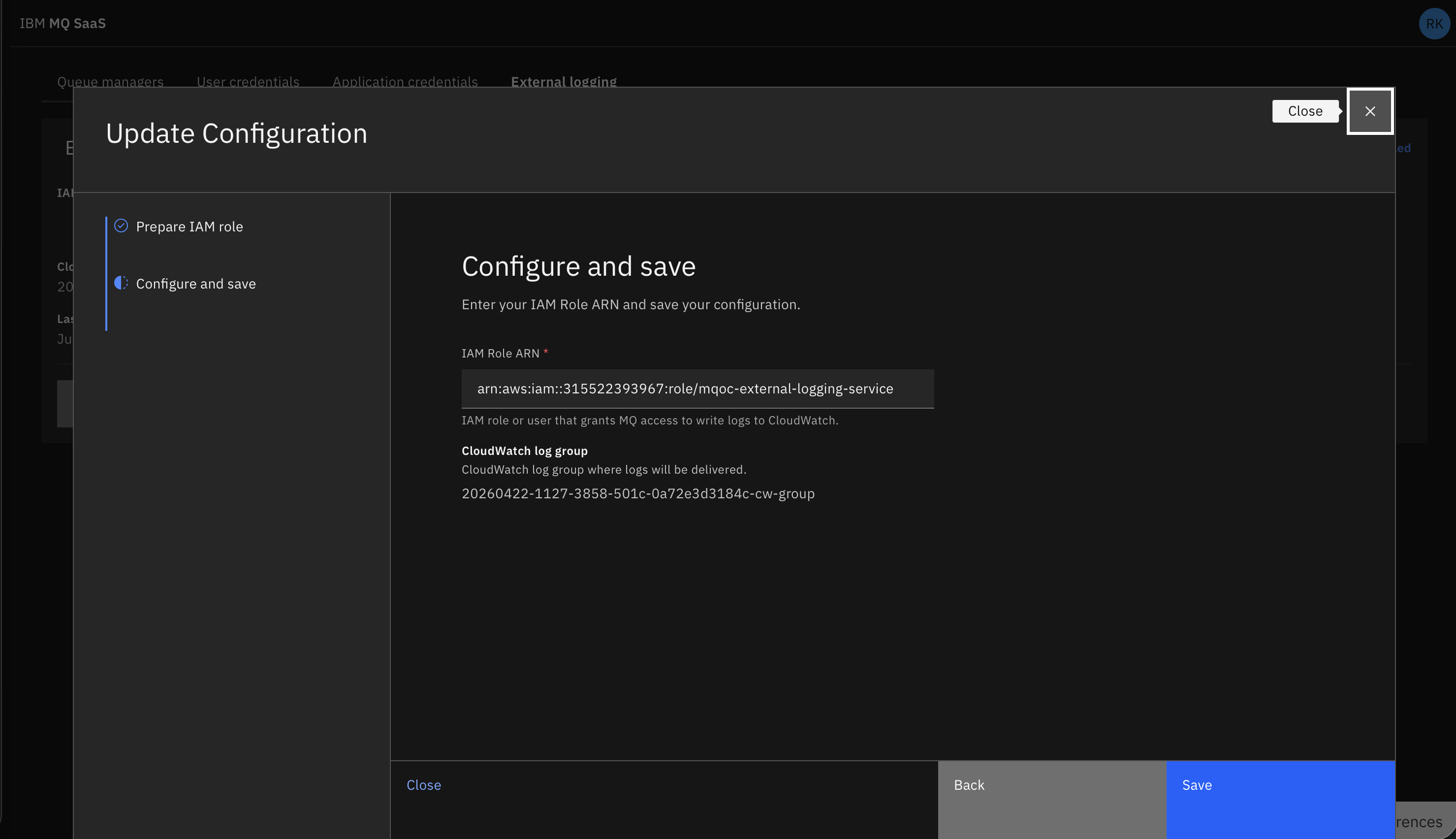
- Click Configure and save and input your IAM role
ARN: You are warned if you input an invalid ARN.
- Click Save. You are informed that external logging has been
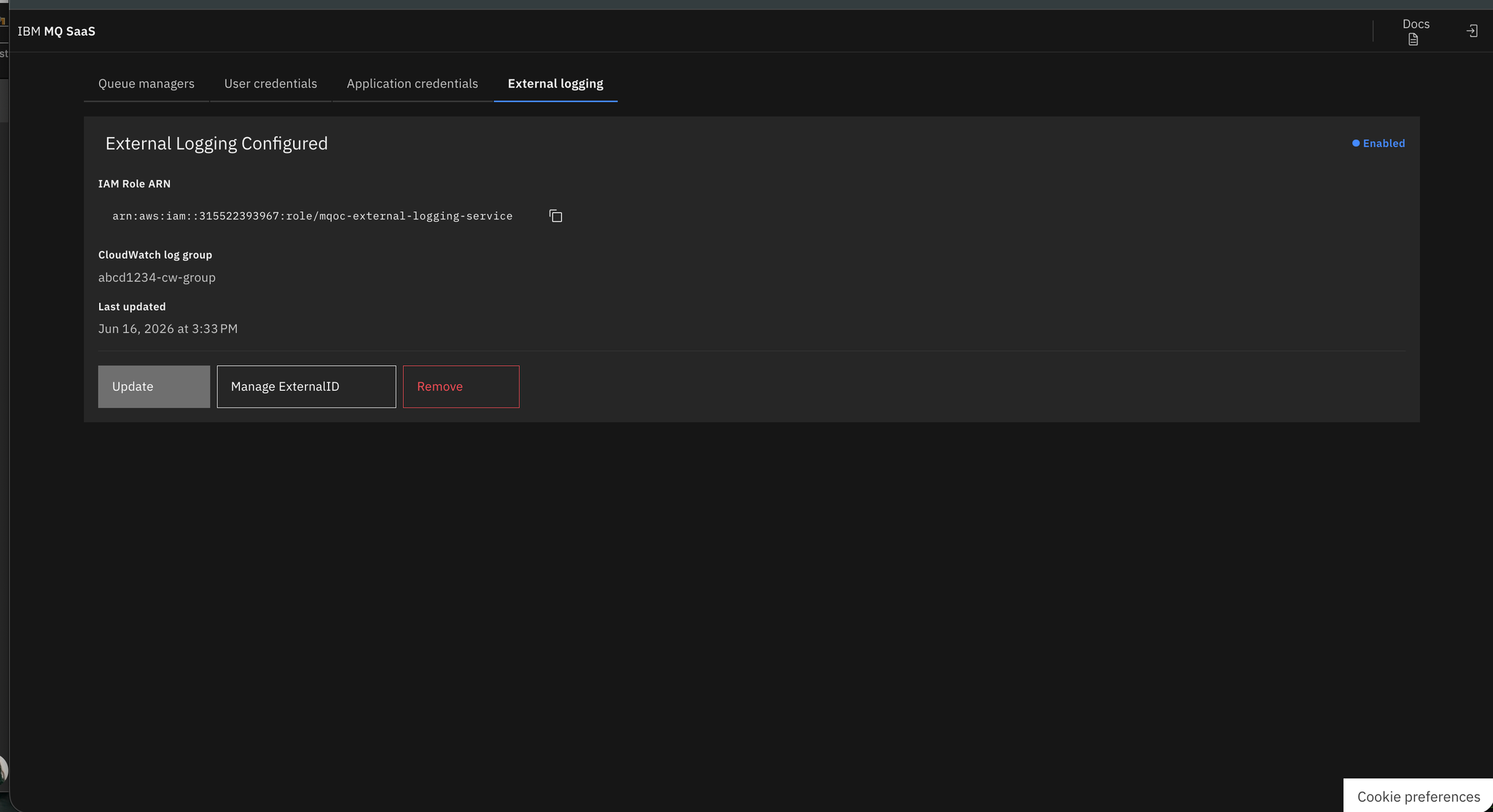
configured and the details are displayed