Tivoli Management Services V6.3 or earlier (pre-APAR OA42127)
Verify that the rte.UKOBDATF profile members
specify the configured hub monitoring server settings and that these
settings match the hub monitoring server configured values.
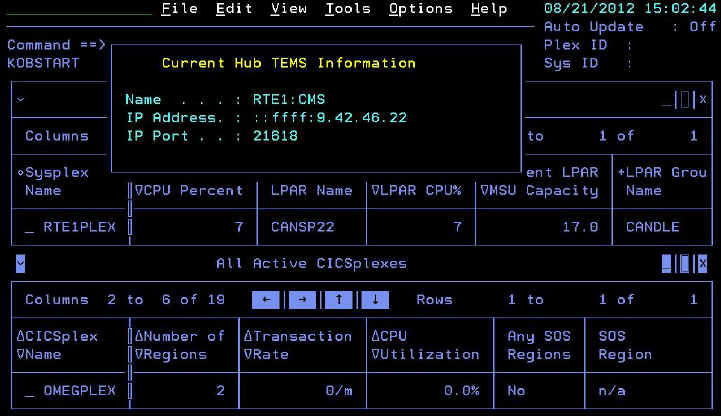
The settings that are shown in the Current Hub TEMS Information panel in Figure 2 indicate that a custom profile member is created and customized; however, the no data condition persists. Inspect the profile for the current session to determine if the specified settings match the configured hub monitoring server settings.
For example, Figure 2shows
that the server name is set to RTE1.CMS , with a
period. However, the actual configured hub monitoring server name
is RTE1:CMS , with a colon.
Correct the settings in the rte.UKOBDATF profile
member, then log off and log on to the OMEGAMON Enhanced 3270 user
interface to pick up the profile changes.