Restricting uninstallation of managed iOS apps
Administrators can restrict users from uninstalling managed iOS apps that are deployed to devices.
After deployment, managed apps that are marked as non-removable cannot be uninstalled by end-users. This feature ensures that users always have mission-critical apps available on their devices.
- Requires iOS 14 or later.
- Supported for managed iOS apps only.
- Supported on both supervised and non-supervised devices, except for User Enrolled devices.
Marking an app as non-removable
You can mark new apps and existing apps as non-removable from the Add App workflow and from the App Summary page.
- When adding an iTunes or enterprise app, select the Policies and Distribution tab.
- Select the Restrict Uninstall by User attribute in the Security Policies
section.

- Open the App Summary page and then select Restrict Uninstall by User
attribute in the Security Policies section.

Note: The command is automatically issued to all devices in the distribution target without having to redistribute.
FAQs
-
Will apps respect app removal commands?
Non-removable apps are deleted when the device receives app removal commands from the MaaS360 Portal such as Remove on stopping distribution or Remove on MDM control removal.
-
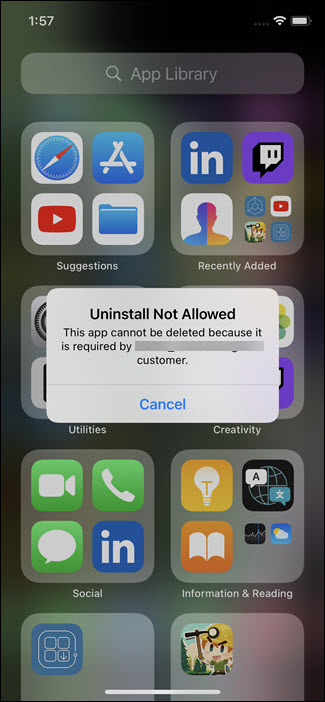
What happens when users try to uninstall the app?
The uninstall is restricted and the following alert is displayed: