Adding Primary Enterprise apps to devices
Upload and configure Primary Enterprise apps to the App Catalog for Android, iOS, Windows, and macOS devices by providing app packages or URLs and configuring policies, distribution, and security settings.
Adding a Primary Enterprise app to Android, iOS, or Windows devices
- From the IBM®
MaaS360® Portal home page, select , and then select one of the following device types.
Device type Menu navigation Android iOS Windows - From the App Details tab, upload the .ipa file or
provide the URL for the Primary Enterprise app.

- Configure settings in the Policies and Distribution tab, the Configuration tab, and the Wrapping and Signing tab, Advanced tab and then click Add. The Primary Enterprise app is listed in the App Catalog.
Adding a Primary Enterprise app to macOS devices
If the Laptop and Desktop Management or the Advanced Laptop and Desktop Management services are enabled in the Admin Portal, the administrator can use the MaaS360 Packager to distribute Primary Enterprise apps to devices.
- From the App Catalog, select .
- Download and run the MaaS360 Packager.
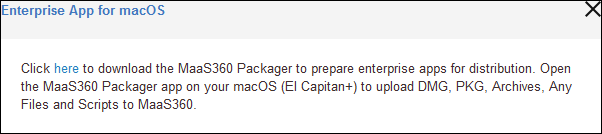
- Log in to the MaaS360 Packager with MaaS360 Administrator credentials and then upload the package
(apps). You can upload the following file types:
- .pkg
- .mpkg
- .zip
- .dmg

- Configure settings in the Details tab, the Scripts tab, and the Settings tab, and then click Finish. The Primary Enterprise app that is uploaded from the MaaS360 Packager is displayed in the App Catalog.