Configuring license settings as partners
MaaS360® business partners can configure overage for their child partners and customer accounts using the license settings in the IBM® MaaS360 Portal.
Note: A business partner can only view the License Settings page only if license management is activated for the partner account. Contact IBM Support to activate license management for a partner account.
Follow the steps to configure license settings.
- Log in to the IBM MaaS360 Portal as a business partner.
- From the IBM MaaS360 Portal home page, select .
- Review and configure the following sections in the Basic settings as
required:
Overage settings
Overage allows customers and partners in their hierarchy to consume over and above the purchased license quantity.
Select the Disable overage for your hierarchy check box to disable overage for all the child partner and customer accounts in your hierarchy.
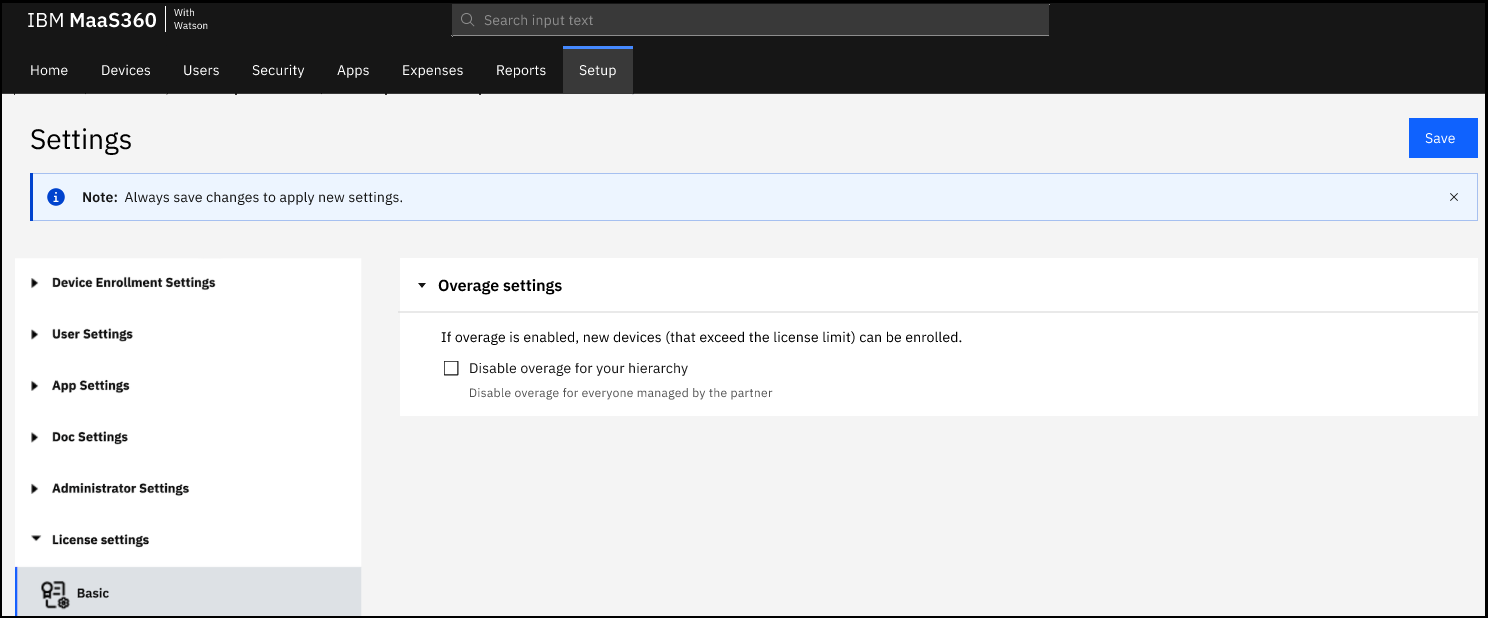
- If unselected, the overage is enabled for the child partners and customers in your hierarchy. As a result, the child partners can configure overage for their second-level child partners and customers in their hierarchy, and administrators get the ability to configure overage at a granular level to enable or disable overage for individual license suites that they have purchased.
- If selected, the overage is disabled for all the child partners and customers in your hierarchy. As a result, the child partners cannot configure overage for their second-level child partners and customers in their hierarchy, and the customers cannot exceed the purchased license quantity.
- Click Save to apply the settings for all the child partner and customer accounts in your hierarchy.