Assigning Android Enterprise Zero-touch configuration to devices
Deploy the Android Enterprise Zero-touch configurations to devices. When a device is configured, it automatically provisions the Zero-touch upon an initial start or after a factory reset. The device enters Device Owner mode as part of the activation. If the JSON configuration is not available, then the standard Device Owner enrollment is initiated on the device.
About this task
To assign the Zero-touch Enrollment (ZTE) configurations to devices, you must complete the following procedure.
Procedure
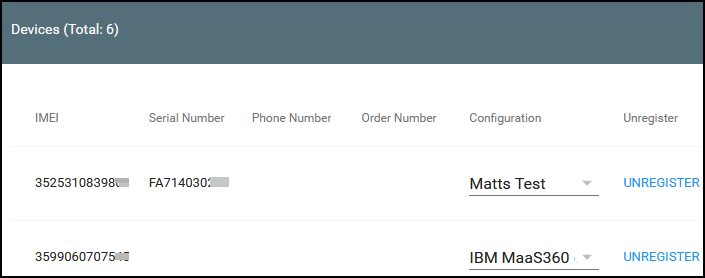
- In the Zero-touch console, click Devices.
- Select the configuration in the Configuration column from the
drop-down.
Results
The configuration is successfully applied to the device.