Microsoft Azure Local and Microsoft Azure Local Disconnected
IBM QRadar supports ingesting events from Microsoft Azure Local and Microsoft Azure Local Disconnected environments, including security events, audit logs, and security alerts.
These events are primarily forwarded in Syslog format, which allows QRadar to ingest them by using the standard Syslog protocol.
To integrate Microsoft Azure Local and Microsoft Azure Local Disconnected with QRadar, complete the following steps:
- Configure Syslog forwarding on Microsoft Azure Local and Microsoft Azure Local Disconnected environments. QRadar supports Syslog as the ingestion mechanism for these events. For more information, see Manage syslog forwarding in the Microsoft documentation.
- Create a Custom Log Source Type in QRadar to parse the incoming events. For more information, see Creating a custom log source type to parse events.
- Create a Universal DSM by using the DSM Editor to extract the required fields from the
incoming Syslog events. Complete the following steps:
- Log in to the QRadar Console with administrator credentials.
- From the QRadar Console, click the Admin tab.
- In the Data Sources section, click DSM Editor.
Figure 1. DSM Editor 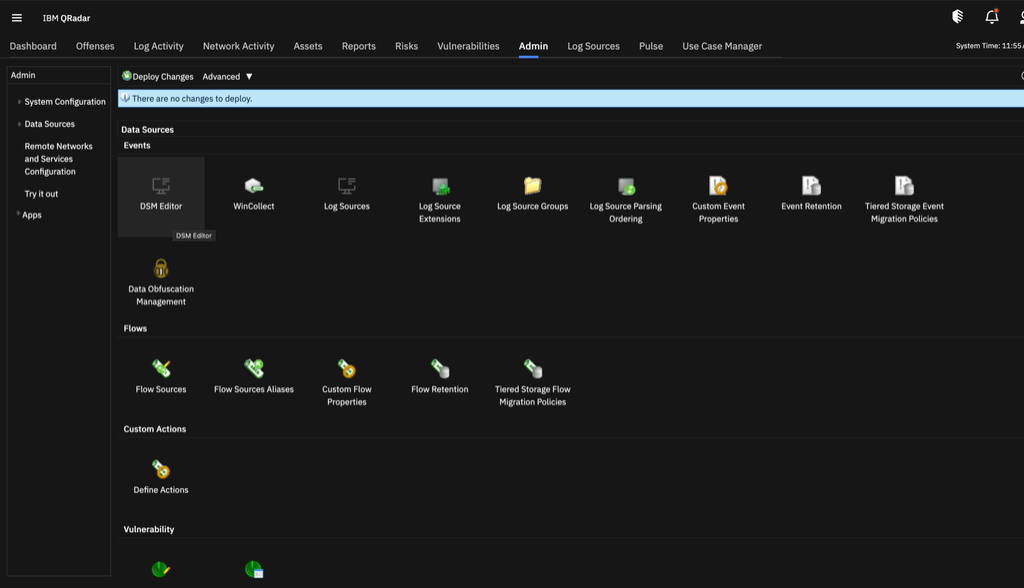
- Create a log source type or select an existing log source type. Select the Universal
DSM in the search bar and click Select.
Figure 2. Select Universal DSM 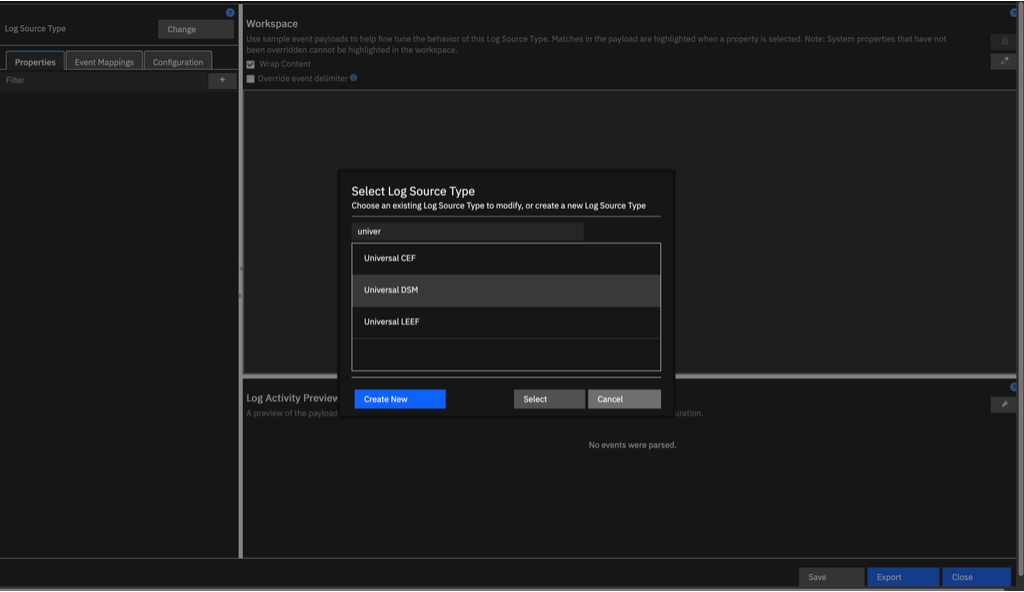
- Click the pencil icon and enter your payload in the text area.
Figure 3. Add payload 
Figure 4. Add payload in the text area - Use regular expressions to parse the required fields from the payload, such as event ID, event
category, and username.
Figure 5. Parse payload 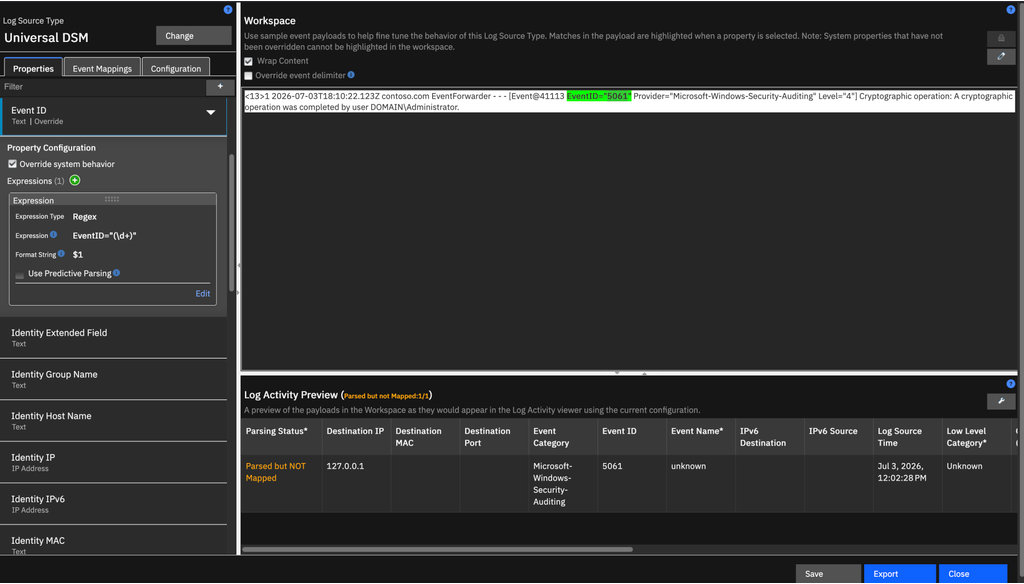
- After you parse all the required values, click the Configuration tab and
enable the following properties:
- Enable Property Autodetection
- Enable Log Source Autodetection
Figure 6. Enable Property Autodetection and Enable Log Source Autodetection 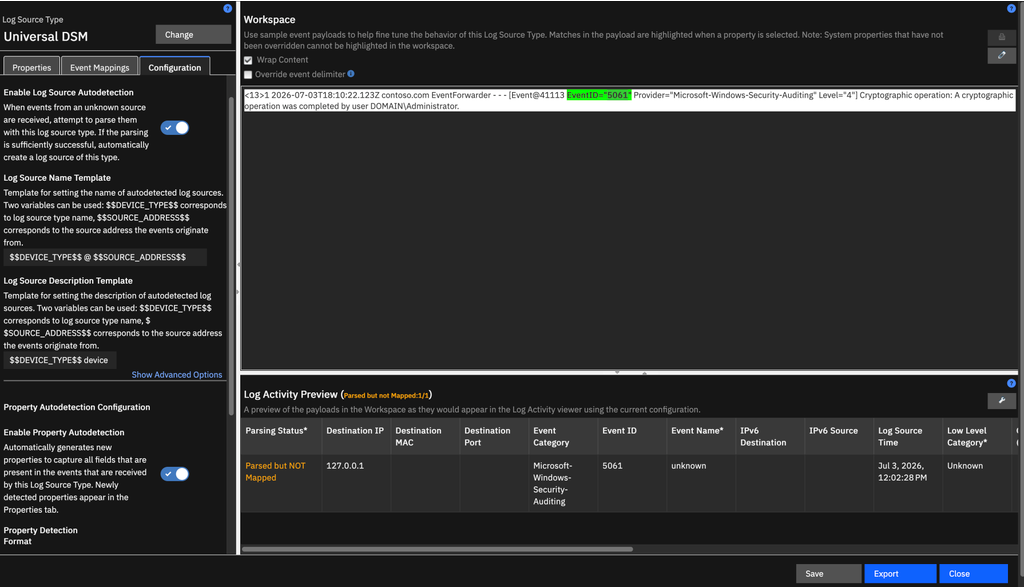
- Click Save. Events are automatically detected for the Universal DSM.
- Create event mappings and event categories to normalize the events within QRadar. For more information, see Creating an event map categorization.
QRadar can now ingest, parse, normalize, and categorize Microsoft Azure Local and Microsoft Azure Local Disconnected security events for monitoring and correlation purposes.