Decision diagrams
Each decision is visually represented as a decision diagram that is based on the principles and style in the Decision Model and Notation. To represent the details of your decision, including sub-decisions and data inputs, you can add graphical elements to your decision diagram. These graphical elements are connected with dependency lines in a top-down fashion. To change the decision logic, select and move a dependency line.
For example, to get the outcome for the 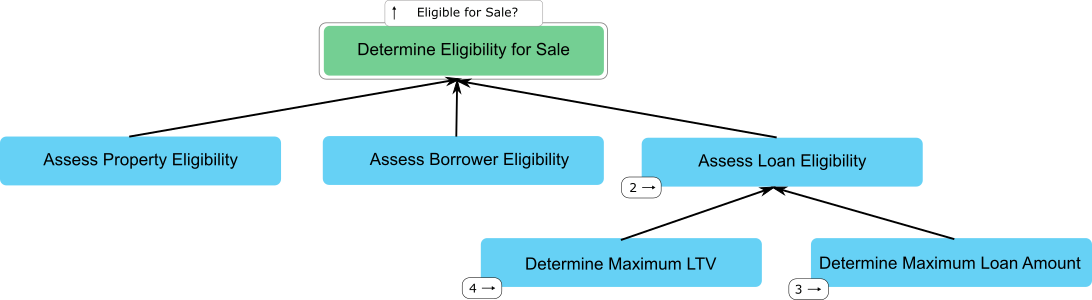
Determine Eligibility for Sale root
decision, you add the Assess Property Eligibility, Assess Borrow
Eligibility, and Assess Loan Eligibility sub-decisions that the root
decision depends on according to industry guidelines. Then, you add data inputs for each
sub-decisions. The following decision diagram shows the resulting decision diagram: