Analyzing a process
After you have modeled your business process you can visualize the details of that process using the process analysis feature.
- Open your process blueprint in the discovery map or process diagram view and click Analyze in the toolbar.
- In the sidebar, select all the attributes and values you would like to analyze. As you make your selections, the values are totaled for each attribute.
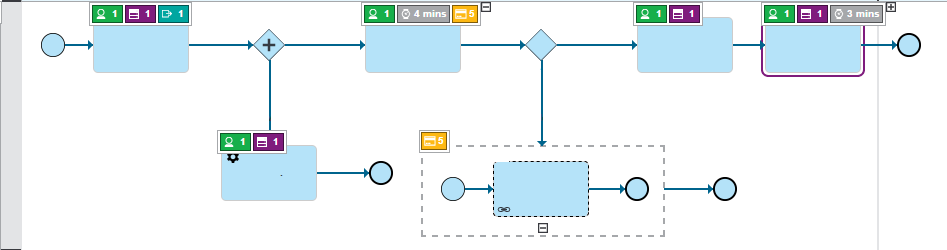
- In the diagram, process elements that have values for the selected attributes appear with a colored bar displaying the value. If multiple attributes are selected at one time, only a subset of the icons are shown by default. Click the + to expand the set of attributes shown on an element.