 Subscribe to this information
POWER7 information
Removing and installing a disk drive
You can service a disk drive concurrently.
Attention: Failure to follow the steps sequentially
for this field replaceable unit (FRU) removal or installation might
result in damage to the FRU or system.
Use the following precautions whenever you handle electronic components or cables:
- Attach a wrist strap to an unpainted metal surface of your hardware to prevent electrostatic discharge (ESD) from damaging your hardware.
- If you do not have a wrist strap, before removing the product from ESD packaging and installing or replacing hardware, touch an unpainted metal surface of the system for a minimum of 5 seconds.
- Keep all electronic components in the shipping container or envelope until you are ready to install them.
- If you remove and reinstall an electronic component, temporarily place the component on an ESD pad or blanket, if available.
To remove a disk drive from the disk drive enclosure, complete the following steps:
- Slide the orange release latch up gently to unlock the drive handle.
- Grasp the handle and pull the drive partially out of the slot.
- Grasp the front of the disk drive and pull it out from the slot,
making sure that you support the bottom of the disk drive.Note: The concurrent maintenance light for the slot turns off when you remove the disk drive.Figure 1. Removing a disk drive from the disk drive enclosure
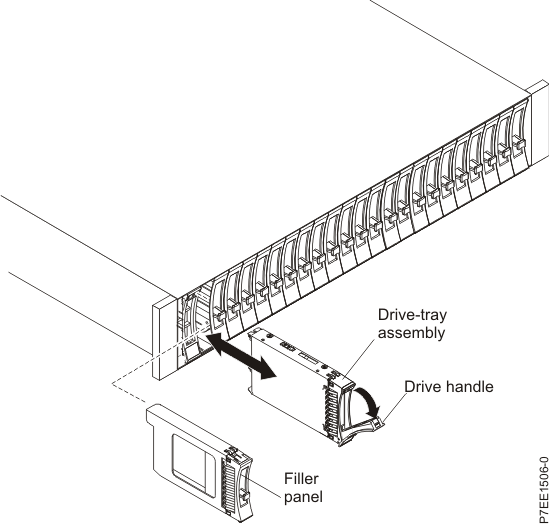
To install a disk drive in the disk drive enclosure, complete the following steps:
- With the handle in the unlocked position, support the bottom of
the disk drive as you align it with the guide rails in the disk drive
enclosure.Note: Do not hold the disk drive only by the handle.
- Slide the disk drive into the disk drive enclosure until the drive stops.
- Rotate the handle to the locked position.Figure 2. Installing a disk drive in the disk drive enclosure
