Learn how to prepare the IBM®
Power® System LC921 (9006-12P) system to remove and replace internal parts.
Procedure
-
Complete the prerequisite tasks. For instructions, see Before you begin servicing the 5104-22C, 9006-12P, 9006-22C, or 9006-22P system.
-
Identify the part and the system that you will be working on. For instructions, see Identifying the 5104-22C, 9006-12P, 9006-22C, or 9006-22P system that contains the part to replace.
-
Attach the electrostatic discharge (ESD) wrist strap.
The ESD wrist strap must be connected to an unpainted metal surface until the service
procedure is completed, and if applicable, until the service access cover is replaced.
Attention:
- Attach an electrostatic discharge (ESD)
wrist strap to the front ESD jack, to the rear ESD jack, or to an unpainted metal surface of your
hardware to prevent the electrostatic discharge from damaging your hardware.
- When you use an ESD wrist strap, follow all
electrical safety procedures. An ESD wrist strap is used for static control. It does not increase or
decrease your risk of receiving electric shock when using or working on electrical
equipment.
- If you do not have an ESD wrist strap, just prior
to removing the product from ESD packaging and installing or replacing hardware, touch an unpainted
metal surface of the system for a minimum of 5 seconds. If at any point in
this service process you move away from the system, it is important to again discharge yourself by
touching an unpainted metal surface for at least 5 seconds before you continue with the service
process.
-
Stop the system. For instructions, see Stopping the 5104-22C, 9006-12P, 9006-22C, or 9006-22P system.
-
Disconnect the power source from the system by unplugging the system. For instructions, see
Disconnecting the power cords from the 9006-12P system.
Note: The system might be equipped with redundant power supply. Before you continue with this
procedure, ensure that all power to your system is disconnected.
(L003) or
or
or
or
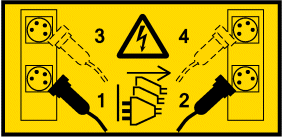
DANGER
Multiple power cords. The product might be equipped with multiple AC
power cords or multiple DC power cables. To remove all hazardous voltages, disconnect all power
cords and power cables. (L003)
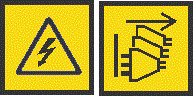
(L005)CAUTION:
Hazardous energy present. Voltages with hazardous energy might cause
heating when shorted with metal, which might result in splattered metal, burns, or both.
(L005)
-
Place the system into the service position. For instructions, see Placing an 9006-12P system into the service position.
CAUTION:
Do not place any object on top of a rack-mounted device unless that
rack-mounted device is intended for use as a shelf. (R008)
(L012)CAUTION:
Pinch hazard. (L012)
-
Remove the service access cover. For instructions, see Removing the service access cover from an 9006-12P system.
 or
or or
or or
or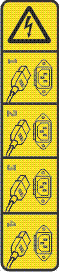
 DANGERMultiple power cords. The product might be equipped with multiple AC power cords or multiple DC power cables. To remove all hazardous voltages, disconnect all power cords and power cables. (L003)(L005)
 CAUTION:Hazardous energy present. Voltages with hazardous energy might cause heating when shorted with metal, which might result in splattered metal, burns, or both. (L005)
 CAUTION:Pinch hazard. (L012)