Decision rules mining

The Decision Rules Mining (DRM) capability, which is located in the BPMN feature, can automatically discover the correlations within the data that was uploaded and mapped onto IBM Process Mining. This DRM capability enables IBM Process Mining to automatically detect the decision rules that govern the process.
The user can promote the automatically discovered Decision Rule to a Decision with the Decision Model and Notation (DMN) standard.
You can adjust the settings of the rules to go more in-depth and fine-tune your insights.
Settings
Click settings to configure the DRM:
Select relevant data

Select the business data that needs to be considered for the decision rules discovery. The list includes the mapped custom fields, resource, and role.
Tip: select the business data that is more suitable to be related to the decision rules within the process: this enables a more precise and insightful discovery.
Advanced

By toggling Skip self-loops, the Decision Rules Mining ignores gateways that go back to themselves.
History

Every historical Rules Discovery is shown here.
Rules discovery
Click Rules Discovery to run the Decision Rules Mining, based on the selected business data.

Click a specific rule to visualize it:


You can either click “Go to gateway” on the selected rule or directly click the gateway itself to visualize all the rules on a gateway.

For each rule, the target transition is indicated (in the form “Gateway activity → Target activity”), and the rule’s conditions are shown underneath. Please consider that, for elaborating the rule, only the attributes related to the Gateway activity (i.e. event before the gateway) are used.
The green circle indicates the Coverage of the decision rule: Given 2 activities A and B, consider all the transitions A --> B observed in the event log; the coverage indicates the percentage of transitions for which the rule was the specified one, out of the total number of occurrences of that transition (i.e. instances of processes which perform the transition A --> B but not following the specified rule, decrease the coverage. These transitions are also called “immigrants”).
In the image below, the coverage for the rule found for the transition "Network Service Closure" --> "Authorization Requested" is 98.62%, calculated as the number of transitions for which the rule was indeed the specified one (44046) out of the total number of occurrences of that transition (44661).

The orange circle indicates the Precision of the decision rule: it indicates the percentage of transitions in which the rule’s condition was met, out of the total number of transitions in which the rule’s condition was the specified one.
The Precision decreases if the condition was verified in the process instances, but instead of the expected transition, another transition occurs. These transitions are called “emigrants”.
In the image below, the precision for the rule found for the transition "Network Service Closure" --> "Authorization Requested" is 99.9%, calculated as the number of transitions in which the rule's condition was met (44046) out of the total number of transitions in which the rule’s condition was the specified one. (44084). 38 is the number of transitions "Network Service Closure" --> "BO Service Closure" that were observed in the event log, but that the rule was expecting to be "Network Service Closure" --> "Authorization Requested"

Reducing and elaborating the depth
You can consider the next gateway as example:
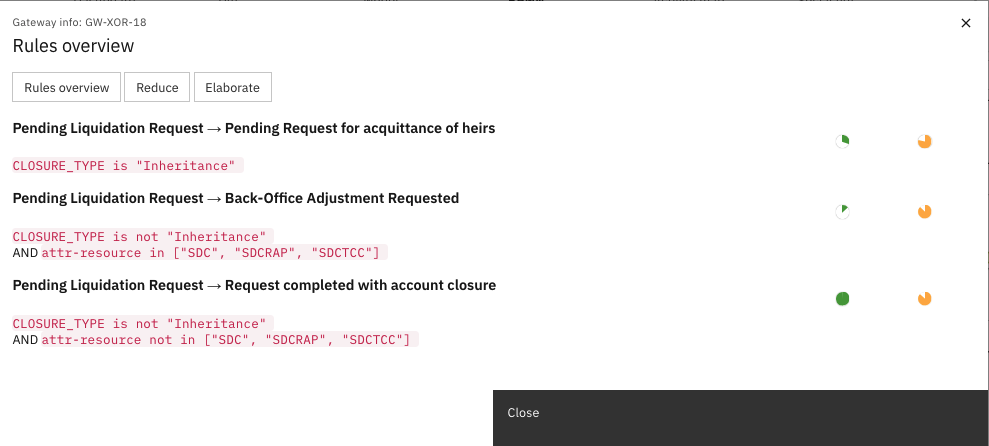
You can choose either to reduce or to increase the depth of the Decision Rule Mining:
- Reduce
Reduce the number and complexity of the conditions that are found by the DRM. This reduction can end up in not-found conditions.

Use the depth-reduction when you want a more concise and summarized view of the gateway’s rules.
- Elaborate
Increase the number and complexity of the conditions that are found by the DRM. The resulting rules are more complex and less readable.

Use the depth-increase when you want to obtain more specific decision rules.
Consider that IBM Process Mining automatically set up every gateway with the minimum depth to obtain, if possible, at least one decision rule for each transition related to the gateway. This set up can sometimes result in overly complicated rules but you can use “Reduce” to obtain more concise rules.
Rules overview

The rules overview summarizes the Coverage and the Precision of each rule within every gateway:
- Matching
Events in which the transition and the condition occurred together. - Immigrants
Events in which the transition occurred, but the condition was not the expected one. - Coverage = Matching / (Matching + Immigrants)
- Emigrants
Events in which the condition occurred, but the transition was not the expected one. - Precision = Matching / (Matching + Emigrants)
To drill down on a specific set of rules (for example, gateway), click the corresponding (start) Activity.
To drill down on a specific rule, click the corresponding Next Activity.
Link a decision model

When clicking Edit a Copy in the BPMN, you address the BPA tool.
Here you can link a decision table by clicking a specific gateway and then  .
.
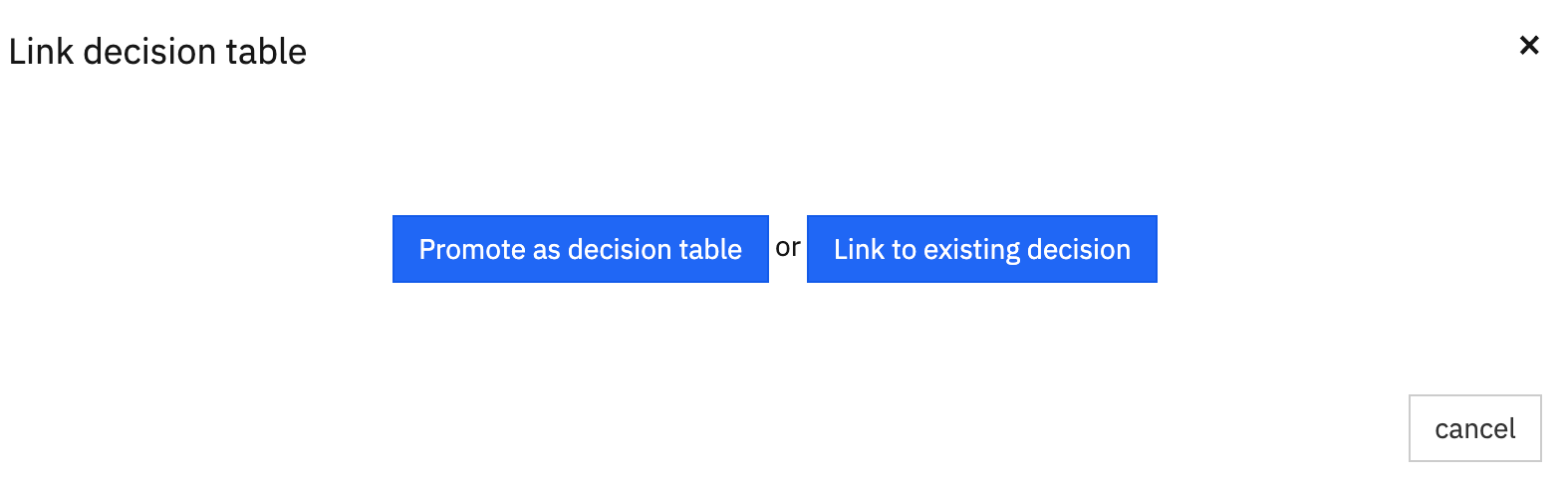
A decision table is a concise visual representation that is used to specify which actions must be carried out depending on the given conditions.
Promote as decision table
By clicking Promote as decision table, you are able to promote a decision rule to a decision table with the DMN standard.

You can update the Input, with the relevant mapped data, and Output values of the decision table according to your preferences.
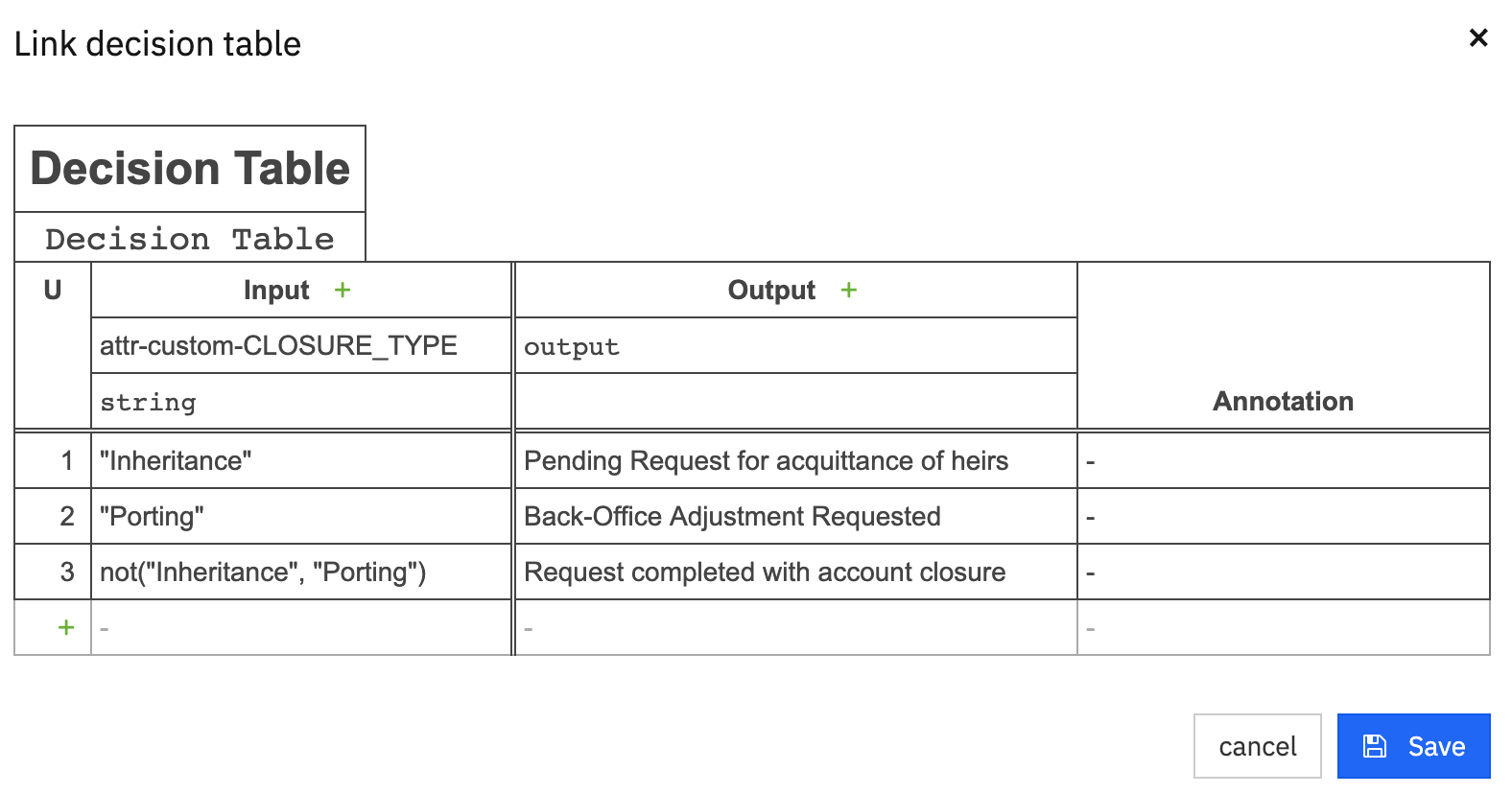
By clicking Save, you can see that the decision rule was promoted to a decision table by the orange colored gateway, and the written rules on the BPMN model.

Link to existing decision table
By clicking Link to existing decision table, you are able to link a decision rule to an existing decision table with the DMN standard.
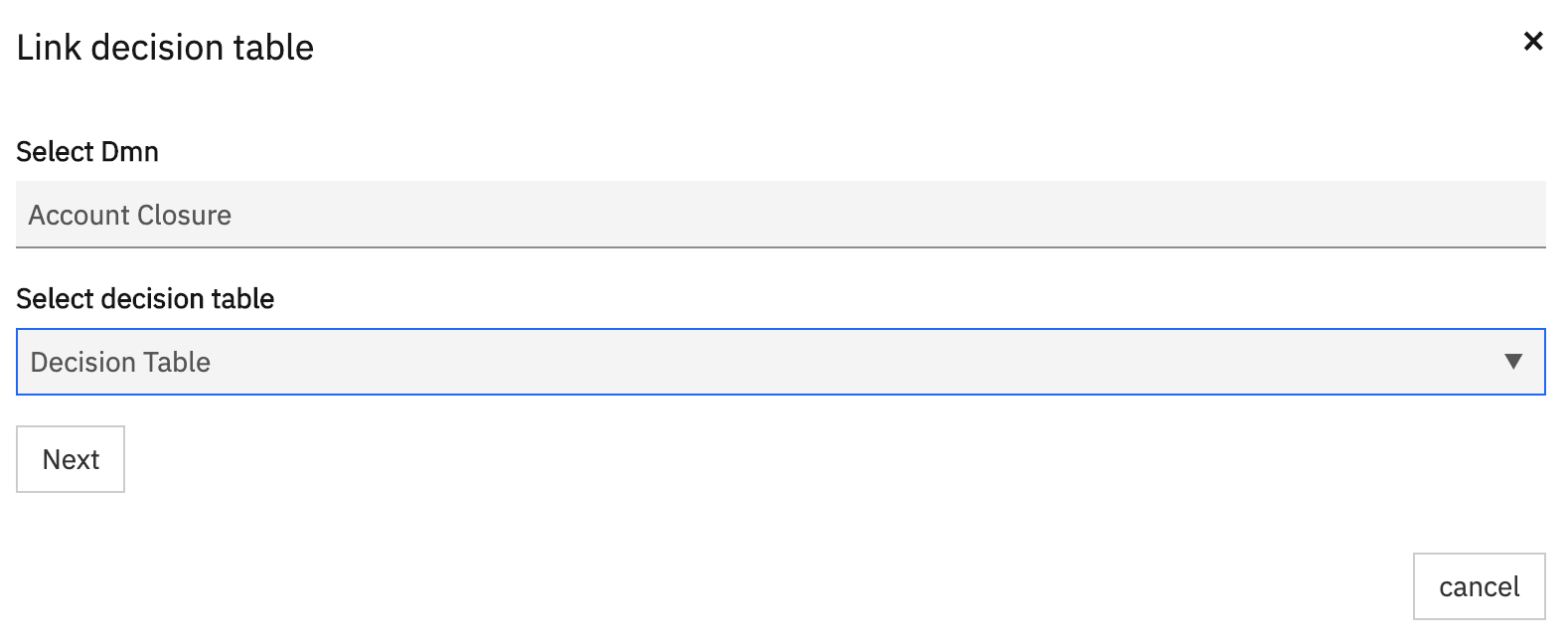
You are able to link the output (cause) with different activities to complete the configuration.

By clicking Save, you will see that the decision rule is linked to the existing decision table by the blue colored gateway, and the written rules on the BPMN model. In the next example, the gateway turned blue because there is no perfect overlap between all the output values of the linked Decision Table and all the output branches of the gateway.
