Overview
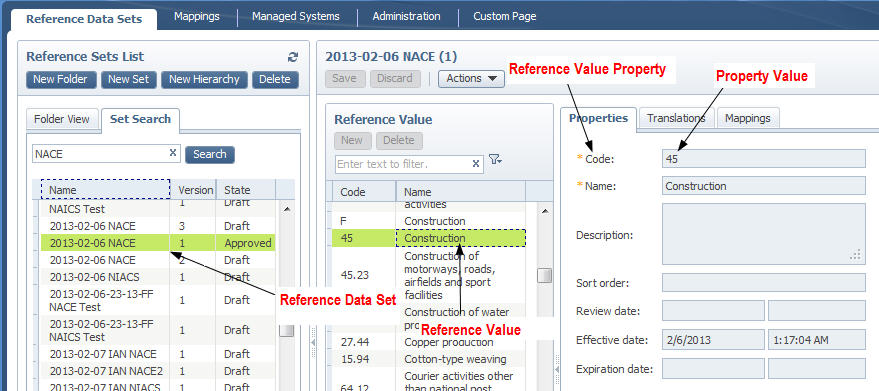
Reference data sets are at the heart of the system and are used to manage and contain reference data.
Every reference data set is associated with a Reference Data Type, which defines the properties of the data set.
When a reference data set is created, it is automatically given a version number, starting with 1. You can change the version number to another value, numeric, or alphabetic. When you create new versions, you can give them any label to indicate the version number. Each reference data set has at least one version. All versions of a data set are grouped. For ease of management, reference data sets can also be grouped in folders.
The InfoSphere MDM Reference Data Management Hub user interface uses a drag hierarchy widget to visualize and manipulate the reference data set folder hierarchy, and the reference data sets within them. Folders and the reference data sets they contain, or individual reference data sets, can be dragged and dropped from one folder to another.
Each reference value has properties that contain values. The reference value properties are defined as part of the reference data type upon which the reference data set is based.