Displaying preview images of artifacts
You can display previews of artifacts on the general details page of an asset.
Preview images of artifacts are not supported on IBM System z servers running Linux.
Note:
Not all artifacts will have
a meaningful preview image; you will get the best results from presentations
(for example, .ppt files) and graphics files.You can configure Rational® Asset Manager to
automatically generate preview images:
- Log in to the web client as a repository administrator.
- Click Applications.
- Click Configuration.
- In the Performance Options section, select Automatically create featured content on asset submission.
- Click Save.
If this setting is checked, when you submit an asset, preview images will be automatically created for up to 3 artifacts that contain the following extensions: .doc, .ppt, .pdf, .odt, .odp, and .otp.
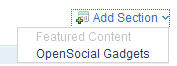
- If the Featured Content section is not visible, click
- In the Featured Content section, click the pencil icon
 ,A list of the artifacts in the asset appears.
 - To generate a preview image for an artifact, select the
checkbox for that artifact.You can navigate into folders. To go back up a folder level, click the Up one level icon
 . You can create previews of a variety of files, including
images, text files, and presentations. If the asset artifacts comprise
an Eclipse software update site (a site.xml file,
a /features/ folder, and a /plugins/ folder),
the preview will include a link labeled Eclipse Update
Site that others can use to download the software update
from IBM® Rational Asset Manager.Restriction: Previews for PNG graphics that have a transparent background might not display appropriately.
. You can create previews of a variety of files, including
images, text files, and presentations. If the asset artifacts comprise
an Eclipse software update site (a site.xml file,
a /features/ folder, and a /plugins/ folder),
the preview will include a link labeled Eclipse Update
Site that others can use to download the software update
from IBM® Rational Asset Manager.Restriction: Previews for PNG graphics that have a transparent background might not display appropriately.