Known issues and limitations for Data Privacy (Masking flow)
The following known issues and limitations apply to Masking flow.
Known issues
Limitations
Known issues
Can't enable the horizontal pod autoscaling (HPA) configuration with the UI or API
Applies to: 5.3.0 and later
You can't enable the HPA configuration with the UI or API.
Workaround: You must disable the HPA configuration and upgrade to 5.1.0 or later, and then enable the HPA with the following oc patch commands.
-
Disable HPA.
{cpd_instance_ns}is the project where Data Privacy is installed.-
Run the command:
oc patch -n ${cpd_instance_ns} crd dp.dp.cpd.ibm.com --type='json' -p '[{"op": "replace", "path": "/spec/versions/0/schema/openAPIV3Schema/properties/spec/properties/autoScaleConfig/type", "value": "string"}, {"op": "replace", "path": "/spec/versions/0/schema/openAPIV3Schema/properties/spec/properties/autoScaleConfig/default", "value": "false"}]' -
Run the command:
oc patch -n ${cpd_instance_ns} dp dp-cr -p '{"spec":{"autoScaleConfig":"false"}}' --type=merge
-
-
Upgrade your instance.
-
Enable HPA.
Where{cpd_instance_ns}is the project where Data Privacy is installed.-
Run the command:
oc patch crd dp.dp.cpd.ibm.com --type='json' -p '[{"op": "replace", "path": "/spec/versions/0/schema/openAPIV3Schema/properties/spec/properties/autoScaleConfig/type", "value": boolean}, {"op": "replace", "path": "/spec/versions/0/schema/openAPIV3Schema/properties/spec/properties/autoScaleConfig/default", "value": false}]' -
Run the command:
oc patch dp dp-cr -p '{"spec":{"autoScaleConfig":true}}' --type=merge
-
If you want to disable or enable the HPA configuration later, you must use the oc patch commands.
Search behavior works unexpectedly for a predefined data class in the dialogs for data protection rules
Applies to: 5.1.1
Fixed in: 5.1.2
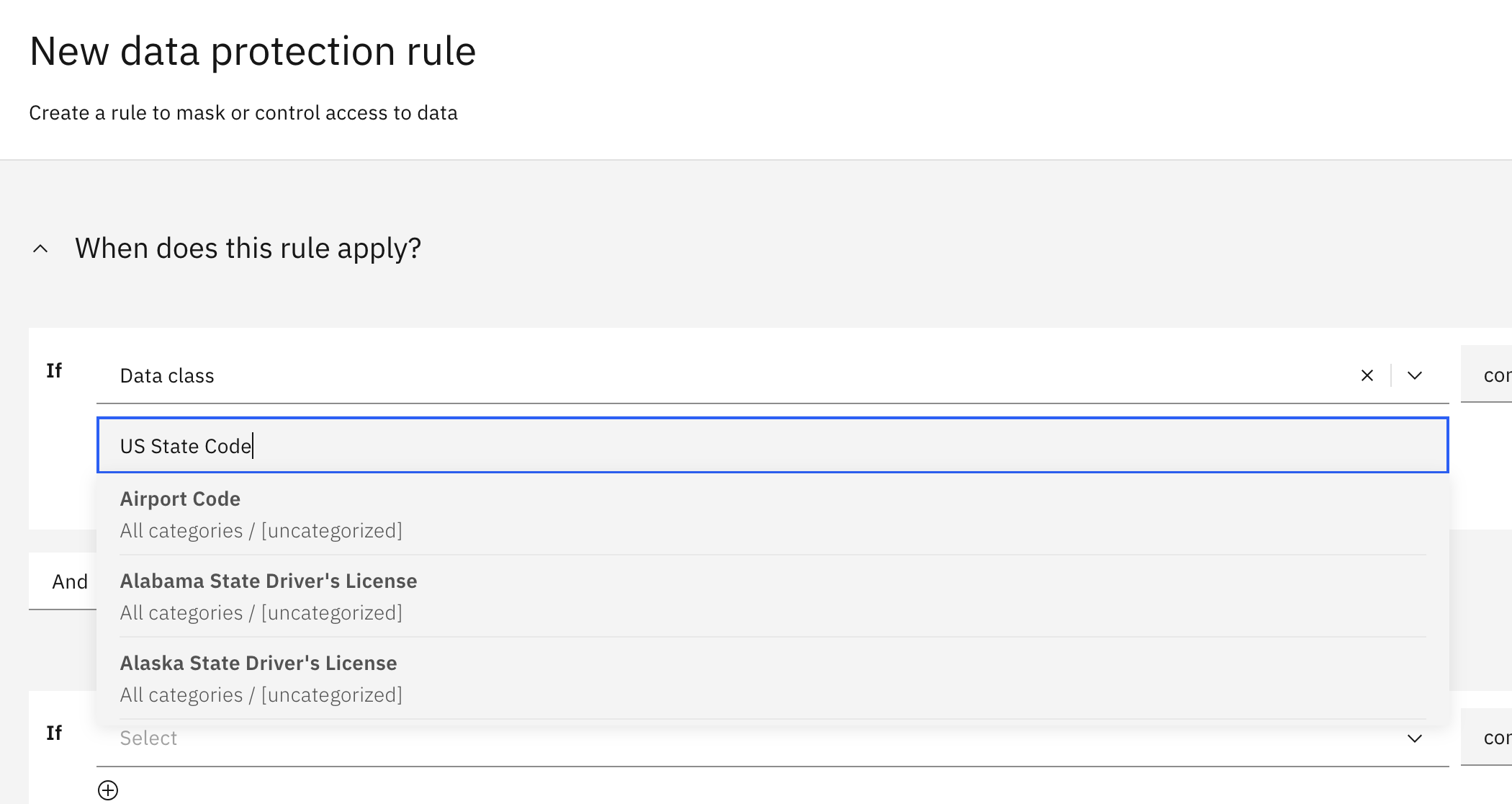
No matches display when you try to type a predefined data class in the dialogs for data protection rules. For example, in the New data protection rule dialog, select Data class and type US State Code in the Search
for a data class field.
Workaround:
Matches display when you use double quotation marks to search for a predefined data class. For example, type "US State Code" in the Search for a data class field.

CreateContainerError cause problems to run Bulk copy jobs
Applies to: 5.1.0 and later
If you're using a CSI-based storage type with volumes of large number of files, consider disabling SELinux relabeling. SELinux relabeling can cause a CreateContainerError that can prevent you from running bulk jobs. This error
is also known to happen when the Red Hat OpenShift Container Platform is upgraded from 4.12 to 4.14 release. To disable SELinux relabeling, see the steps specific for Data Privacy service in the Disabling SELinux relabeling topic.
Details for masked columns display incorrectly
Applies to: 5.1.0 and later
In the asset preview page, which is known to happen for virtualized join views and watsonx.data connected data, the value for the Masked columns displays an incorrect count. In addition, the masked indicator icon image
 is either missing or incorrectly displayed from the header of columns with masked data. For details, see the Known issues and limitations for IBM Knowledge Catalog.
Limitations
Cannot truncate CHAR data type for Teradata in masking flow
Applies to: 5.1.0 and later
Masking flow job fail as CHAR data type cannot truncate for Teradata relational database. For example, the masking flow job fails with the following error message:
Character data truncation detected for the field <COLUMN_NAME>. The length of the value is 44 and the length of the target column is 26. (error code: INVALID_DATA)
The masked data output contains extra space padding even after the library truncates the data.

This issue is not applicable to VARCHAR data type for Teradata or CHAR data types for Db2 relational databases.
Parent topic: Service issues