Sort tab
Use the Sort tab to arrange the display of rows in the Table Editor or Point and Shoot Editor. To arrange rows according to values in one or more columns, drag column names from the Available Columns list to the Sort Columns list.
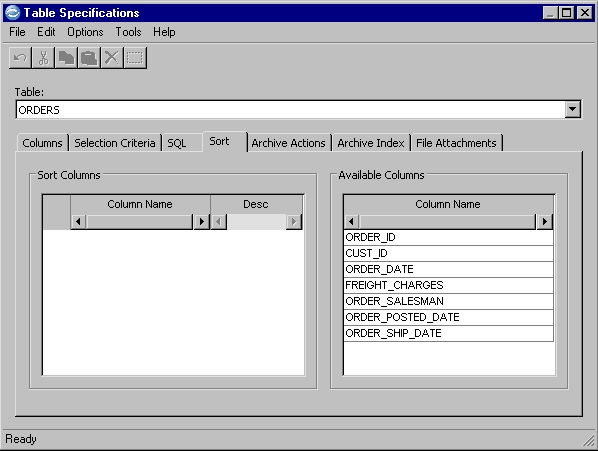
Here is an example of the Sort tab that is used to arrange the display of rows in the Table or Point and Shoot Editor.
Sort Columns
Names of columns, in priority order, that are used for arranging the display of rows in the table. The arrangement has no effect in a process that uses the Access Definition.
- Column Name
- Name of the column. Select a column name in the Available
Columns box and drag it to the Sort Columns box.
You also can double-click a column name to move it.
- To rearrange the priority order in the Sort Columns box, drag a column name to a new position.
- To remove a column name from the Sort Columns box, drag the column name to the Available Columns box, or right-click the name and select Remove.
- Desc
- Sequence of values in the column:
- To arrange in descending order, select the check box.
- To arrange in ascending order, clear the check box.
Available Columns
Names of columns that are not involved in the sort sequence.
Sort Specifications Identified
A sort criteria icon  in the Table Specifications
column on the Access Definition Editor table list indicates that sort
criteria are specified.
in the Table Specifications
column on the Access Definition Editor table list indicates that sort
criteria are specified.