Editing the struggle threshold and alert configuration
After saving the Page map, Paul reviews the default configuration for struggle thresholds and alerts.
From the Menu icon on the Struggle Analytics page, Paul selects Set threshold & alert to review the default configuration.
Paul can accept the default threshold and percentages, or he can change them.
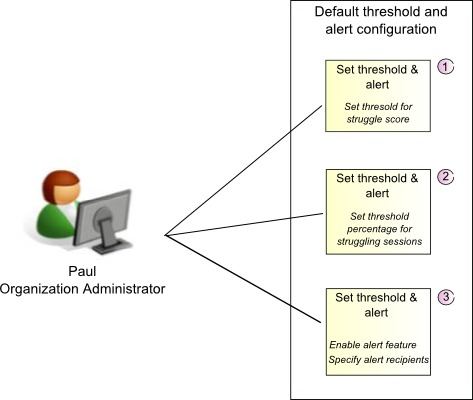
Struggle Analytics uses the threshold and percentage values from the configuration to measure customer struggle and determine the criticality.
When a struggle score exceeds the specified threshold, it is an indication of visitor struggle and will be noted as such in the analysis.
When the Percentage of sessions demonstrating struggle exceeds the specified threshold, visitor struggle is at a critical level.
By default, the alert mechanism is Set Alert = Off, which means Struggle Analytics does not send alert notifications when the set threshold and percentages are exceeded.
When the alert mechanism is Set Alert = On, a form is displayed with a preformatted alert message that references to the critical threshold values.
Paul can assign the alert a name and specify the email address of the recipient for the alert.