Admin Views
Use an Admin View to view and edit the field values and associations of an object. You
can see an Admin View for an object only if you have the permission All Permissions/SOX/User
Interfaces/View Admin tab.
Unlike a Task View, an Admin View shows all fields and relationships for the profile regardless of the stage in the object's lifecycle. You can manually add fields to an Admin View to ensure that the fields appear in the order you prefer. The order that you choose is also used when the fields are imported and exported. If you don't add the fields manually, the fields appear in a random order in the Other fields section of the Admin View and they are not imported or exported.
To open an Admin View, click an object in Grid View and click the Admin tab in the view.
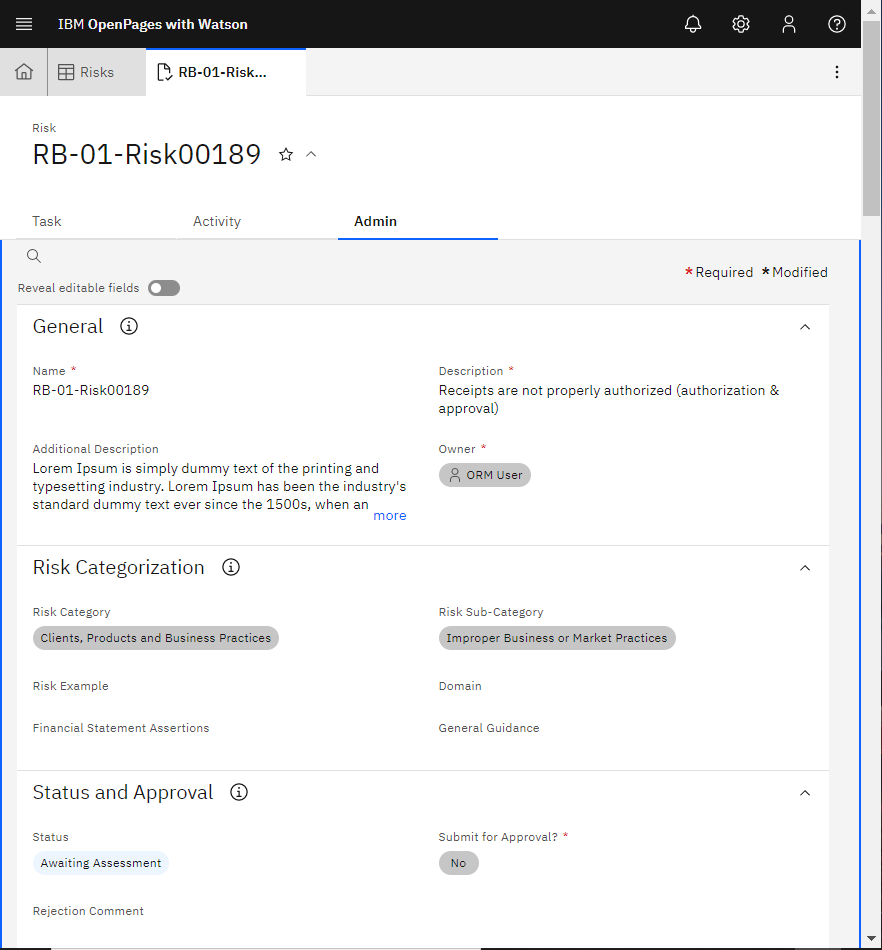
- Review information about the object.
- Select Reveal editable fields to view field values that can be edited and edit the values as needed.
- Change parent and child associations. For more information, see Associating objects by using Admin View.
- If you want to view the change history, click the Activity tab. For more information, see Viewing change history on the Activity tab.
- If you want to view more information about the object, click the Task tab. For more information, see Completing work that is assigned to you.