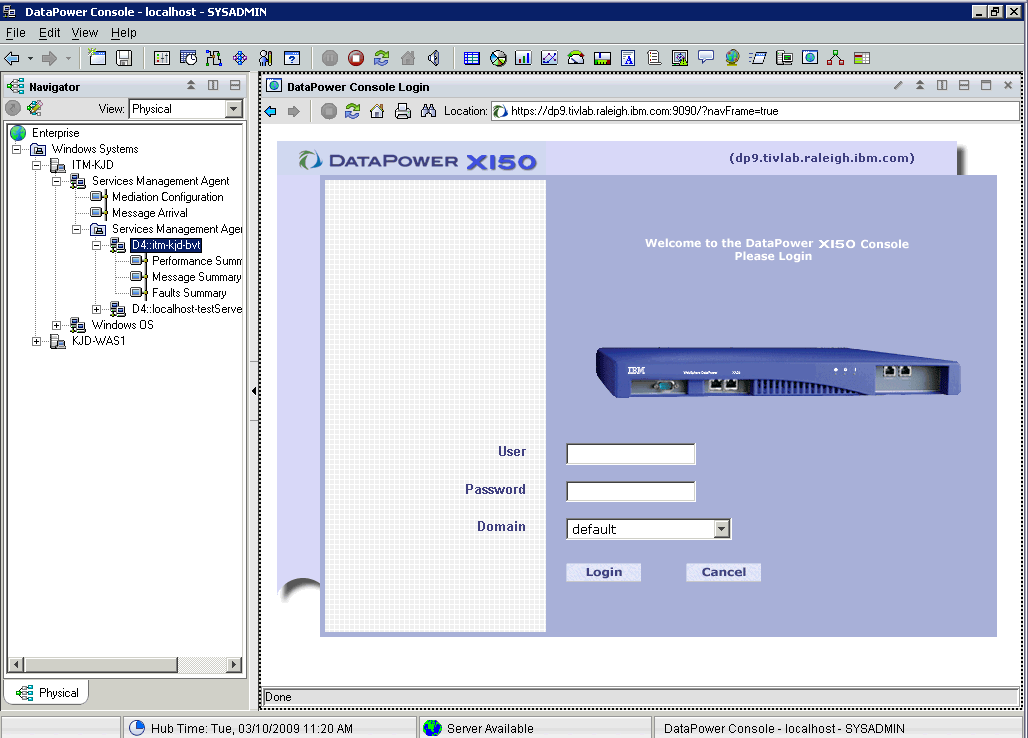
You can select a DataPower® SOA appliance that is displayed in a row of the Services Inventory attributes table in the Performance Summary workspace of the Tivoli® Enterprise Portal, or select an instance of a DataPower mediation operation from one of the Operational Flow displays, and follow the procedure described in this section to display the DataPower Console user interface in a Tivoli Enterprise Portal view. You can then use this interface to configure the DataPower SOA appliance and the policies that the appliance applies to services traffic.
To display the DataPower Console
user interface, complete the following steps:
- From the Tivoli Enterprise Portal, navigate to the Performance Summary workspace and display the Services Inventory attributes table view.
- Select a row in the table from the DataPower system referenced in the Node
Name column, and click the link icon to select the DataPower Console option.
The DataPower Console
is displayed in a Tivoli Enterprise Portal view,
similar to the example shown in Figure 1. Figure 1. The DataPower Console