UML-to-JPA transformations description
- You must install the following components:
- Java, Java Persistence API (JPA), and EJB 3.0 graphical editing and transformations
- Tools for WebSphere® Application Server, version 7.0
- You must enable the following capabilities:
- Java Persistence API Transformation
- EJB 3.0 Transformation Profile tool
- If you configure the UML-to-JPA transformation to create trace
relationships between UML elements and the generated JPA entities,
you must enable the following capabilities:
- EJB 3.0 Modeling
- JPA Modeling
Note: The Modeling capability category contains the EJB 3.0 Modeling and JPA Modeling capabilities.
- Enterprise Java Developer
- J2EE Developer
Limitations of the UML-to-JPA transformation
- Change the version attribute from "2.0" to "1.0"
- Change the xsi:schemaLocation attribute from "http://java.sun.com/xml/ns/persistence/orm_2_0.xsd" to "http://java.sun.com/xml/ns/persistence/orm_1_0.xsd"
Generation of Java artifacts by other transformations
- UML-to-Java transformation
- UML-to-JPA transformation
- UML-to-EJB 3.0 transformation
Check the Problems view for information about missing stereotypes.
Valid transformation sources
You can specify the following elements as sources for the UML-to-JPA transformation:
- UML models
- Packages and their contents
- Non-nested classes and their contents
- Non-nested interfaces and their contents
- Non-nested enumerations
The transformation transforms the contents of UML models, packages, classes, and interfaces. For example, when the transformation transforms a class, the transformation also transforms the operations and properties of the class.
If you select a model or model elements in the Project Explorer view instead of using the Transformation Configuration editor, the model or elements that you select override the source model or elements that you specify in the transformation configuration. The transformation configuration is not affected and the source that you specify on the Source and Target page of the transformation configuration editor or in the New Transformation Configuration wizard does not change.
Valid transformation targets
The transformation can generate output to a JPA project or Java project, or a source folder in a JPA project or Java project. You can create the JPA project with or without a client project. The transformation generates code in the first detected source folder of the JPA project and in the first detected source folder of the client project, if one exists.
Deployment descriptors and persistence files
- orm.xml, which contains the JPA annotations that correspond to the UML elements in the transformation source
- persistence.xml, which contains a <mapping-file> element that refers to orm.xml
When you configure the transformation to generate a deployment descriptor, it generates all JPA annotations in the persistence files, and does not generate JPA annotations in the Java code.
Trace relationships between source model elements and transformation output
You can use the UML-to-JPA transformation to create trace relationships from the generated Java classes to the UML source elements. You can then view the trace relationships in a topic diagram by creating and running model queries.
Creating trace relationships is useful in large projects that might contain multiple models and multiple transformation configurations. You can also create and run traceability queries that display how the transformation output relates to software specifications and model elements.
When you rerun the transformation, if necessary, the transformation uses the identifier in the source code to match corresponding elements and then changes the code to reflect the changes to the model. For example, if you rename a UML operation in the source model and rerun the transformation, the transformation renames the previously generated Java method and preserves the method body, instead of deleting the previously generated method and adding a new method.
The JPA-to-UML, or reverse, transformation can also use the identifiers to match corresponding elements between the Java project and the UML model. If applicable, changes to the Java source code elements are treated as modifications or as code refactoring instead of additions and deletions to the generated code.
| UML element | Transformation output | Trace relationship in a class diagram |
|---|---|---|
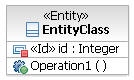 |
|
 |
The transformation does not alter the source model when you specify that the transformation generate trace relationships.
Integration with team support
The transformation provides integration functionality with IBM® Rational® Team Concert™, CVS, Rational ClearCase®, and Rational ClearCase LT version control systems, which enables you to automatically check out files or add new files. You must enable team capabilities to work with configuration management systems.