Playing back the Standard HR Open New Position process
Run the Standard HR Open New Position process in the Inspector view in IBM® Process Designer to see the process run step by step.
About this task
- The hiring manager submits a position request to fill a new position. After submission, the position request is routed to the General Manager (GM) for approval. If it is approved, the position request is routed to HR. If it is rejected, the hiring manager is notified and the position request is terminated.
- The hiring manager submits a position request to fill an existing position. After submission, the position request is routed to HR.
Starting the process instance
Procedure
- Make sure that the Standard HR Open New Position process is open in the Definition tab.
-
Click the Run icon to start an instance of the process, as shown in the
following figure:
 The process diagram is displayed in the Inspector.
Filling a new position (approval required)
About this task
Procedure
To run the workflow, complete the following steps:
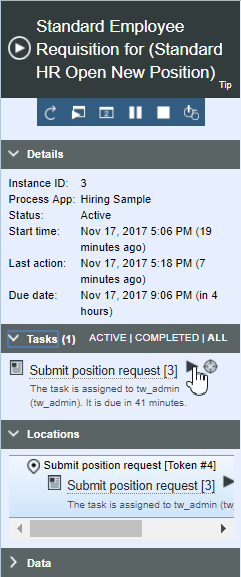
- Next to the Submit position request task, click the
Start icon to start the task, as shown in the following figure:
 The Submit position request task generates the Position Request coach in a separate browser window, as shown in the following figure:
-
In the Process Instances view, click the Refresh icon
 . You can see that the Submit position request task is now closed.
Because the hiring manager submitted a position request to fill a new position, the GM must approve
the position request before it is routed to HR. Thus, a Review new position
request task is generated for the GM in the Process Instances view when the process
instance moves to the next activity in the process diagram, as shown in the following figure:
. You can see that the Submit position request task is now closed.
Because the hiring manager submitted a position request to fill a new position, the GM must approve
the position request before it is routed to HR. Thus, a Review new position
request task is generated for the GM in the Process Instances view when the process
instance moves to the next activity in the process diagram, as shown in the following figure: Note: On the Review new position request approval task, there is a timer that creates a single event. If you want, you can set the timer to create an event every three minutes until the approval task is completed. Just click the timer icon on the Review new position request task, then click the Implementation tab. You can see the Repeatable check box, as shown in the following figure: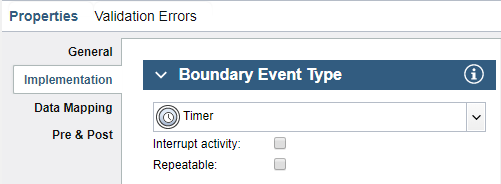
However, for the purposes of this sample, leave the Repeatable check box clear (unselected).
-
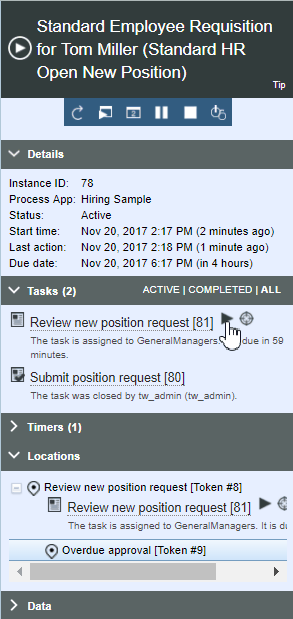
In the Tasks section of the Process Instances view, locate the
Review new position request task and then click the
Start icon, as shown in the following figure:
 The Review new position request task generates a New Position Approval coach in a web browser, as shown in the following figure: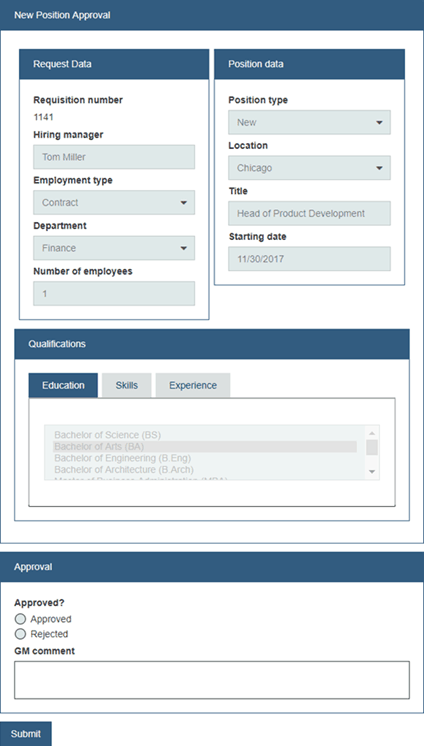
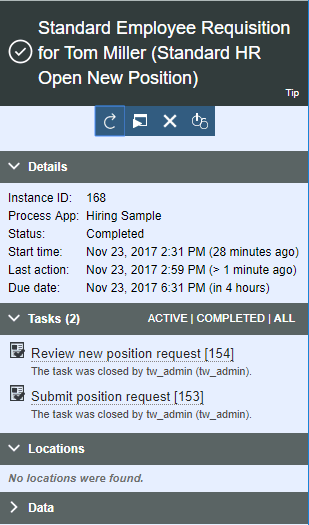
- Refresh the Process Instances view. You can see that the Review new position
request task is now closed and the Standard HR Open New Position process has completed,
as shown in the following figure:
Filling an existing position (no approval required)
About this task
Procedure
- Make sure that the Standard HR Open New Position process is open in the Definition tab.
- To start a new instance of the Standard HR Open New Position process, click the Run icon. In the Insector, the Process Instances view shows a new process instance and its status is Active.
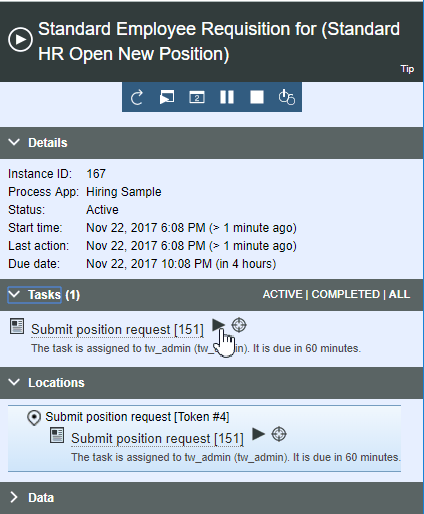
- In the Process Instances view, expand the Tasks section. The Submit position request task is displayed, which is a task for the hiring manager.
- Next to the Submit position request task, click the
Start icon, as shown in the following figure:The Submit position request task generates a Position Request coach in a web browser.
-
In the Position Type field of the coach, select
Existing. - In the Education, Skills, and Experience tabs, select one or more entries.
- Click Next. The Existing Position Data coach opens.
- Click Next.
- As the hiring manager, review the information and then click Submit.
-
Close the browser window that displays the message
The service has
finished
. - Click the icon to refresh the Process Instances view. Because the hiring manager submitted a position
request to fill an existing position, GM approval is not required and the Submit position
request task for the hiring manager is now closed, as shown in the following
figure:
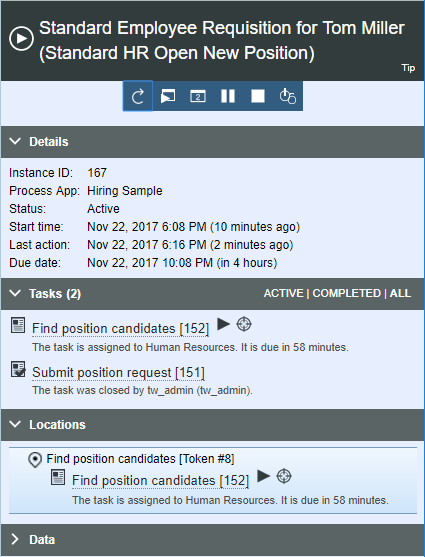
- In the Process Instances view, the Find position candidates task is now displayed, which is a task for HR.
- Next to the Find position candidates task, click the Start icon. The Review Position coach opens.
- In the coach, click Add candidates. The Add Position Candidates coach opens and displays a list of candidates.
- Click Submit to submit all of the candidates listed in the coach.
-
Close the browser window that displays the message
The service has
finished
. -
In the Process Instances view, click the Refresh icon. You can see that
the Find position candidates task is now closed and the Standard HR Open New
Position process has completed, as shown in the following figure:
