Out Documents Browser
The Out Documents browser contains a list of documents that are ready to be sent. After the documents are successfully sent, they are automatically transferred to the Out Drawer.
The following illustrates the Out Documents browser:
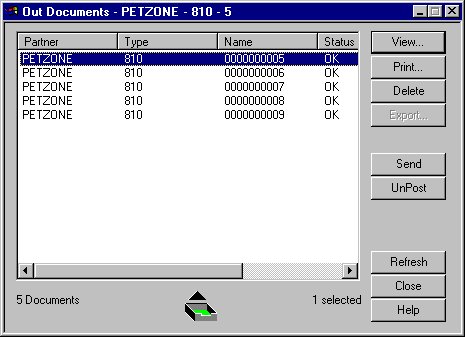
The following describes the parts of the Out Documents browser.
| Part | Function |
|---|---|
| Partner | Name of the partner for whom the document is to be sent. |
| Type | Type of document that is to be sent. |
| Name | Name of the document. |
| Status | Status of the document. |
| Processed Time | The date and time the document was processed by the system. Format used is specified in your server system settings. |
| View | Accesses the View Choice Dialog Box, which allows you view the selected document. |
| Accesses the Print Choice Dialog Box, which allows you to print the selected document. | |
| Delete | Deletes the selected document. |
| Export | Not a valid function from this browser. |
| Send | Accesses the Send/Receive dialog box, which enables
you to manually start a communications session to send data. Notes:
|
| UnPost | Moves the selected document back to the Workspace browser. |