VMware environment
The following concept diagram illustrates how IBM® storage systems are accessed and utilized in the VMware environment through IBM Spectrum Connect.
The storage administrator uses Spectrum Connect to select which IBM storage systems (arrays) and what storage resources should be available for use in the VMware environment, and control which specific vCenter servers can utilize the IBM storage resources.
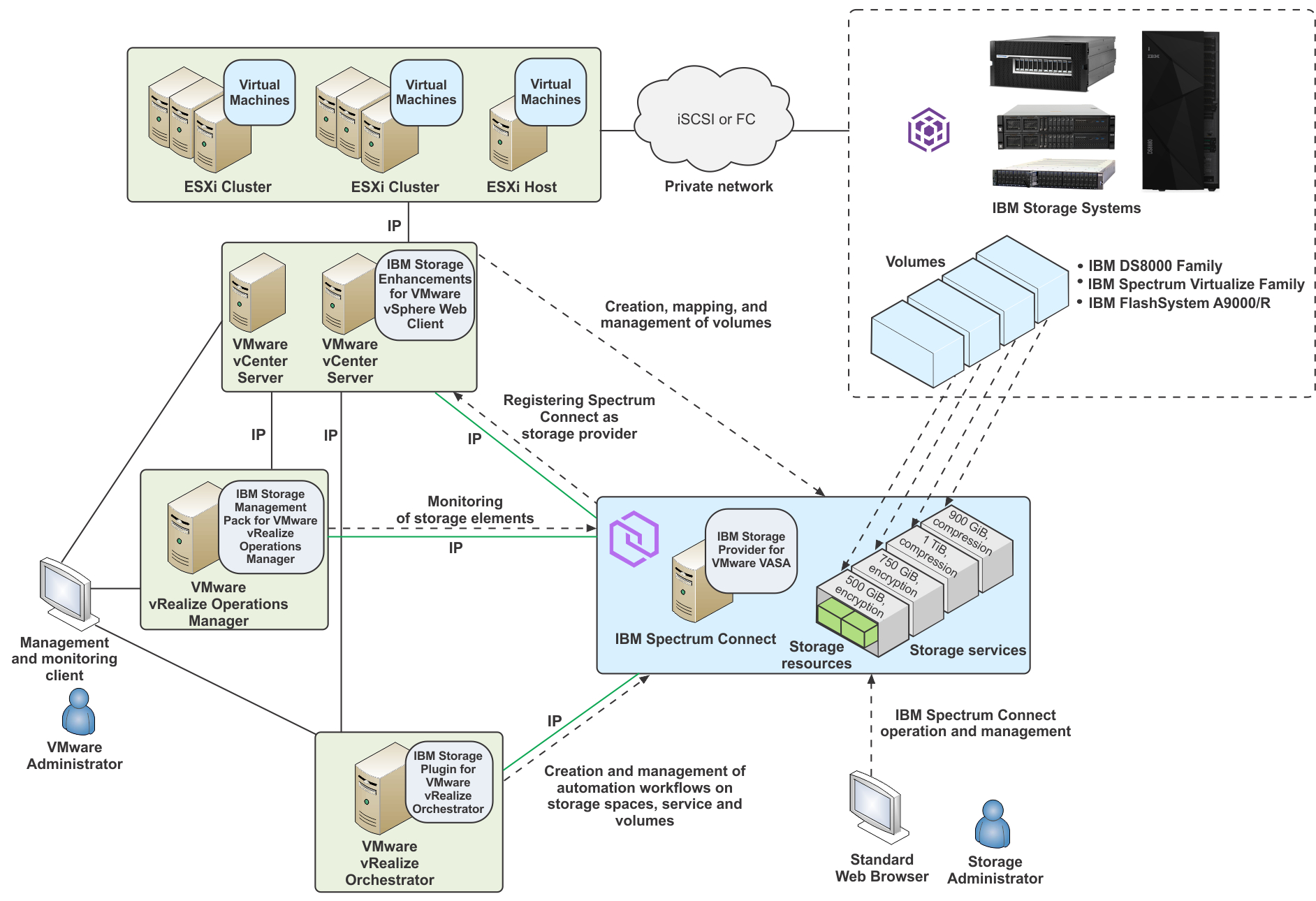
Spectrum Connect allows registered VMware vCenter servers to utilize its VASA functions, which can be monitored on the vSphere Web Client station.
- Through vSphere Web Client, administrators can manually create, map, and fully control storage volumes on the available storage systems and storage resources.
- Through vRealize Orchestrator, administrators can issue workflows for automating the same volumes operations that are available through vSphere Web Client. The automation is run by the VMware vCloud Automation Center (vCAC) platform.
- Through vRealize Operations Manager, administrators can obtain comprehensive monitoring information about the IBM storage resources that are utilized in their virtualized environment.
Note: New storage resources (pools) can be created in advance through the dedicated
storage system management tools or from Spectrum Connect. New resources cannot be added from the VMware environment.
|
Version 3.0.0 introduced a new storage provisioning method, which replaces physical objects (pools and storage systems) with abstracted storage entities (spaces and services), as detailed in VMware Storage Policy Based Management (SPBM) and Storage space and service management.