Lesson 1: Creating a release
You create a release by identifying a team to manage it and selecting the lifecycle that defines the release's phases. The phases represent the release pipeline.
The tutorial also assumes that you are using one of the user accounts described in the prerequisites, or that you configured an optional account as explained in the prerequisites.
In this lesson, you create a release by using the default lifecycle and by assigning a team to manage it.
Lesson checkpoint
In this lesson, you created a release by assigning a lifecycle to it and a team to manage it.
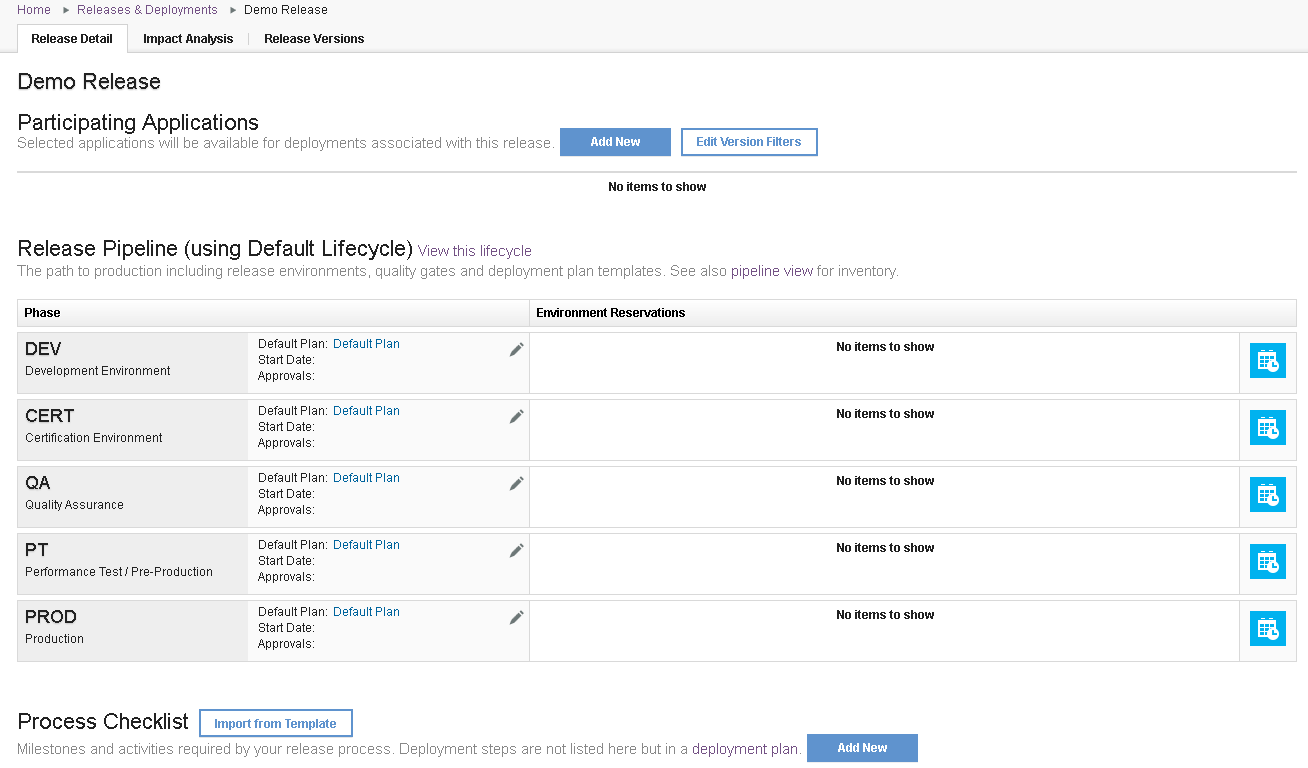
You use the Release Detail page to manage a release. The Release Pipeline area displays the release's phases, which are derived from the lifecycle you selected when you created the release. The Default Lifecycle has the five phases shown in the following figure. In this case, a typical release might consist of five deployments, one for each phase, beginning with the DEV phase and ending with the PROD, or production, phase. Generally, each succeeding deployment represents a level of higher criticality in the release.
To learn more about releases, see Managing releases.