Installing an adapter in the 9080-M9S system
To install an adapter in the system, complete the steps in this procedure.
Procedure
-
Remove the adapter cassette from the slot:
-
Pull the cassette straight out from the slot.
Figure 1. Removing the adapter cassette from the 9080-M9S system 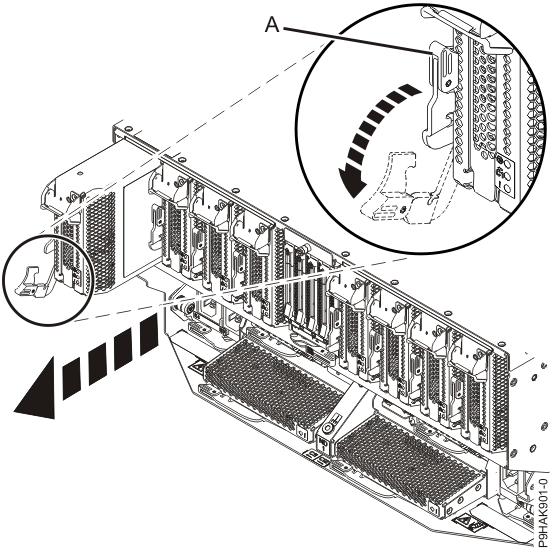
-
Pull the cassette straight out from the slot.
-
Remove the side cover from the cassette.
-
Lift the side cover off the cassette.
Figure 2. Removing the side cover from the adapter cassette for the 9080-M9S system 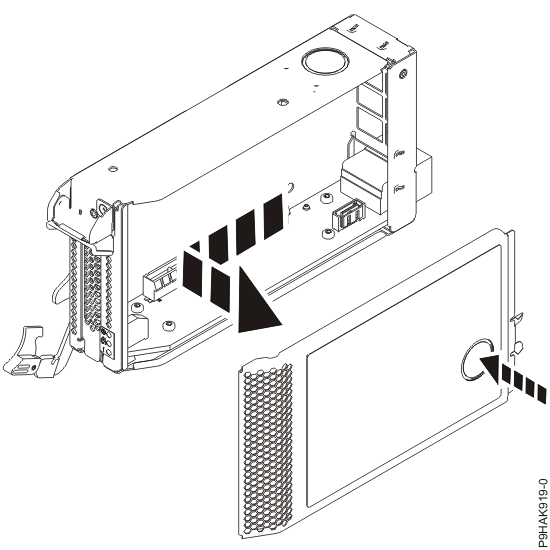
-
Lift the side cover off the cassette.
-
Remove the top cover from the cassette.
-
Lift the top cover off the cassette.
Figure 3. Removing the top cover from the adapter cassette for the 9080-M9S system 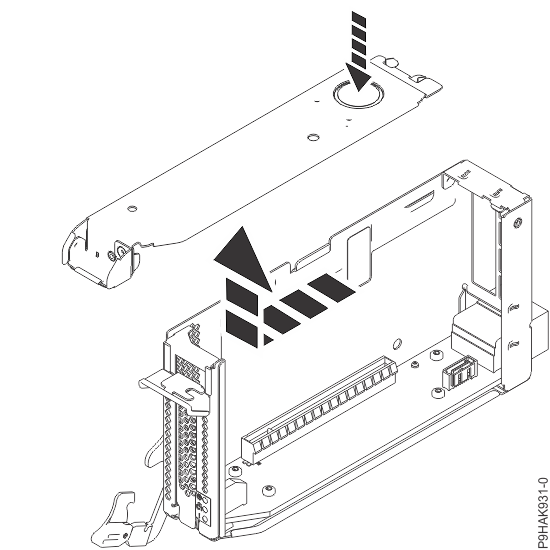
-
Lift the top cover off the cassette.
-
Remove the tailstock filler from the cassette.
- Pull the tailstock filler away from the cassette in the direction that is shown.
-
Save the tailstock filler for a future use.
You must have a tailstock filler in an empty cassette in a system to ensure proper airflow.
Figure 4. Removing a tailstock filler from the cassette for the 9080-M9S system 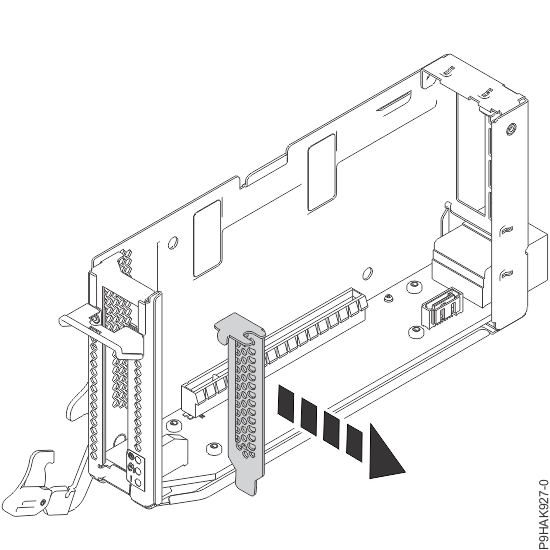
-
Insert the adapter into the cassette.
-
Choose from the following options:
- If you do not have adapter retainers, continue with the next step.
- If you have adapter retainers, complete the following steps:
- Ensure that the retainer latches (A) are in the open position by pushing up on the latch in the direction that is shown in the following figure.
- Slide up the retainers and remove them from the cassette and then discard them.
Figure 5. Opening the adapter retainers for the 9080-M9S system so you can slide them off and discard them.  Note: The adapter retainers are not needed.
-
Press the adapter firmly into its connector as shown in the following
figure, ensuring that it is seated.
Figure 6. Installing an adapter in a cassette for the 9080-M9S system  Note: Ensure that the adapter is secured in the adapter retainer channel.
-
Choose from the following options:
-
Replace the top cover on the cassette.
-
Slide the top cover in the direction that is shown in the following
figure until it latches securely.
Figure 7. Replacing the top cover on the adapter cassette for the 9080-M9S system 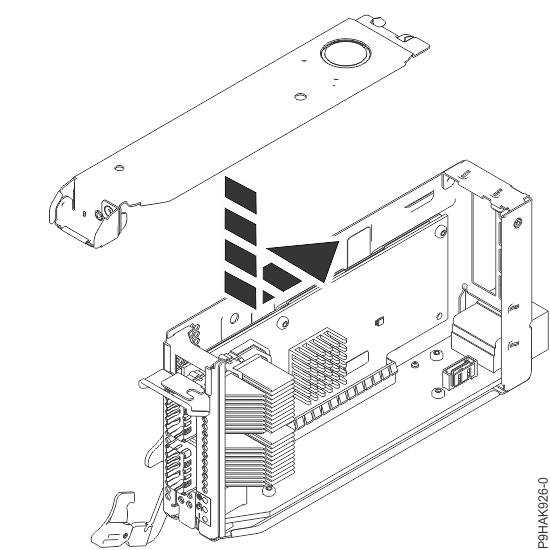
-
Slide the top cover in the direction that is shown in the following
figure until it latches securely.
-
Replace the side cover on the cassette.
-
Slide the side cover in the direction that is shown in the
following figure until it latches securely.
Figure 8. Replacing the side cover on the adapter cassette for the 9080-M9S system 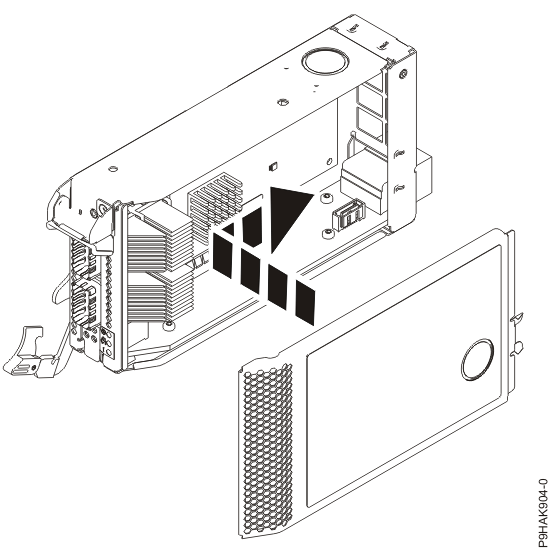
-
Slide the side cover in the direction that is shown in the
following figure until it latches securely.
-
Slide the cassette into the slot by completing the following steps:
Attention:
Ensure proper alignment when you insert a adapter cassette into the system.
-
To lock the adapter in its slot, rotate the adapter latch
(A) in the direction that is shown in the following figure.
Figure 9. Installing a cassette in the 9080-M9S system 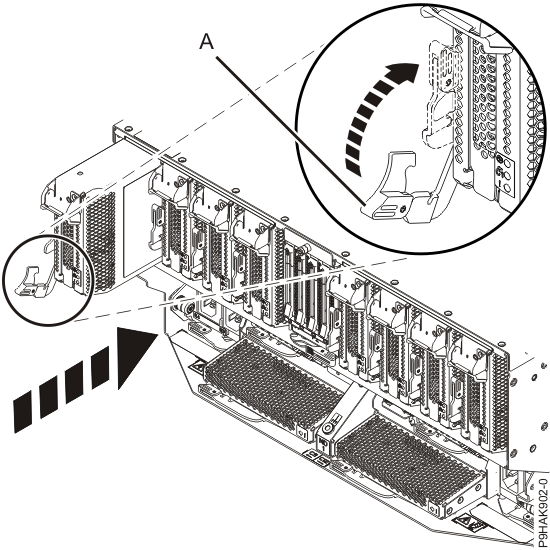
-
To lock the adapter in its slot, rotate the adapter latch
(A) in the direction that is shown in the following figure.